Lifeline Timer
macOS / Productivité
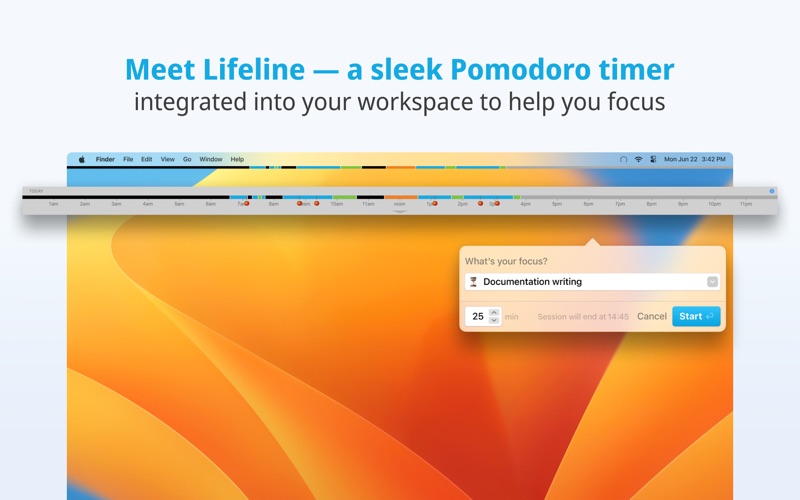
See your entire workday at a glance. Lifeline lives in your Mac's menu bar and draws a real-time "lifeline" of your day: a visual timeline of focus sessions, meetings, breaks, and idle time. One look tells you exactly how your day is going.
Work in focused sessions and earn a tomato every 25 minutes. It's Pomodoro timing done right, with breaks your brain will actually thank you for.
Why Lifeline?
Most timer apps just count down. Lifeline shows the shape of your whole day, not just the next 25 minutes. When you can see your time, you make better decisions about it.
"The concept of seeing the time as a line during the day is mind-blowing." - Mika
"I've tried other Pomodoro timers, but have settled on this one." - Emily
"This app is the perfect tool for my workflow!" - Don
"Really enjoy the timer and its advanced functionalities." - Michael
Features
Visual Lifeline: A progress bar in your menu bar paints your day in real time. Open the floating panel for a detailed view.
Focus sessions with tomato rewards: Start a session, stay focused, earn a tomato for every 25 minutes of real work.
Committed mode: Lock yourself into a session. Strict breaks enforced, no skipping or shortening. Calendar-aware, so breaks adjust if a meeting is coming up.
Meeting tracking: Connect your calendar. Lifeline tracks meetings alongside sessions with break suggestions after.
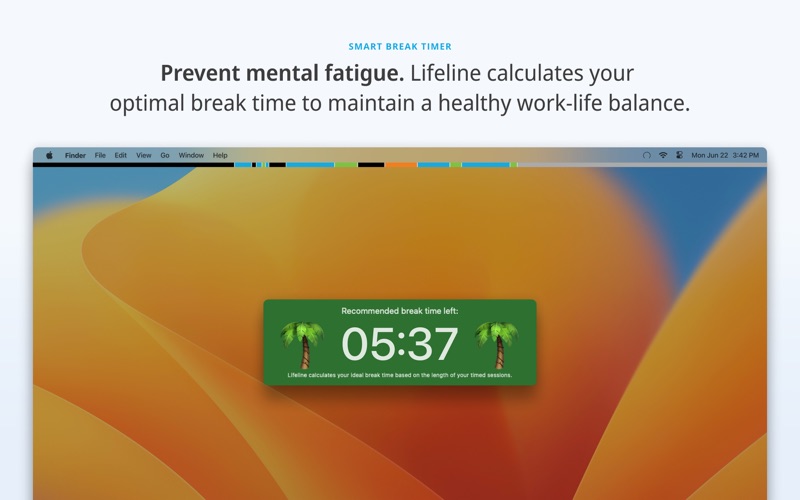
Configurable break ratios: Choose Pomodoro (5:1), Deep Rest (3:1), or set your own ratio. Lifeline tracks break debt and reminds you when you need a break based on how much you've actually worked.Sign Off Challenge: commit to a stop time each morning. Lifeline warns you as it approaches, then takes over your screen at stop time and stays locked until your chosen release time the next morning. It steps aside during meetings so calls never get interrupted. The lock survives restart and sleep, so it actually holds you to your word.
Vacation mode: Set your time-off dates and Lifeline steps aside, replacing your screen with a calm rest reminder so you actually disconnect. When you come back, it greets you with a gentle look at the time you took off.
Keyboard shortcuts: Start sessions, trigger breaks, navigate entirely from the keyboard.
AI tool integration: Control Lifeline from any AI assistant via the Model Context Protocol (MCP). Analyze your productivity, start sessions from your AI workflow, or build custom automations. Full AppleScript support included.
Automatic backups: Lifeline saves a copy of your activity history to a folder you choose, on a daily or weekly schedule. Restore any backup anytime.
Pro Features: One-Time Purchase
Free to download. Upgrade to Pro once to unlock:
• Custom session lengths
• Session labels with emoji categorization
• Daily and weekly review panel
• Calendar integration and meeting tracking
• Lifeline color customization
• Data export
No subscription. Pay once, own it.
Learn more at saent.com.
Quoi de neuf dans la dernière version ?
Sign off for just an hour, or for the whole evening. Until now, Sign Off could only release the next morning. You can now choose a duration instead: pick "after the lock engages" in Preferences > Sign Off, choose anything from 15 minutes to 8 hours, and your computer welcomes you back the same evening. Perfect for guarding dinner without writing off the rest of your night.
We also fixed an important Sign Off bug: the overnight lock quietly stopped holding at midnight, hours before your chosen release time. It now stays locked until morning, exactly as promised.
Also in this release: the plans window no longer shows a leftover Downgrade button, and Restore Purchase leaves a clearer trail in the log so we can help you faster if a purchase ever goes missing.