iPhoneAddict Apps
  • Actualités
  • Accueil Apps
  • iPhone
  • iPad
  • Universelles
  • Mac
  • Apple TV
KG KultureGeek
App
iPhone / iPad Télécharger iAddict v5 Mac Télécharger iAddict Mac
  • Actualités
  • Accueil Apps
  • iPhone
  • iPad
  • Universelles
  • Mac
  • Apple TV
  • Archives keynotes
  • Firmwares & iTunes
  • Contactez-nous
  • Comparateur de prix
  • KultureGeek
Accueil » Liste des Apps » Apps Mac » Productivité » Quick Blackout Redactor
1.01 macOS €Gratuit Teus Benschop 0 0 Use Quick Blackout Redactor to quickly and safely black out certain parts of your images and PDF files. Drag and drop an image file or a PDF file into the application. Use the mouse to draw a black rectangle over areas of this image. The...
Quick Blackout Redactor

Quick Blackout Redactor

macOS / Productivité

Gratuit
Obtenir sur l'App Store
Facebook X E-mail

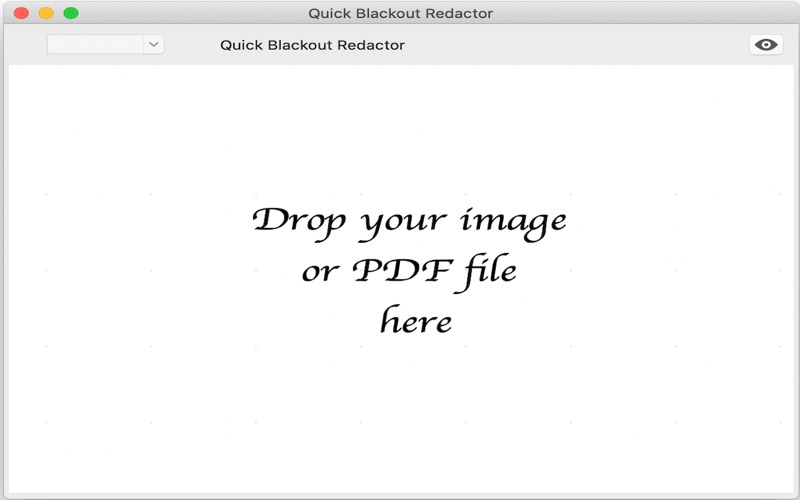
Use Quick Blackout Redactor to quickly and safely black out certain parts of your images and PDF files.

Drag and drop an image file or a PDF file into the application.

Use the mouse to draw a black rectangle over areas of this image.

The application will automatically save the edited image or PDF file to the Pictures folder or to the folder of your choice.

If there are multiple images, use the selector at the top to select the image to work on.

There is no need to close the application. You may drop file after file onto it. It will process and convert them all.

There are other apps out there for redacting documents by blacking out areas of PDF files. If a black rectangle is drawn over an area in a PDF file, then this black rectangle covers that area, but the underlying area is still in the PDF file, although it is now invisible. Someone who dissects this PDF file can then retrieve the original unredacted information. The real safe say of redacting a PDF file is to print the document on paper, do the redaction on paper, and then scan the redacted documents again. The Quick Blackout Redactor does it in a similar way. It rasterizes the PDF file to create an image. It draws black rectangles in the image. It flattens the image. It then exports the image into a PDF file again. This is a safe way of redacting sensitive information in your PDF documents.

This app focuses on speed and streamlines your daily workflow.

En voir plus...

Quoi de neuf dans la dernière version ?

A preferences window to set the output folder
  • Screenshot #1 pour Quick Blackout Redactor
  • Screenshot #2 pour Quick Blackout Redactor

D'autres applications du développeur

BibleditBibleditiOS UniverselBibleditBibleditmacOS

Note

(0 note)

Détails sur l'application

Version
1.01
Taille
3.4 Mo
Version minimum de macOS
10.14
Dernière mise à jour
19/11/2019
Publié par
Teus Benschop

Newsletter App Store

Recevez chaque jour les meilleures promos

Actualité Apple

Image Adobe Premiere, After Effects et Audition ne vont plus supporter les Mac Intel
Adobe Premiere, After Effects et Audition ne vont plus supporter les Mac Intel
Image MacPaw et Liquid AI préparent une couche d’IA locale pour les applications Mac
MacPaw et Liquid AI préparent une couche d’IA locale pour les applications Mac
Image iMessage est disponible sur Android avec Sunbird
iMessage est disponible sur Android avec Sunbird
Image Apple Vision Pro : une étude confirme son intérêt en chirurgie avec des opérations 19 % plus rapides
Apple Vision Pro : une étude confirme son intérêt en chirurgie avec des opérations 19 % plus rapides
iPhoneAddict Apps

Le catalogue iPhoneAddict pour suivre les nouveautés, mises à jour et baisses de prix de l’App Store.

Apps

Toutes les apps iOS iPhone iPad Universelles Mac Apple TV

iPhoneAddict

Actualité Apple Archives keynotes Contact À propos KultureGeek

Suivez-nous

©2009-2026 i2CMedia. Tous droits réservés.