Copies Savior - Clipboard
macOS / Utilitaires
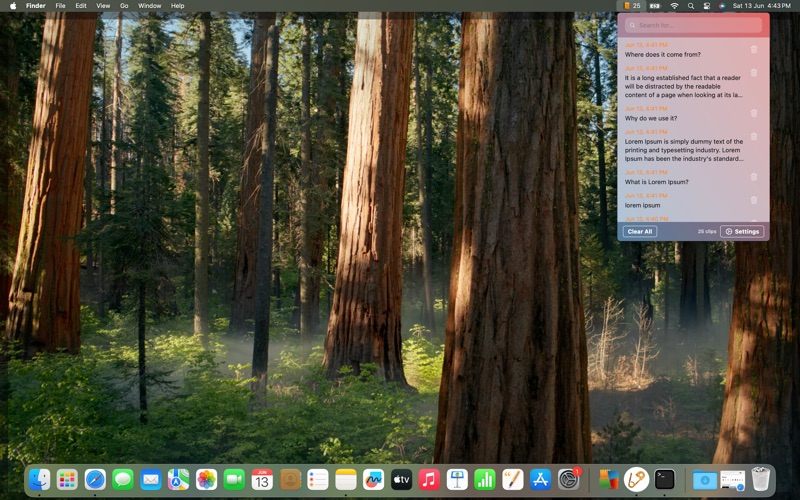
Copies Savior is the simplest clipboard manager for your Mac. Running quietly from your menu bar, it remembers everything you have ever copied or cut, so you can paste it again with a single keystroke or a quick search.
Never lose another snippet — whether it is text for an email, your CV, or a precious piece of code.
NEW IN 2.0
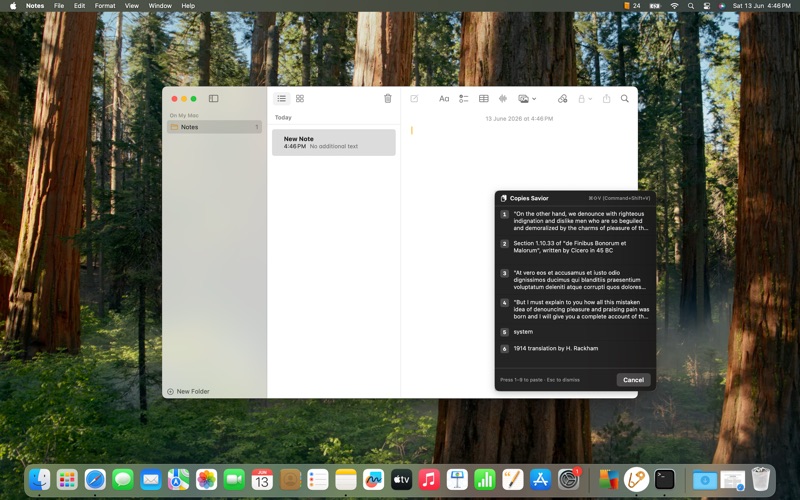
• Quick Paste — press ⌘⇧V (Command+Shift+V) anywhere on your Mac to open a floating panel with your last 9 clips. Click one, or press 1 to 9, and it pastes straight into the field you were typing in. Works in Notes, Safari, Mail, Pages, your editor — any text field.
EVERYTHING YOU GET
• Searchable history of everything you have copied
• Quick Paste floating panel (⌘⇧V) (Command+Shift+V)
• Click any saved clip to copy it back to the clipboard
• Set a limit on how many clips to keep
• Tune how fast it watches the clipboard (lower polling = less memory)
• Read-aloud on copy for proofreading or accessibility
• Delete a single clip or wipe the whole history
• Lives in the menu bar — out of your way until you need it
• 100% local — nothing ever leaves your Mac
Quoi de neuf dans la dernière version ?
Version 2.0 is a major update with a new headline feature:
• NEW — Quick Paste hotkey: press ⌘⇧V (Command+Shift+V) anywhere to paste from your last 9 copies, in any app
• NEW — Click any clip in the menu bar list to copy it back to the clipboard
• NEW — Delete button on every clip
• NEW — Set a custom limit on how many clips are saved
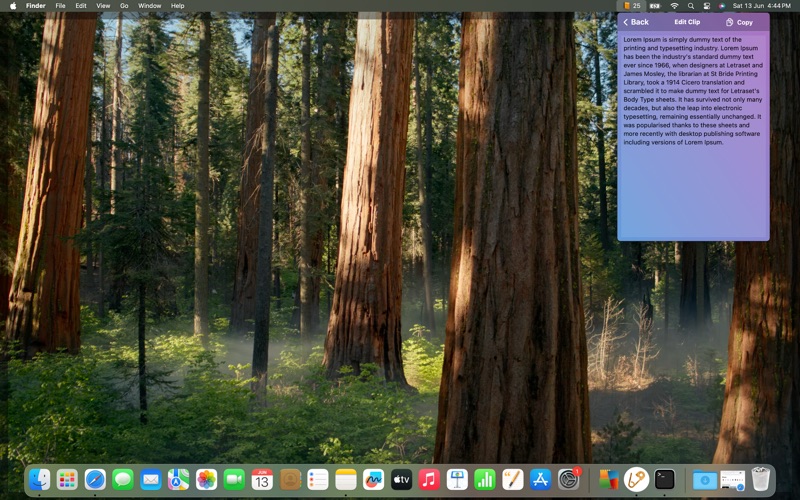
• Refreshed interface with smoother search and a cleaner layout
• Faster and more reliable under the hood