Duplicate Finder and Remover
macOS / Utilitaires
Recover precious disk space on your Mac using Duplicate Finder and Remover by Systweak Software. It will help detect and remove duplicate files and free up storage space. Duplicate Finder and Remover is your best bet.
The App is designed and developed by Systweak Software, the Duplicate Photos Fixer Pro makers.
Why install Duplicate Finder and Remover?
1. Easy-to-use
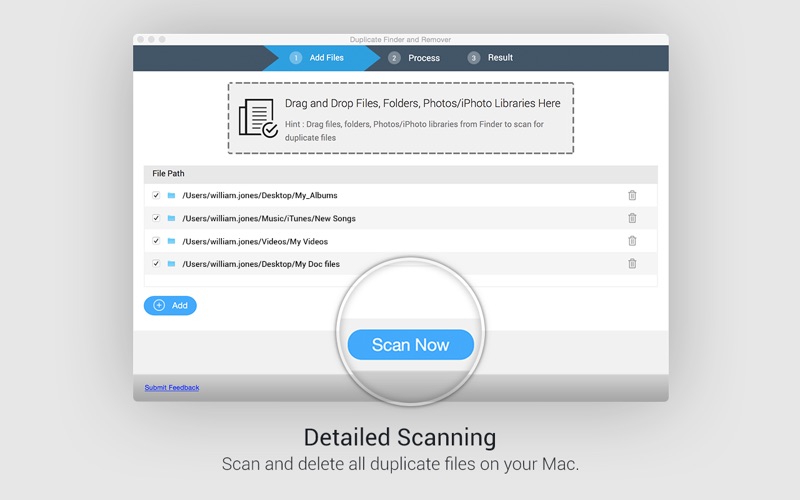
This app features a simple UI. You can either Drag-and-Drop files or add them manually.
2. Auto-Mark duplicates
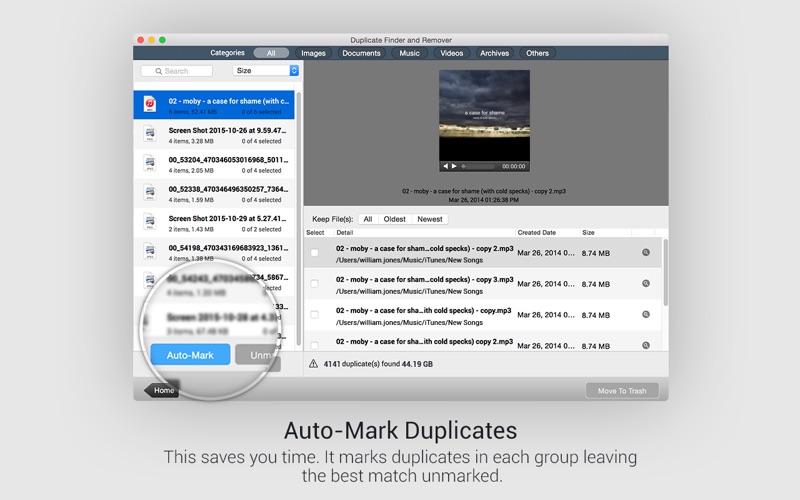
Use Auto-mark feature to automatically mark duplicates from the scan results, leaving one unmarked file in each group. So if you have 1000 duplicates in a group, 999 will be marked within seconds. Try it!
3. Fast & smooth scanning
Smart scan engine to quickly find duplicate files. The entire process is smooth and hassle-free.
4. Accurate results
Duplicate Finder and Remover by Systweak Software uses an intelligent algorithm that accurately finds all duplicate files not by name but by content.
5. Recovers disk space
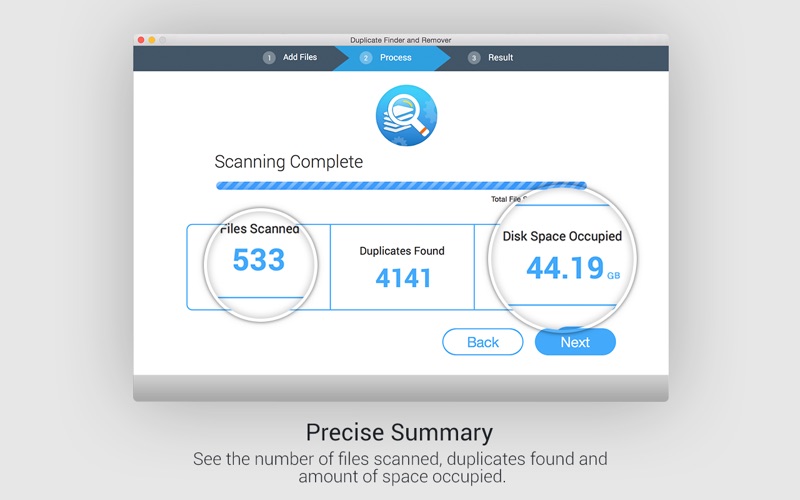
This duplicate finder app aims at recovering gigabytes of wasted disk space on your Mac. Removing duplicate files can free up valuable storage space.
6. Time saver
Manually deleting duplicate files and media is a tedious process and consumes a lot of time. Let Duplicate Finder and Remover work its magic and save your time.
7. Automated
No manual efforts are required to find all existing duplicates on your Mac because this duplicate finding app is automated. Just add files/folders/libraries to scan, and it will do the job for you.
8. Support external devices
Not only can it scan the internal storage for duplicate files, but it can also scan any attached external devices. So, connect your USB flash drives, external hard disks, and other storage devices to your Mac and get started!
9. Support for Google Drive
You can also scan and remove the duplicates directly from Google Drive. Try it now!
10. Duplicate-free Mac
Deleting the exact same files from your Mac removes redundancy, making your Mac 100% duplicate-free.
11. Ad-Free
Duplicate Finder and Remover by Systweak Software is 100% ad-free, unlike other duplicate cleaning apps. No annoying pop-up ads will interfere with you throughout the cleaning process.
Quoi de neuf dans la dernière version ?
1. Compatible with the Latest macOS Sonoma - Version 14:
Now supports macOS Sonoma - Version 14, ensuring seamless compatibility.
2. Minor Bug Fixes and Enhanced Optimizations for a Smoother Experience:
We've addressed minor bugs and fine-tuned optimizations to deliver a smoother and more enjoyable experience.