Personal Vault Companion
macOS / Utilitaires
"Personal Vault Companion" is desktop product for "Personal Vault" for iPhone/iPad. This application uses the Bluetooth to transfer the selected property value from iPhone/iPad.
How does it work?
First make sure you have the latest version of Personal Vault, version 1.6 is installed on your iPhone/iPad
Launch the Companion.
Click on the 'Scan' button to search for Personal Vaults nearby.
On your iPhone click on the "Bluetooth" button at the bottom. If the device is already connected to a desktop central then you will see a popup window that shows which desktop this device is connected to. If no device is currently connected then the iPhone will start advertising the Personal Vault service.
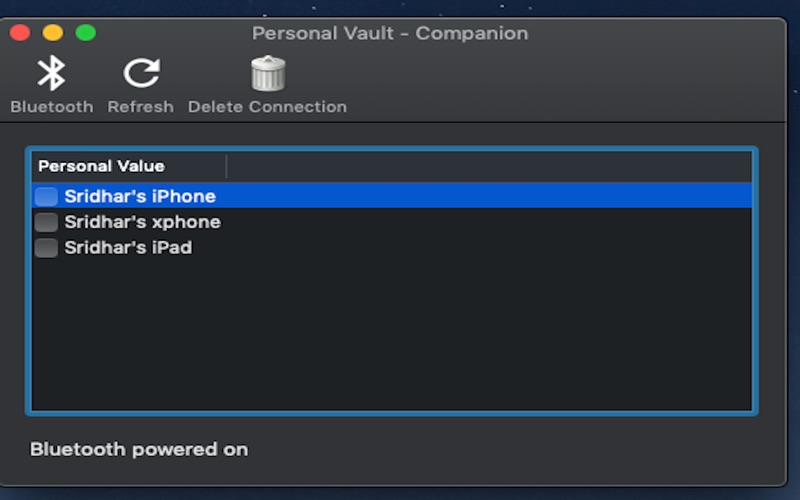
Personal Vault Companion will display the device that is broadcasting. If Personal Vault Companion does not show your device try stopping and restarting the discovery process.
Once the device is discovered and identified as Personal Vault device it will be added to the list of found devices in the Personal Vault Companion.
Note that Broadcasting is a power hungry process so once the device is discovered on the desktop close the Broadcast dialog on the iPhone and your Personal Vault Companion desktop companion application.
Click on the checkbox to establish a connection with the device. Once a connection is successful "Bluetooth" button on your device and desktop will change to connected state and the check box will be checked.
When you click on the device clipboard for a property the value can be pasted on your desktop.
The 'Personal Vault Companion' is available for both Mac and Windows.
Quoi de neuf dans la dernière version ?
Bug fix. Hardening and Swift 5.0.
Closing window will exit the application