Sync for iTunes
macOS / Utilitaires
Your entire music library, copied to real folders you can use anywhere.
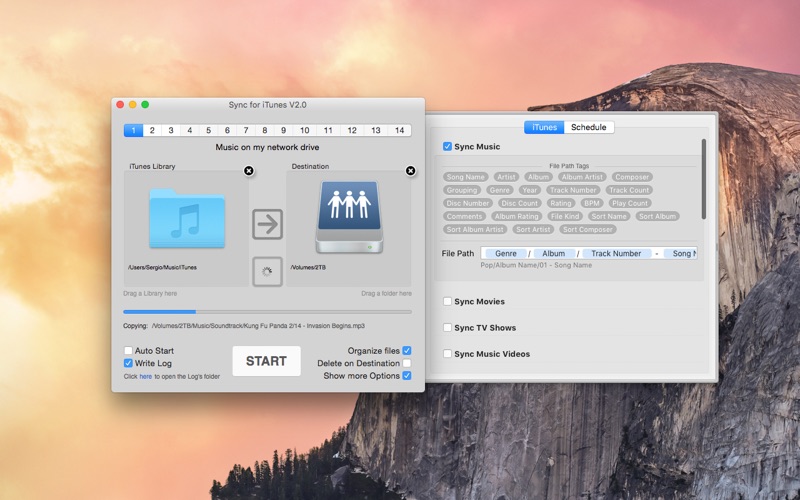
Sync for iTunes copies the songs, music videos and playlists from your Music library into plain folders — on an external drive, a NAS, a USB stick or any folder you choose. No database, no special software on the other side: just your music, neatly organized, playable from car stereos, Windows, media players and any backup tool.
Getting started could not be simpler: your Mac's Music library is connected automatically, so you just drag in a destination folder and press START. Synchronization is one-way and incremental — your library is only ever read, and after the first copy only new and changed files are transferred. Buy or import new songs, run the app, done.
ORGANIZE YOUR WAY
▪ Design the folder structure and file names with simple tags: Artist, Album, Genre, Year, Track Number, Rating and more.
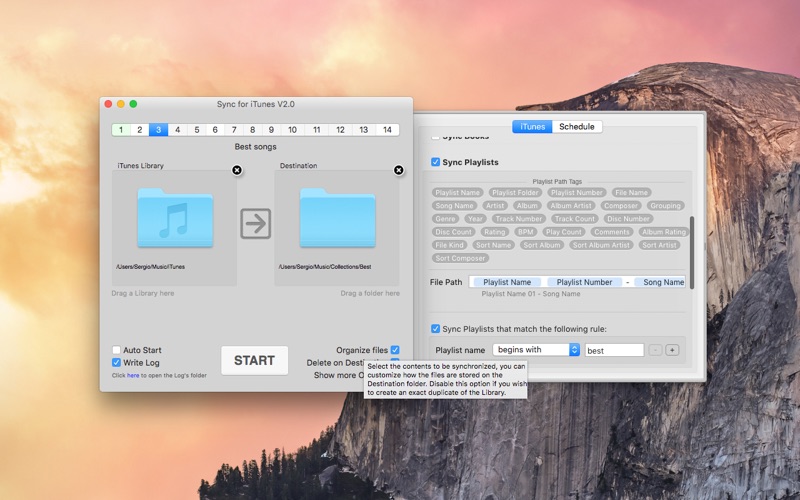
▪ Playlists and smart playlists become real folders, with playlist folders preserved.
▪ Choose what to copy: songs, music videos, playlists — each with its own folder layout.
▪ Filters choose exactly which files get copied.
SET IT AND FORGET IT
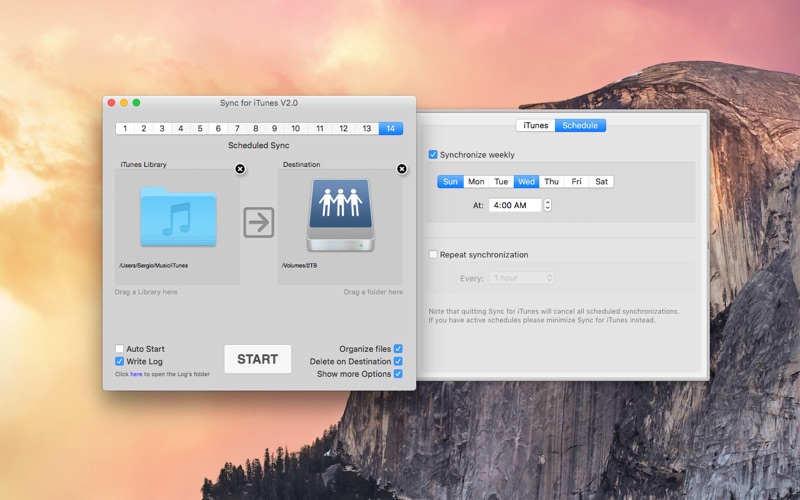
▪ 14 independent sync setups, each with its own source, destination and options.
▪ Scheduled synchronizations: weekly, or repeating every few minutes.
▪ Optional mirror mode ("Delete on Destination") removes copies of songs you deleted from the library.
▪ Queue syncs to run one after another, or run them at the same time.
▪ Safe to cancel at any time — continue later from where it stopped.
▪ Every operation can be written to a log file.
▪ Fully scriptable with AppleScript.
OLD LIBRARIES WELCOME
Still have a classic iTunes library from an older Mac? Drag its folder in — Sync for iTunes reads iTunes libraries directly, including the full range of old media types: Movies, TV Shows, Podcasts, iTunes U, Audiobooks, Tones and Books. (On old iTunes versions, enable "Share iTunes Library XML with other applications" in iTunes > Preferences > Advanced first.)
FAQ
• Does the app change my Music library?
Never. The library is only read; files are copied out of it.
• What happens when I delete songs in Music?
Your choice: with "Delete on Destination" enabled, their copies are removed on the next sync, keeping a perfect mirror. Leave it off to keep everything that was ever copied.
• Are playlists included?
Yes — playlists and smart playlists are recreated as folders containing their songs, and you control how they are named and organized.
• Is it safe to cancel an ongoing synchronization?
Yes, at any time. The next sync can continue right where it stopped.
Quoi de neuf dans la dernière version ?
Bug fixes