Identifier la Musique & Titre
iPhone / Musique
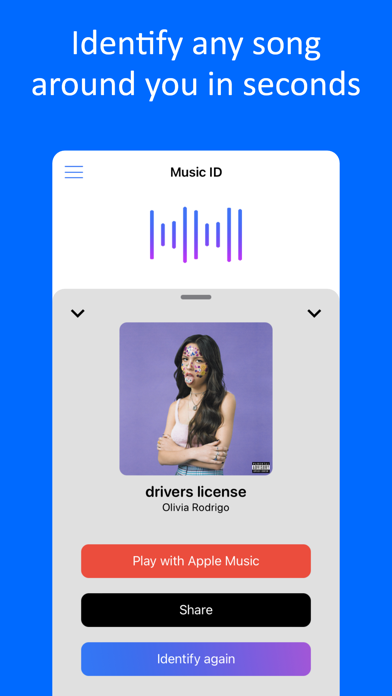
‣ Identify any songs in a few seconds.
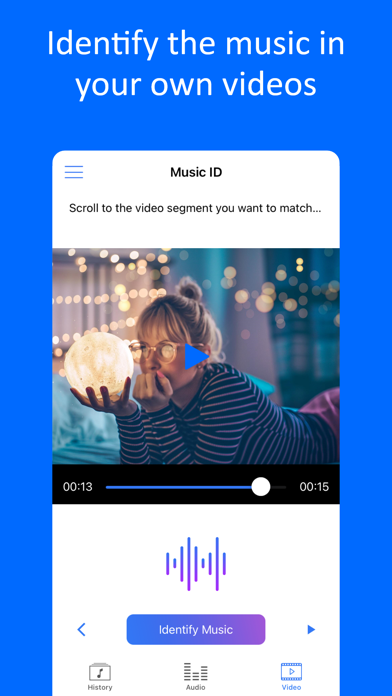
‣ Recognise songs from Videos on your iPhone!
‣ Discover album cover, artist, title...
Features:
- Auto-recognition feature: the app start identifying the song when you open the app.
- Audio identification: Your phone listens and will tell you in a few seconds what song it is from a catalog of hundred of thousands songs.
- Video identification: import any video from your gallery, select the video segment and tap 'Identify' and the app will tell you what song is in the background
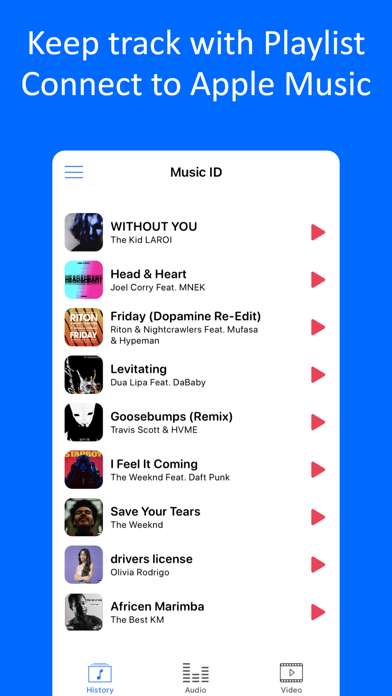
- History: keep track of all your discoveries in your own local playlist
- Quick link to play the song: open any song directly in Apple Music and add to your playlist.
Disclaimer:
- Your phone needs to be connected to internet (via Wifi or Data) to be able to identify the song. The app need to connect to an online catalog in order to specify the song.
Rate us on the AppStore and tell us what you think of it!
SUBSCRIPTIONS:
You can subscribe to upgrade to Premium features
- Subscriptions length: weekly, yearly
- Your payment will be charged to iTunes Account at confirmation of purchase
- Subscription automatically renews unless auto-renew is turned off at least 24-hours before the end of the current period
- Account will be charged for renewal within 24-hours prior to the end of the current period, and identify the cost of the renewal
- Subscriptions may be managed by the user and auto-renewal may be turned off by going to the user's Account Settings after purchase
- To Manage or Cancel your subscription, it can be done via the Settings app of your device: Open the Settings app, Tap your name, Tap Subscriptions, Tap the subscription, Tap Cancel Subscription. You might need to scroll down to find the Cancel Subscription button. If there is no Cancel button or you see an expiration message in red text, the subscription is already canceled. For more detail, see https://support.apple.com/en-us/118428 .
- To Manage or Cancel your subscription, it can also be done directly from the app: Go to ‘Settings’ screen inside our app, tap on ‘Manage Subscriptions’ and the app will directly open the list of your Subscriptions with the AppStore. You can select a subscription and check available plans or cancel subscription.
- When canceling a subscription, your subscription will remain active until the end of the period. Auto-renewal will be disabled but the current subscription will not be refunded.
- Any unused portion of a free trial period, if offered, will be forfeited when the user purchases a subscription to that publication, where applicable
Read our Privacy Policy at: https://roundingsquares.com/privacy/
Read our Terms of Use at: https://roundingsquares.com/terms/
Quoi de neuf dans la dernière version ?
Performance improvement