sir Sampleton
iOS Universel / Musique
"surprisingly powerful" - Wall Street Journal
used by DJ/producer Zedd! // supports Audiobus, MIDI, iOS13
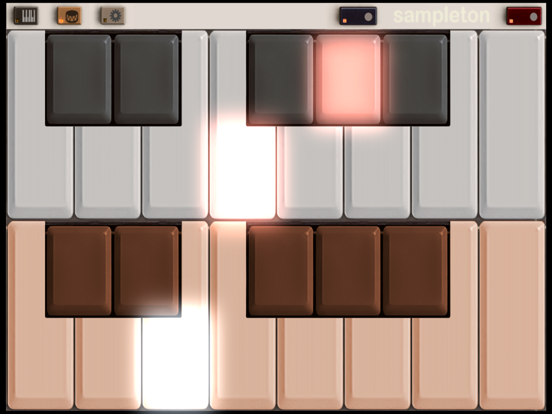
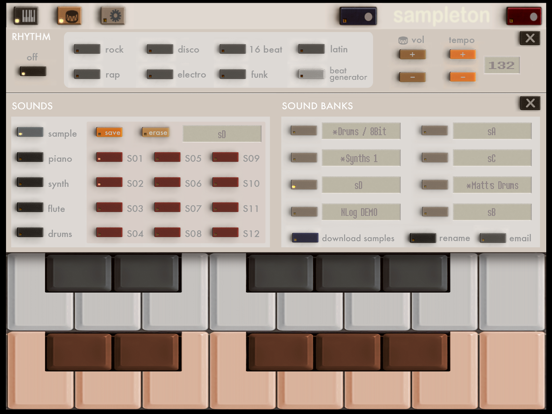
Sir Sampleton is a sampling musical keyboard inspired by Casio and Yamaha samplers from the 80s. The app allows you to record sounds through the microphone and then play them on dual piano keyboards accompanied by a rhythm machine. You'll be surprised at the lush, complex musical sounds that can be created with samples of your voice, musical instruments, and other noises. Samples can be looped, customized, saved, and emailed, and we offer free samples for download on our website.
Supports Audiobus, Inter-app Audio, CoreMIDI, MIDI Mobilizer 1 and 2. Works as a virtual instrument for apps like Cubasis, Beatmaker 2, and Genome sequencer. Capable of sampling other apps and effects through Audiobus.
Sampleton applies a subtle stereo effects process to the audio giving it a fuller, warmer sound that you'd typically get from sampling a monaural microphone.
If you like my apps please leave ratings or reviews! For support email sirsampleton@gmail.com
FEATURES:
• Sample from the microphone and immediately play your sounds on dual keyboards
• Save and email sample packs to friends, or to yourself for backup/transfer
• Download free samples from our website
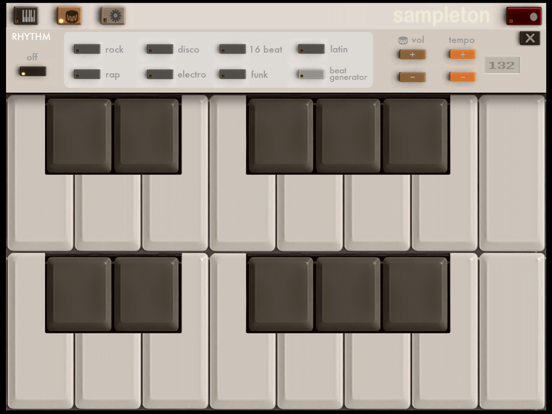
• Built-in beats and computer beat generator
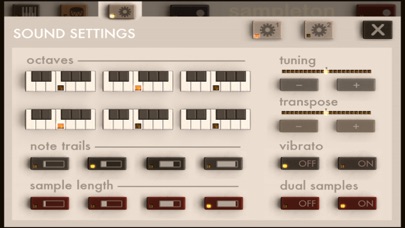
• Adjust tuning, release, vibrato, sample time, and much more
• Record, add effects, and sample from other apps (requires Audiobus app)
• Put a different sample on each keyboard in dual-sample mode
• Multitouch with 18 voices for rich sound
• Automatic smart microphone level adjustment
• Supports all CoreMIDI devices, Line6 MIDI Mobilizer 1 and 2
• Virtual MIDI for compatibility with Cubasis, Beatmaker 2, and Genome
• Multichannel MIDI mode places different samples on each MIDI channel, up to 24 samples
• Supports iRig external audio input adapter and iRig microphone
• Low latency
• Coming soon: Audio copy/paste, additional sample banks, and more!
INSTRUCTIONS:
TO SAMPLE: press the red button and speak into the microphone. It will sample for about 3 seconds.
TO PLAY A DRUM BEAT: press the drum icon button in the upper left to open the Rhythm Menu, and then select the beat you want to play. To change the tempo or beat volume, use the buttons on the right. Press the X to return to the keyboard.
TO GENERATE A RANDOM BEAT: press the drum icon button to open the Rhythm Menu, and then press the RANDOM button. To generate a new random beat, press the button again.
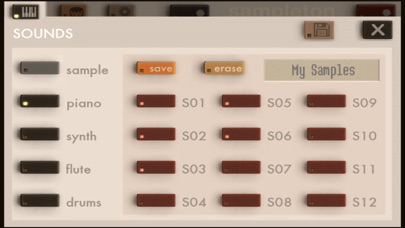
TO SAVE A SAMPLE: press the keyboard icon button in the upper left to open the Sounds Menu. Press SAVE and then choose one of the flashing numbered buttons. Your sample is then saved on that button. Press the X to return to the keyboard.
TO LOAD A SAMPLE: press the keyboard icon button in the upper left to open the Sounds Menu. Press the numbered button where you saved the sample. Press the X to return to the keyboard.
TO PREVIEW A SAVED SAMPLE: press and hold the numbered button in the Sounds Menu.
TO SAVE CHANGES TO A SAMPLE'S SOUND SETTINGS: press and hold the 'save' button in the Sounds Menu.
Quoi de neuf dans la dernière version ?
Fixed issue with importing samples in iOS 13