Belt Control
iOS Universel / Navigation
With this app you can control the feelSpace naviBelt with your smartphone. It is primarily aimed for rehabilitation teachers for orientation and mobility who would like to use the naviBelt in lessons with blind and visually impaired people. This app can also be used for the feelSpace naviGame.
You can control the vibration with three different modes: "Parcours", "Compass" and "Position". These modes are explained further below. When you use the app for the first time, you need to connect the naviBelt to your smartphone once. Start the pairing mode of your naviBelt by pressing and holding the "favorite" button for 5 seconds. Now select the desired mode in the app from the table bar. Then press the "Play" button in the middle of the screen to start the vibration.
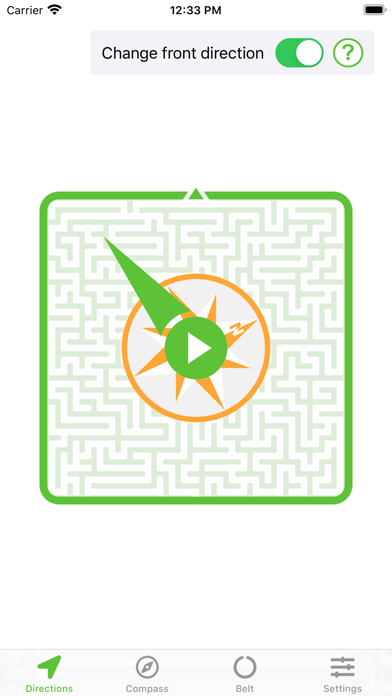
Parcours mode: In this mode, you can change the reference system for the directional display by the naviBelt. Instead of an alignment by cardinal directions, you can use the alignment of a room or a parcours. You can specify which side of a room or parcours you want to refer to as the "front direction". This allows you to adjust the signaling through the belt so that the belt vibrates to this front direction instead of north.
The belt wearer first aligns himself so that the desired new front direction is directly in front of him. If the vibration is not already felt in the middle of the belly, you have to adjust the front direction in the app. To do this, first move the direction arrow on your screen upwards. To change the front direction, activate the button "Change front direction" and adjust the orientation of the highlighted compass rose by moving your finger on the screen until the vibration is at the belly button. To confirm the selection of the current front direction, deactivate "Change front direction".
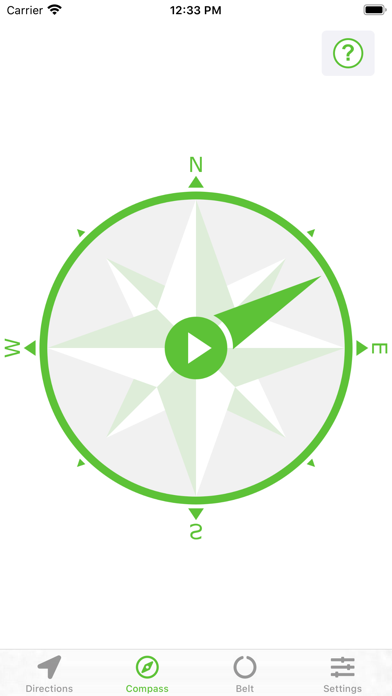
Compass Mode: In the "Compass" mode, you can define in which direction the naviBelt should vibrate. If the compass needle on the screen points to the east, the vibration of the belt now also points to the east instead of north.
Position mode: In the "Position" mode, each of the 16 vibration units of the feelSpace naviBelt can be selectively activated. For example, if the direction arrow on the screen points upwards to number 1, the vibration is permanently located at the front of the belly, no matter how the belt wearer turns.
In position mode, you can also change the front direction. This is recommended if the naviBelt is worn around the waist in a different position than recommended, because in this case there is a different vibration element at the front of the belly than the usual one. To adjust the front direction, first set the direction arrow pointing upwards on the vibration element 1. Then activate the "Change front direction" button and swipe your finger over the image to change the orientation of the marked circle. If it now vibrates at the belly button, the new front direction is set, and you can deactivate "Change front direction".