iMap 5.0
iOS Universel / Navigation
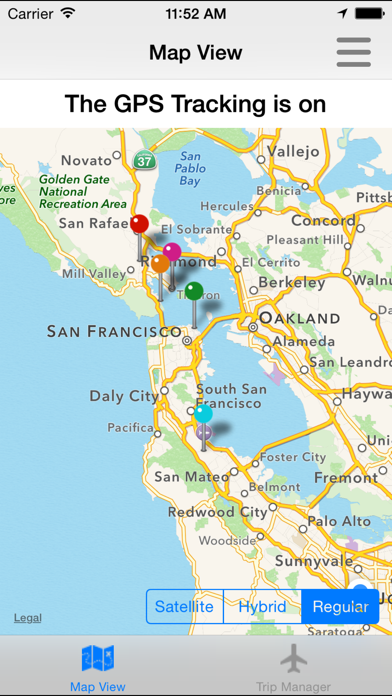
iMap uses your internal GPS to Map the contacts in your address book, based on their proximity to you. New for 2015, iMap 5.0 now adds the ability to import contacts from a spreadsheet.
Although this App was written by a Salesman, iMap is used by:
* Real Estate Agents
* Sales Managers
* Airline Pilots (added satellite view)
* Dog Groomers
* Church Ministries
* Preachers
* And many, many more disciplines!
iMap IS the mapping standard for the iPad; and now the iPhone too. The same application works on both devices.
For the General User:
Load up this App and see who in your Address Book is close by. This application uses the addresses in your iPhone/iPad address book to map where your contacts are in relation to your current location!
Perfect for planning out your day! This will help you decide where to go next by showing you who is closest to you right now.
For the Sales Person:
If you are in outside sales of any type, this application is for you!
Driving to your next appointment and want to know what prospects or customers are on your way?
Just landed at the airport and want to see what customers or prospects are nearby?
Even if you are in an area you are unfamiliar with, this application will show you who is close by!
Picture getting out of a meeting early. You have time to drop in on someone if they are between you and your next appointment. If only you knew what contacts were between your current location and where you are going to next.
iMap gives you this functionality and much, much more:
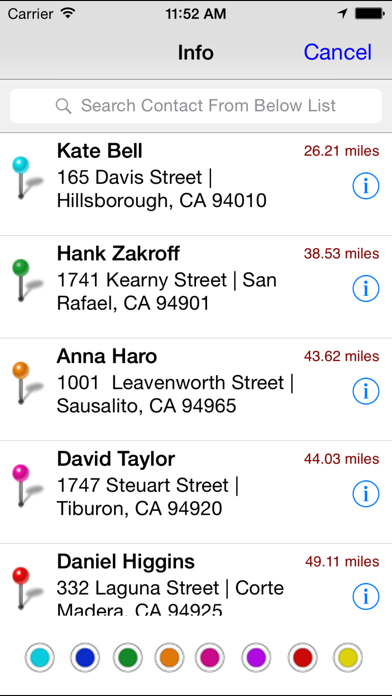
•Choose between either a list or map view.
•iMap will show how close your next prospect, friend or contact is from your current location.
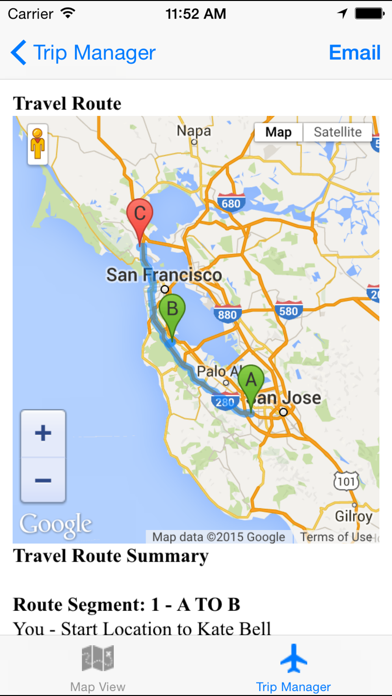
•Did iMap find someone you would like to drive to? Simply click on the name or pin on the map and Voilà!, iMap generates driving directions for you.
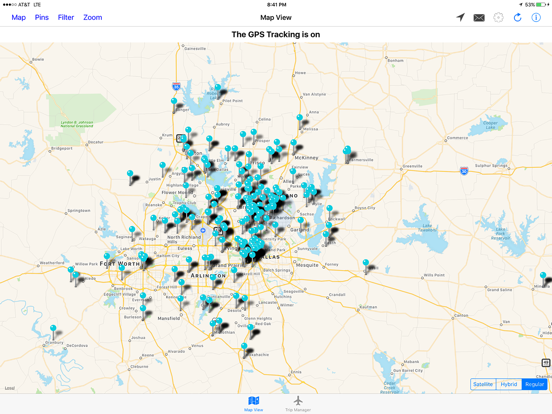
•Download a list of prospects or suspects in your territory to your address book or from a spreadsheet and use iMap to work your territory!
•Import a list of your favorite points of interest, like all the Starbucks in a city and then simply pull up iMap and have it show you how far the nearest Starbucks is from you.
The possibilities are endless. iMap is a very simple application to use, but very powerful.
Based upon the iPhone's address book capability, iMap is very extensible. Simply add or import anything you want to Map into the Apple Address Book or use a Spreadsheet (csv file) and away you go!
Quoi de neuf dans la dernière version ?
Bug Fixes for IOS 12.1