SafeCaptain by Trelleborg
iPad / Navigation
SafeCaptain by Trelleborg offers precision navigation features for the bridge crew.
· Intelligent Multilayer Chart Handling - Designed with a dedicated
kernel with intelligent chart handling allowing multiple
layers such as depths, buoys, symbols, etc.
· General Data - Providing all relevant navigational data as heading,
speed, course over ground and turn rate in proper resolution. Chart
display with multiple orientations. S-57 and S-63 Charts supported.
· Day/Dusk/Night Screen - Option to shift to dusk or night screen with muting of all
colours.
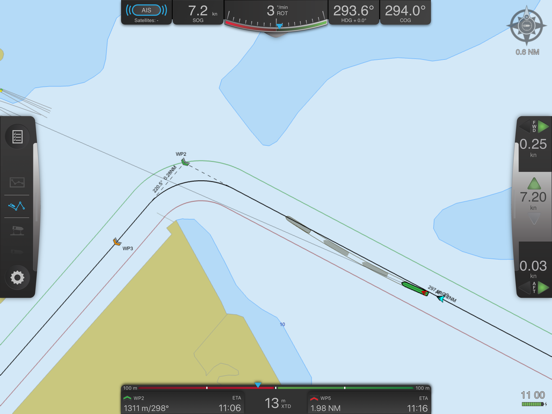
· Graphical illustration of vessel position compared to route with
information of ETA to destination as well as ETA, bearing and distance
to each waypoint and cross track distance to leg line.
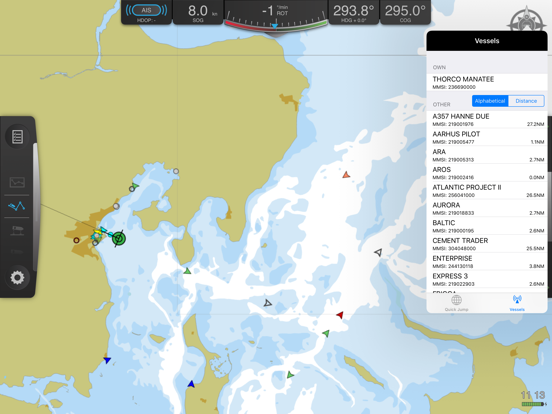
· AIS Data - Real-time graphical
illustration of all vessels incl. data in your area.
· Prediction - Calculation and graphical indication of your vessel’s
future position with adjustable time frames and a number of ghost shapes (foot prints).
· Motion Vectors - Automatically displaying motion vectors fore and aft
of your vessel if in turn or at low speed. At speed or on
steady course one centre motion vector is displayed.
· Follow Ship - Ensures that your vessel always is within the screen.
· Head up - Follows the ship and keeps display head up.
· Past Track - Showing the already covered path of the vessel.
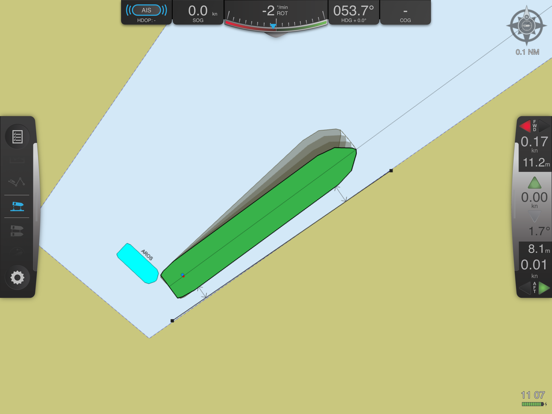
· Distance Lines – Flexible distance lines can be created
and edited anywhere on the chart. During navigation you will
automatically get the distance to the nearest point of the vessel
when in vicinity of a distance line.
· Replay and Recording - Replay function of previous passages
Quoi de neuf dans la dernière version ?
• Added support for S-102 edition 3.0.0.
• Fixed an issue where P3 verification reported a baseline error even when no reference baseline was available. [Thank you to Captain Shao Jingxi for bringing this to our attention.]
• Fixed an issue with the age not updating in SafeCrane info boxes.