Beep 3 - Censor videos easily
iOS Universel / Photo et vidéo
Censor profanity , Auto captions, AI cut fluff, Generate Titles+description+chapters+tags , Pixelate & watermark.
Beep is a transcript based AI video editor app to do it all in a cool way with just few taps with AI.
No need to hire transcribers or editors, no hassle.
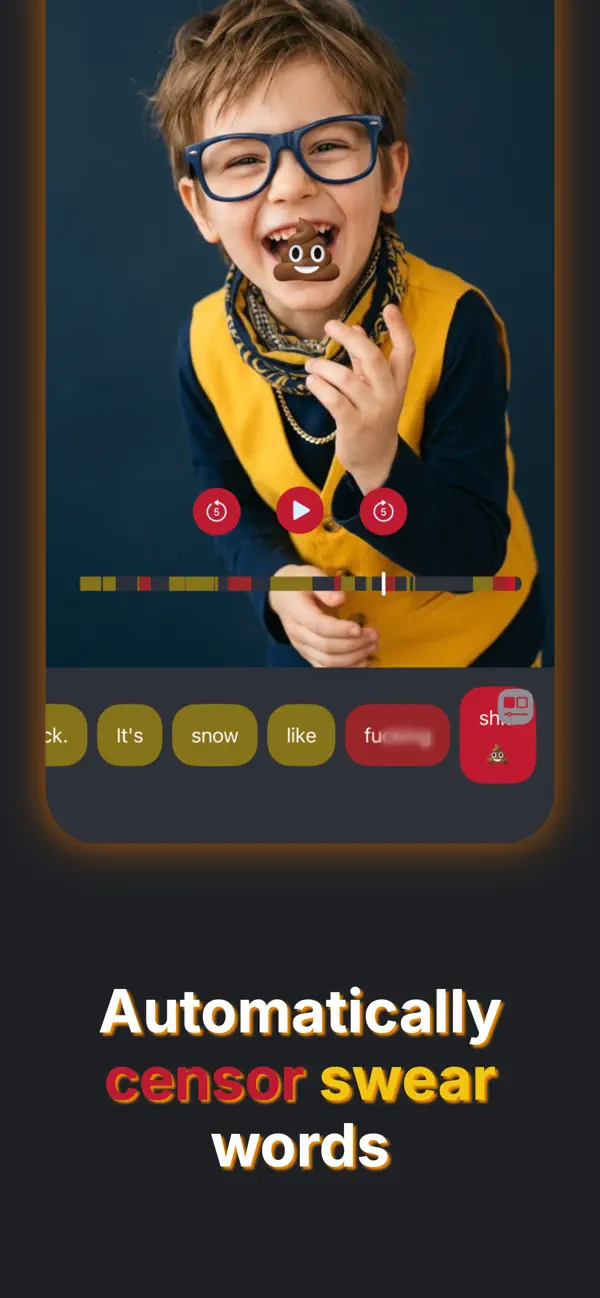
Beep can automatically detect profanity in the video and censor them for you! AI will read the transcript and decide what are fillers, fluff and low value segments in the video and remove it for you. You can also manually cut out parts of the video just by tapping on the transcript.
No un-usable AI Slop either, Beep will detect 99% of curse words with milliseconds accuracy** ....and you can manually adjust the remaining(if any) without wasting your time or money on a half-done output. Save the output video when all profanity censored.
If you swear too much on your YouTube/ TikTok / Instagram videos this is the perfect app to make them audience appropriate! Pixelate unsafe content or private details such as plates, credit cards.
-----------------------
FEATURES:
Beep AI Censoring:
1. Censor profanity in videos automatically with AI *
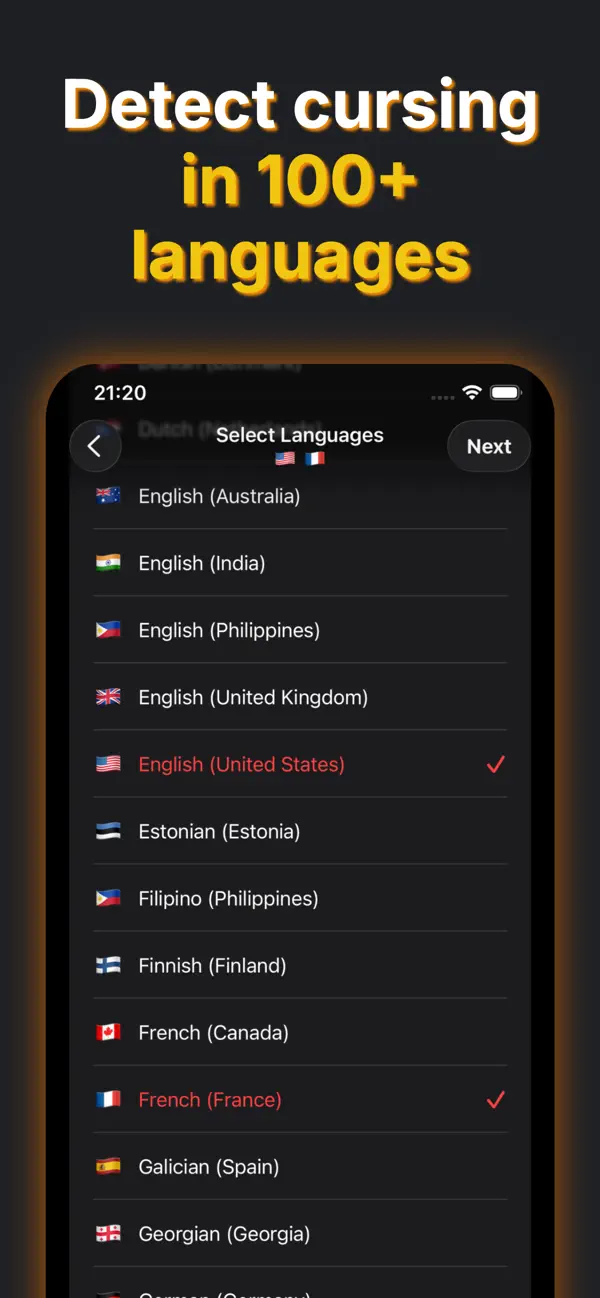
2. Beep can detect and censor swear words in 100+ languages & locales. Censor multiple languages spoken in the same video.
3. Face detection censors the mouth of the speaker with an emoji related to the content in the video, automatically.
Edit the video easily with most simplest and straightforward editor:
4. Manual censoring: Just tap and hold to censor an area on a video.
5. Nudge timing: Micro adjust the censored segment . (Our AI provides millisecond accuracy rarely needing any manual adjustments, However you can still use nudging to adjust if needed)
6. Auto Add emojis to cover the mouth and express emotions of words being censored.
7. Export the video in Highest quality.
8. High quality bleep sound and 15+ other sound effects, Option to just mute sound without bleep; use 'Silence' sound
9. just tap on words on the transcript to censor/ uncensor or edit the word.
10. Filter all censored words
11. Pick faces: Change the censored face when multiple faces are present.
12. Watermark Placer:
Save multiple watermarks in the app and reuse them on any video. Keep your branding consistent without recreating it every time. Animated watermarks make it near impossible to steal your content.
13. Blur and Pixelate:
Hide anything you do not want on video, such as faces, logos, or private details, by pixelating a region of your video.
BONUS FEATURES:
14. Auto Captions/Subtitles: Add captions to your videos at no extra cost, right after the AI censoring process.
15. Translated Captions: Translate your captions into as many languages as you like, and reach a wider global audience. * (~180 languages supported)
16. Auto-Trim Silences: Keep your audience engaged! remove silences and awkward pauses between speech — at no additional cost.
17: Edit out Fluff, fillers & low value content Using AI: Tighten up your ideas and make them more watchable *
18: Manually edit out sections by tapping directly on the transcript.
19: Video Title & Description Generator*: Title styles(Clickbait, Short & Punch, Listicle, POV/trend), Summarize, explain, Add value, Generate chapter timestamps & Hashtags in all the languages you want. (~180 languages supported)
No Ads(we hate em!)
No subscriptions.
Contact Support right from the app. - If you need more features please let us know.
------------------------------------------------
Notes:
* Requires Sparks AI credits.
300 Sparks(AI Credits) worth ~$5 are provided with the download of the app.
Introduce Beep to your followers and earn free Spark credits.
You can buy more Sparks as consumable In-app purchases.
Manual censoring still available without needing of Sparks.
Max video length : 6 min.
** Beep can detect most of the swear words and uses the latest technology however results may vary depending on various factors such as the audio noise and speaker accents.
Quoi de neuf dans la dernière version ?
Major Update: We Just 10X the amount of features:
Bonus Feature: Auto Captions(Subtitles) and Translations
Add captions to your videos at no extra cost, right after the AI censoring process.
Bonus Feature: Translated Captions
Translate your captions into multiple languages, and reach a wider global audience.
Bonus Feature: Shorten:
Auto-Trim Silences: Automatically remove silences and awkward pauses between speech — at no additional cost.
Edit out Fluff & fillers Using AI, Tighten up your videos and make them more watchable. Automatically cut silent gaps and pauses using speech recognition, or manually edit out sections by tapping directly on the transcript.
Video Title & Description Generator
Create everything you need to post your video in one tap. Generate a title in your preferred style, a summary, a plain-language explanation, added context that expands on your topic, chapter timestamps for key moments, and hashtags. It works in your caption languages automatically.
Watermark Placer
Save multiple watermarks in the app and reuse them on any video, either still or animated. Keep your branding consistent without recreating it every time.
Blur and Pixelate
Hide anything you do not want on screen, such as faces, logos, or private details, by pixelating a region of your video.
We've listened to your feedback on AI credits and made a way to earn AI credits by introducing Beep App to your audience, You might never have to purchase AI credits while your audience thank you for introducing them to Beep AI editor:
Free Sparks Through Referrals
Invite friends and earn free Spark credits for AI censoring.
Always Bleach Mode
A new advanced option that always bleaches your video format and does its best to recover unsupported video/audio.
Step Through Censored Words & Search
Move between censored words one at a time with the new previous and next controls, making it faster to review your edits. Filter transcript(search) for words.
Helpful Feature Tips
New tooltips explain what each tool does, so it is easier to get the most out of Beep.