Exif Wizard
iPhone / Photo et vidéo
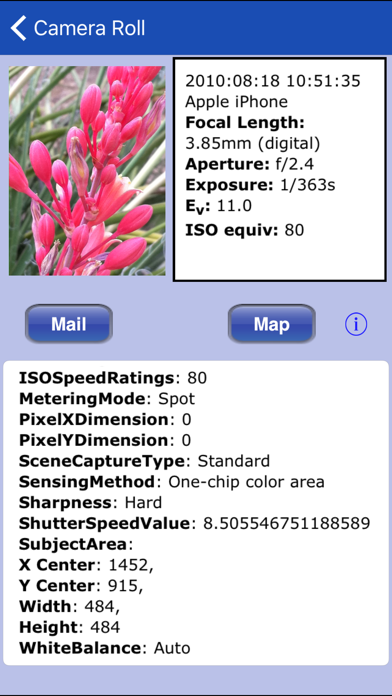
Exif Wizard is an Exif app for your mobile device that translates the most commonly used tags into plain English. It includes e-mail support, and an option to automatically scroll thumbnail preview images to the end of your camera roll or album!
We've tested Exif Wizard on photos from iOS devices, as well as many professional and consumer digital cameras to make sure available data will be presented properly.
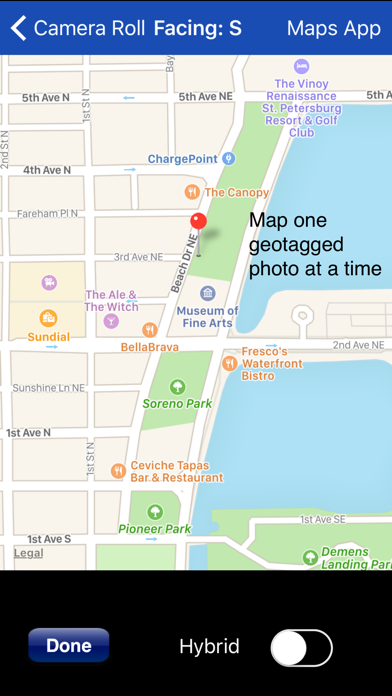
Also included is a geotag map display that, unlike the photo-viewing app shipped with your iPhone, lets you focus on the location of one photo at a time. There's also a button which allows you to open your iPhone's built-in Maps app to obtain directions to a photo's location.
***iOS 8 USERS - Apple's built-in "Camera" App appears to be flipping the "ImgDirection" tag 180 degrees from the direction the camera is pointing. Exif Wizard flips it back for display purposes, but does not alter the original photo.
***iCloud Photo Library Users - If iCloud-stored images appear in Apple's built-in "Photos" app, but not in Exif Wizard, and you selected "Download and Keep Originals" in iCloud Photos Settings, then opening the "missing" photo in the "Photos" app may make it accessible to Exif Wizard.
***If you edit a photo in Apple's built-in Photos app, it may become inaccessible to Exif Wizard. Reverting to original should restore access.
*** If Exif Wizard is not displaying GPS/mapping information for photos you have taken with your iPhone, it may be because you did not enable geotagging when you first used the built-in Camera app. To grant permission now, from your home screen, touch Settings -> Privacy -> Location Services. Make sure the "Location Services" switch at the top of the screen is ON, then scroll down and turn on the switch next to "Camera." Keep in mind that if you enable geotagging, people you transmit your photos to may be able to determine the locations where those photos were taken using any number of mobile and desktop Exif applications.
Notes: Some image editing programs, as well as some photo upload/storage services remove Exif data from photos. E-mailed and Web photos can be stored on your Camera Roll with Exif information by touching and holding the photo, and then touching "Save Image" on the action sheet which will appear.
Quoi de neuf dans la dernière version ?
This app has been updated by Apple to display the Apple Watch app icon.
iOS 10 compatibility update