• KultureGeek
  • Comparateur de prix
       
iPhoneAddict
 iAddictv5Notre Application iPhone/iPad
  • Accueil Apps
  • Actualité Apple
  • Keynote Apple
  • Firmwares & iTunes
  • Contactez-nous
Accueil » Liste des Apps » Apps Universelles » Photo et vidéo » Hands-free Photos
1.2.3 iOS €Gratuit James Hudson 4 1 Use hand gestures in the air to control your device! Impress everyone with photo slideshows which you control without touching the screen - it's great for doing presentations to groups of people, without needing to put your hands all over the screen....
Hands-free Photos

Hands-free Photos

iOS Universel / Photo et vidéo

Gratuit
Obtenir sur l'App Store

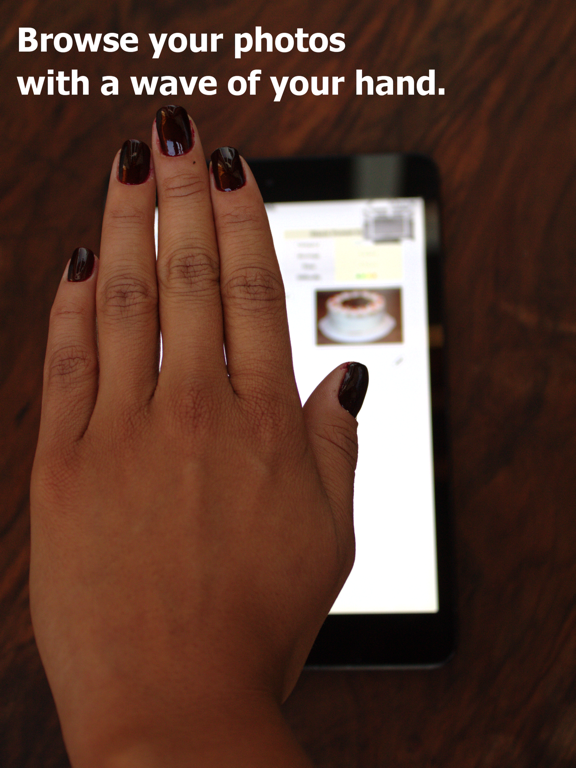
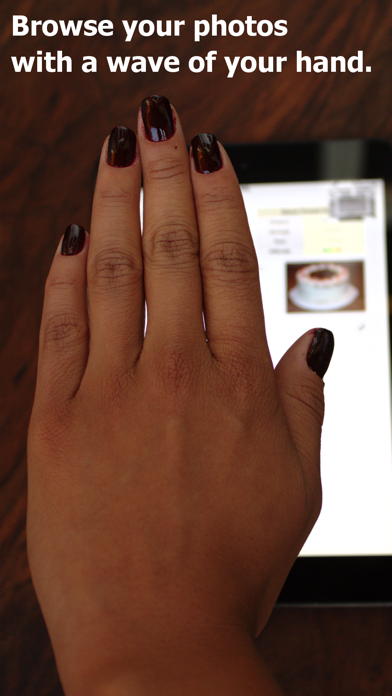
Use hand gestures in the air to control your device! Impress everyone with photo slideshows which you control without touching the screen - it's great for doing presentations to groups of people, without needing to put your hands all over the screen. Get the future's technology right now.

This app has also proven useful to people with arthritis, or when fine movement is difficult or painful.

Browse your pictures with dirty or full hands. It's also useful for looking at illustrations and instructions while you are working.

You use similar gestures to those you normally use on the touch screen, so it will feel natural right away. Watch the video here to see how it works: http://www.youtube.com/watch?v=vWI7b9NzQPc

Simply select the album you want, then put down or dock your device. You can now use left and right "swipe" sideways to move between your pictures.

Features

• Apps using the same Hands-free technology have been in the top utility 10 apps in many major countries worldwide.

• Over 170 000 downloads of this and other Hands-free apps in this series!

• Universal app: buy once and use it on all your iPads and iPhones!

• Get similar gesture features on your iPhone/iPad to those found on some other latest brands of phones, right now!

• Integrated help and feedback tips to show you how the gestures work right away.

• Turn off the on-screen help, for advanced users.

• Prompt support from the developer, accessible from within the app.

• Slick transitions between photos.

• Instantly switch back to touch control: just pick up your phone to pan and zoom the photos.

• Access your iCloud photos (optional).

This app uses the front-facing camera and computer vision algorithms. It works reliably under normal lighting conditions, from distances of 20cm up to 1 metre.

En voir plus...

Quoi de neuf dans la dernière version ?

Thank you for your support! Here's a maintenance update to keep the app looking fresh and working smoothly.
• updated for latest iPhones
• bugfixes with missing camera permissions
  • Screenshot #1 pour Hands-free Photos
  • Screenshot #2 pour Hands-free Photos
  • Screenshot #3 pour Hands-free Photos
  • Screenshot #4 pour Hands-free Photos
  • Screenshot #5 pour Hands-free Photos
  • Screenshot #6 pour Hands-free Photos

D'autres applications du développeur

Postcard Creator
Postcard Creator
/ iOS Universel
Cat Orchestra: musical singing cats
/ iPhone
Universal Tour Guide
/ iPhone
spirit yoga
spirit yoga
/ iOS Universel
Simply Scan documents
/ iOS Universel
Pole Power Pole Dance App
/ iOS Universel
Voir toutes les apps

Note

(1 notes)

Détails sur l'application

Version
1.2.3
Taille
9.9 Mo
Version minimum d'iOS
9.0
Dernière mise à jour
27/02/2019
Publié par
James Hudson

Newsletter App Store

Recevez chaque jour les meilleures promos

Actualité Apple

Image iPhone 17e (A19) : un aperçu des performances avec les benchmarks
iPhone 17e (A19) : un aperçu des performances avec les benchmarks
Image Silo (Apple TV) : le tournage de la saison 4 est terminé… avant même la diffusion de la saison 3 !
Silo (Apple TV) : le tournage de la saison 4 est terminé… avant même la diffusion de la saison 3 !
Image Apple a arrêté la vente de 15 produits cette semaine, dont l’iPhone 16e
Apple a arrêté la vente de 15 produits cette semaine, dont l’iPhone 16e
Image MacBook Neo : Apple dit ne pas faire de compromis pour le design
MacBook Neo : Apple dit ne pas faire de compromis pour le design
Partenaires : Actualité iPhone - Culture Geek
©2009-2026 i2CMedia | A propos |