Ralenti Editeur De Vidéo
iOS Universel / Photo et vidéo
Forget about time-consuming video editors! Make outstanding videos in seconds! In a few easy steps you will speed up or slow down any section of your video and turn your ordinary video recordings into breathtaking creations. Try out this super easy video editing tool and you’ll see that it has all the features you need to highlight important moments that could easily be missed at normal video speed.
Remember! Life is too short for ordinary videos!
Check out what makes this app so awesome and how to use it:
- Select a video from your camera roll or make a new video.
- Video speed can be adjusted for the whole video or just for the sections you want to highlight.
- Mark the beginning and the end of a part you want to slow down or speed up.
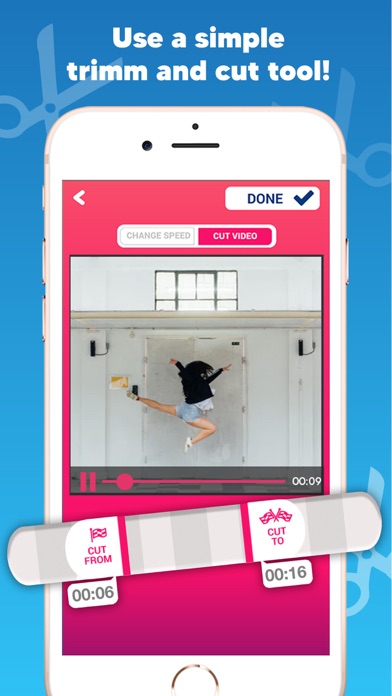
- Cut your video at any point you like and keep just the sections you want to edit.
- Save and share your outstanding creations on social networks! Make your friends jealous of your cool videos!
We all see things around us differently and it is the same with videos. Until someone tells us where to look at and what to pay attention to, we usually don’t know what the main point is. Even if you post a video and expect your friends will see that part that you caught, there will always be someone who would say: “Oh, I didn’t even notice it”. Make sure nobody will ever miss those important moments.
In a video with normal speed, everything could be important until you point out the special moment by adjusting the speed. It may sound complicated, but trust us, it will take you less than you think. With this app, using slow motion and fast motion could never be easier. You just need to adjust the sliders at the beginning and ending points, choose the speed, and voila – you get a completely different look of the same old video.
There are countless ideas you can try out, such as slow motion or fast motion of your hair blowing in the wind, your cute little puppy playing around, you running on the beach or birds flying or other everyday segments of nature that we don’t even notice or some other ideas we don’t remember now but crossed your mind.
Let your imagination run wild! Capture the moments like never before! Turn your videos into extraordinary masterpieces! Have fun and enjoy!
Quoi de neuf dans la dernière version ?
⁃ Bug fixes and optimizations for iOS 14