Reelboard: Éditeur Storyboard
iOS Universel / Photo et vidéo
Planifiez. Filmez. Montez. Signez. Le tout en un seul flux.
Reelboard est l'éditeur vidéo storyboard-first pour les créateurs soucieux de cohérence. La plupart des éditeurs vous déposent dans une timeline vide. Reelboard commence par un plan : décrivez vos scènes, générez votre timeline automatiquement et réutilisez le kit de marque de votre chaîne sur chaque vidéo.
———————
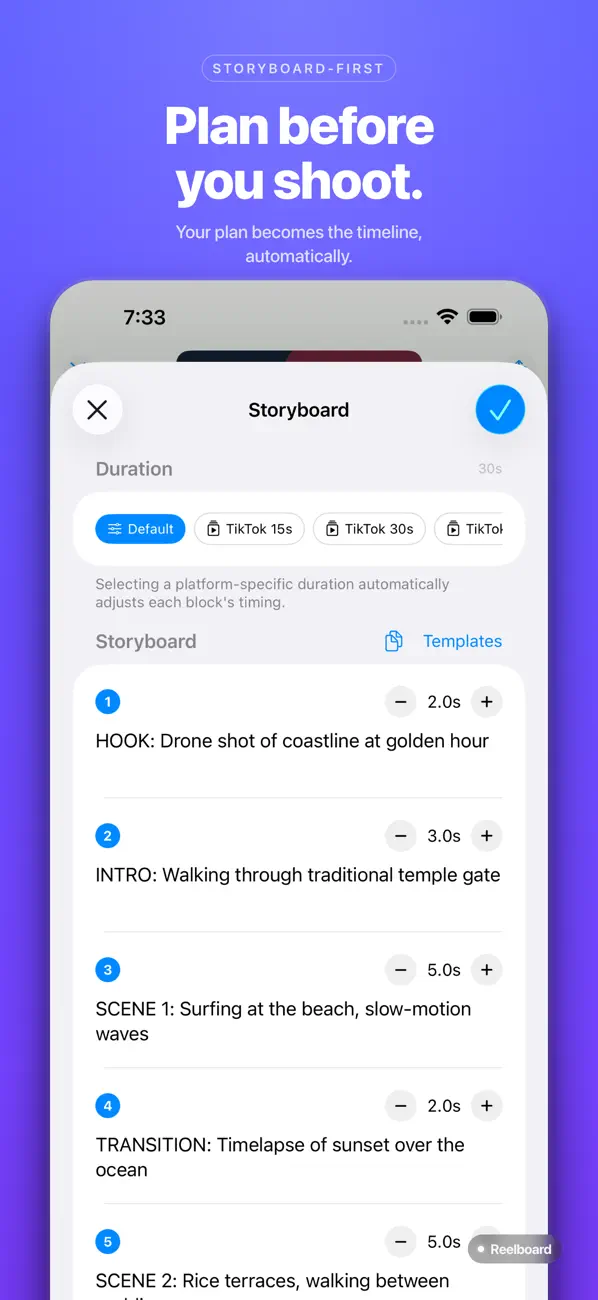
WORKFLOW STORYBOARD-FIRST
Planifiez votre vidéo scène par scène avant d'importer un clip. Définissez les durées, ajoutez des notes et choisissez un format pour TikTok, YouTube Shorts ou Instagram Reels. Votre timeline naît de votre plan — fini la page blanche.
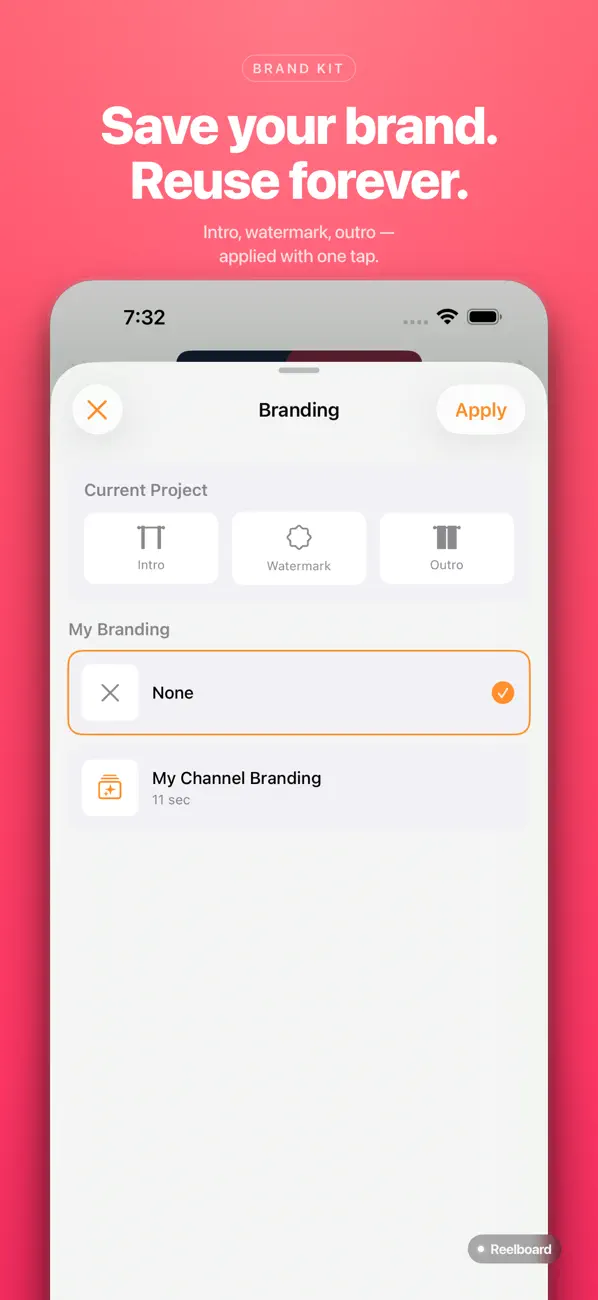
KIT DE MARQUE RÉUTILISABLE
Enregistrez votre intro, votre filigrane et votre outro une seule fois. Appliquez votre marque à tout nouveau projet d'un geste. Ne reconstruisez plus le même bandeau chaque semaine.
MODÈLES DE BLOCS
Enregistrez toute combinaison de clips, textes et effets comme modèle réutilisable avec emplacements remplaçables. Remplacez la vidéo, l'image, l'audio ou le texte — votre mise en page, vos animations et vos couleurs restent intactes.
———————
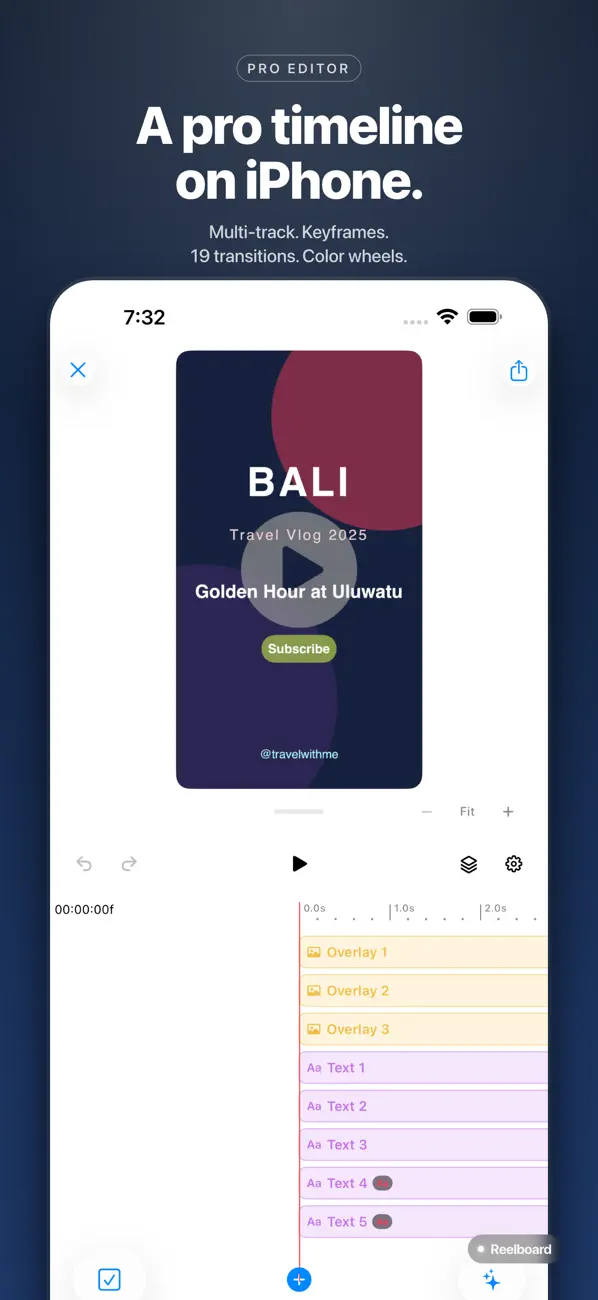
OUTILS D'ÉDITION PRO
• Timeline multipiste : trim, découpe, ripple et magnétisme précis
• Images clés pour la transformation, l'opacité, la vitesse et la couleur
• 19 transitions — fondus, volets, glissements, zoom, filé
• Préréglages Ken Burns (panoramique et zoom) pour photos et vidéos
• Accélérations synchronisées sur le rythme
• Arrêt sur image (superposition ou découpe et insertion)
• Incrustation chroma (fond vert) avec adoucissement des bords et anti-débordement
COULEUR CINÉMATIQUE
• Roues chromatiques (lift / gamma / gain), courbes (RVB et luma), HSL secondaire
• Scopes en temps réel : histogramme, waveform, vectorscope
• Import de LUT .cube + 12 préréglages cinématiques
• Flou de mouvement avec intensité liée aux changements de vitesse
AUDIO
• Ducking automatique — la musique baisse sous les dialogues
• Réduction de bruit spectrale à intensité réglable
• Détection du rythme avec estimation du BPM
• Images clés de volume, panoramique et fondu
SOUS-TITRES
• Sous-titres automatiques par reconnaissance vocale sur l'appareil (aucun envoi vers le cloud)
• 8 styles prédéfinis dont karaoké, cinématique, journal
• Style global avec réglages par sous-titre
• Animations par mot, par ligne et par caractère
ASSISTANCE IA
• Trim intelligent — supprime silences et passages statiques
• Recadrage automatique — suit les sujets et recadre pour tout format
• Détection de scènes — repère coupes et transitions dans vos rushes
• Correspondance des couleurs entre les clips
• Suivi d'objets et de libellés
GUIDES DE COMPOSITION
• Règle des tiers, nombre d'or, zones de sécurité, réticule
• Guides cinématiques : triangle d'or, symétrie dynamique, rabattement
• Superposition pelure d'oignon (ghost) — idéale pour le stop motion et la continuité
MULTICAM
• Synchronisez plusieurs angles par forme d'onde audio, empreinte ou timecode
• Changez d'angle en direct pendant la lecture
• Gérez les points de coupe visuellement sur la timeline
EXPORT
• Rendu haute qualité avec préréglages de format par plateforme
• Export en arrière-plan — continuez à travailler pendant le rendu
• Partage direct vers votre photothèque
———————
Reelboard Pro débloque les outils IA, la couleur professionnelle (roues, courbes, scopes, LUT), l'incrustation chroma, le multicam, la stabilisation, le flou de mouvement, l'amélioration audio et le kit de marque réutilisable. Essai gratuit de 7 jours.
Confidentialité : la reconnaissance vocale s'effectue sur l'appareil. Nous n'envoyons ni vos vidéos ni votre audio.
Assistance · Retours · Questions :
codefulteam@gmail.com
Conditions d'utilisation
https://codefulteam.notion.site/Terms-of-use-7071f46c208d4fa589302cb23bc9fa68
Politique de confidentialité
https://codeful.notion.site/Privacy-Policy-31a4dae300458098b1f8e5634e3829a8
Quoi de neuf dans la dernière version ?
Corrections de bugs et améliorations de la stabilité :
• Meilleure correspondance entre l'aperçu en direct et la vidéo exportée
• Correction des animations de calques de groupe lors du trim ou de la découpe des clips
• Le ducking automatique s'aligne désormais correctement sur les clips coupés ou dont la vitesse a été modifiée
• Correction du recadrage dynamique (recadrage auto) pour les rushes verticaux et non 16:9
• L'étalonnage applique désormais les courbes des canaux rouge, vert et bleu
• Autres corrections de fiabilité