UCROP - Instagram puzzle
iOS Universel / Photo et vidéo
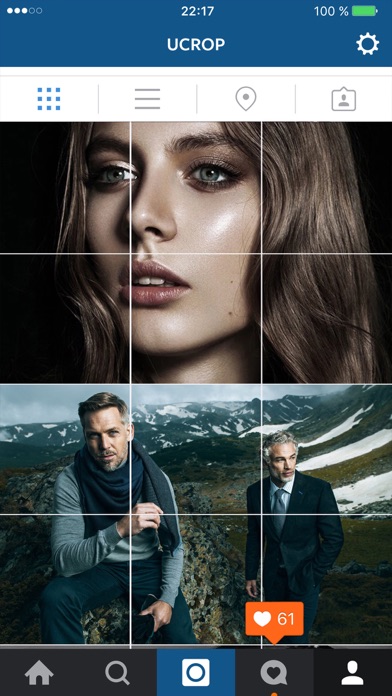
This app breaks images into puzzle for your Instagram feed.
UCROP. Make dramatic and catchy 2-12 square Instagram banners.
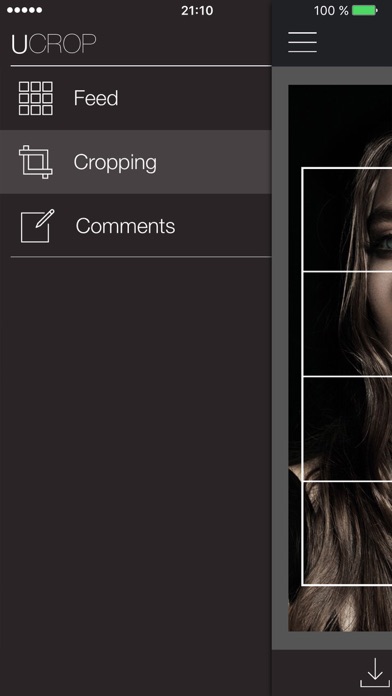
Menu:
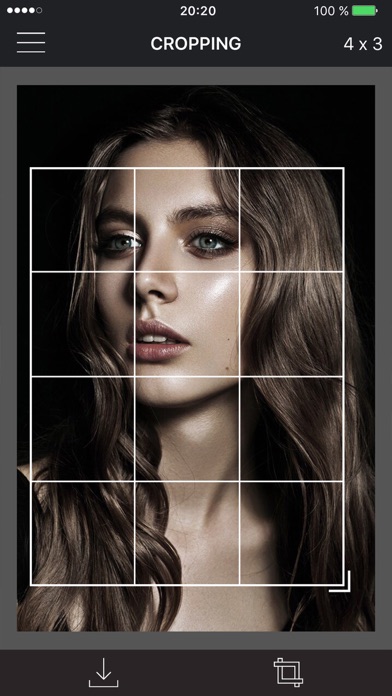
Cropping - select your image and cut it into 1, 3, 6, 9 or 12 square pieces.
Feed - post/move/delete multiple pieces at once or save them to your camera roll. Tap on a piece to edit the caption. Tap on "Choose" to pick a comment template.
Comments - design your comment templates. Add new templates, edit/delete the old ones.
Keep track. UCROP shades the pictures you already posted.
Quoi de neuf dans la dernière version ?
UCROP is back - rebuilt from scratch for the Instagram of today. (Thanks Fable )
- Instagram changed its grid from squares to 3:4 portrait, which quietly broke every old feed planner. UCROP now cuts, plans and posts in the new format, so what you see in the app is what lands on your profile.
• Rebuilt for the new Instagram grid — tiles are cut at 3:4 (1080×1440), exactly what your profile shows.
• Grid layouts — split one photo into 1×1, 1×2, 1×3, 2×2, 2×3 or 3×3 tiles and pan/zoom to frame the cut before you commit.
• Carousels — pick several photos and post them as one swipeable carousel. Preview every slide, and swap any single slide without redoing the post.
• Guided posting — UCROP saves your posts to the UCROP album, copies each caption to your clipboard, and hands them to Instagram one at a time, in order.
• Caption templates — save the hashtag blocks and sign-offs you reuse, and drop them into any post in a tap.
• Reorder and preview your feed — drag posts to plan the grid before anything goes live.
• Dark mode, and a faster, fully rebuilt app.
Your old work is safe. Everything from the previous version — your tiles and your saved captions — is imported automatically on first launch. Photos you cut back when Instagram was square are kept at their original size and shown whole, untouched.