iPhoneAddict Apps
  • Actualités
  • Accueil Apps
  • iPhone
  • iPad
  • Universelles
  • Mac
  • Apple TV
KG KultureGeek
App
iPhone / iPad Télécharger iAddict v5 Mac Télécharger iAddict Mac
  • Actualités
  • Accueil Apps
  • iPhone
  • iPad
  • Universelles
  • Mac
  • Apple TV
  • Archives keynotes
  • Firmwares & iTunes
  • Contactez-nous
  • Comparateur de prix
  • KultureGeek
Accueil » Liste des Apps » Apps Universelles » Photo et vidéo » Ultra Wide Angle 8mm Camera
L'application n'est plus disponible sur l'App Store français
2.71 iOS €2,99€ 松滔 袁 3.8 25 Ultra Wide Angle 8mm Camera for iPhone and iPad, high level of accuracy and quality. The Ultra Wide Angle 8mm Camera app combines several frames into one continuous image. For example, you can take 3-20 overlapping frames of a city skyline, and...
Ultra Wide Angle 8mm Camera

Ultra Wide Angle 8mm Camera

iOS Universel / Photo et vidéo

2,99€ au lieu de 3,49€
Acheter sur l'App Store
Facebook X E-mail

Ultra Wide Angle 8mm Camera for iPhone and iPad, high level of accuracy and quality.

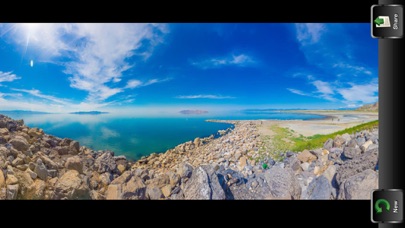
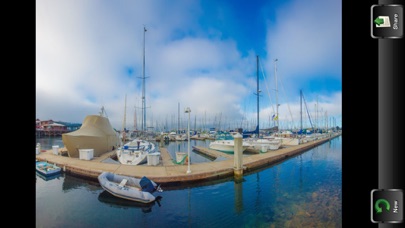
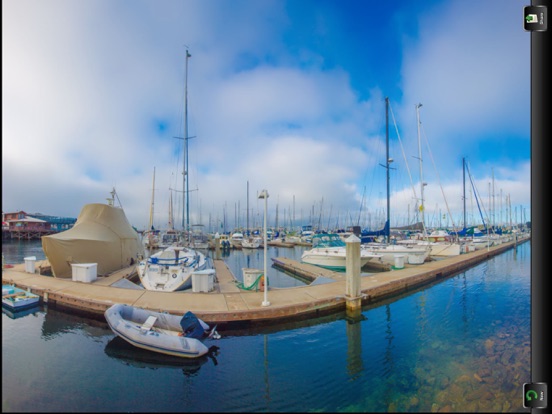
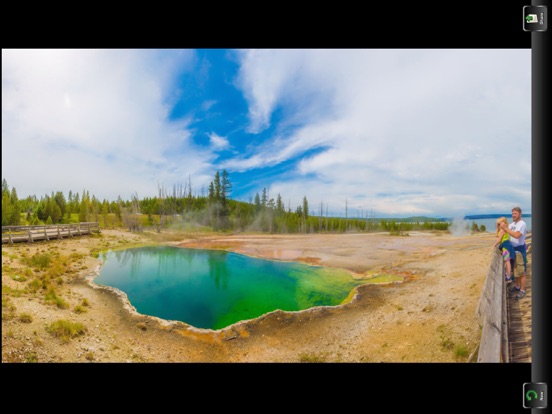
The Ultra Wide Angle 8mm Camera app combines several frames into one continuous image. For example, you can take 3-20 overlapping frames of a city skyline, and then merge them into a ultra wide angle panorama. This app can assemble photos that are tiled horizontally as well as vertically, and multi rows photos supported.


INTERIORS & ENCLOSED SPACES
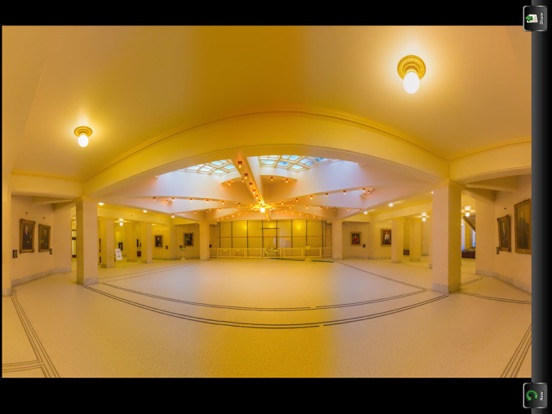
You can take Ultra wide angle pictures in fairly confined spaces. A wide angle lens can be an absolute requirement in enclosed spaces, simply because one cannot move far enough away from their subject to get all of them in the photo (using a normal lens). A common example is photography of interior rooms or other indoor architecture. This kind of photography is also perhaps the easiest way to make the most of a wide angle lens — in part because it forces you to be close to the subject.

And if you want to be able to get cool architectural features or interesting shots, then on vacation or anywhere, run Ultra Wide Angle 8mm Camera app.

OVERLAP 30%
In order for the Ultra Wide Angle 8mm Camera app to do all that clever merging, blending and stitching it needs a reference point to work out what goes where. Or more importantly, a big enough reference point. In experience 30% overlap is perfect. With 30% overlap you should be able to capture a scene in 5-16 successive shots.


Note:

1. Choose a reference point about 20-30% away from the right edge of the viewfinder
2. Swivel the camera to the right until your reference point is at the left edge of the viewfinder
3. Take the picture
4. Repeat until you have taken photos that cover the entire area you wish to capture in your panorama

Overlap the images – the images should overlap by at least 30%. Outside of this range, Photomerge may not be able to align the files correctly.
Shoot vertical – this is a little counter-intuitive since we’re making panoramas. It’s usually best to shoot vertical (portrait orientation). Since you’ll merge multiple frames together later to get as wide as you need, shooting vertical will give you a taller overall panorama. Also, you’ll need some of this vertical space for cropping. More on cropping later.

Upload to Social Network
With iOS, you can connect directly to your social network accounts, allowing you to post and share content from nearly anywhere. iOS provides integrated support for:
▪Twitter
▪Facebook
▪Flickr
▪Vimeo
▪Sina Weibo
▪Tencent Weibo
▪Blush and Mascara

You can add your account in Settings, after adding your account, you can configure additional settings or download the official iOS app for that service.

En voir plus...

Quoi de neuf dans la dernière version ?

Fixed bugs for IOS12
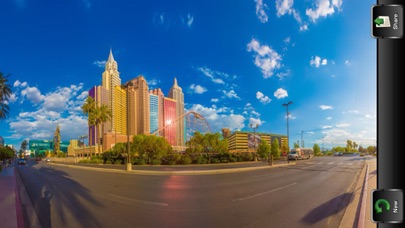
  • Screenshot #1 pour Ultra Wide Angle 8mm Camera
  • Screenshot #2 pour Ultra Wide Angle 8mm Camera
  • Screenshot #3 pour Ultra Wide Angle 8mm Camera
  • Screenshot #4 pour Ultra Wide Angle 8mm Camera
  • Screenshot #5 pour Ultra Wide Angle 8mm Camera
  • Screenshot #6 pour Ultra Wide Angle 8mm Camera

D'autres applications du développeur

Panorama 360 CameraPanorama 360 CameraiOS UniverselAI Twins CameraAI Twins CameraiOS UniverselAuto Stitch Pic-Merge PanoramaAuto Stitch Pic-Merge PanoramaiOS UniverselCutOut Superimpose LassoCutOut Superimpose LassoiOS UniverselSkin MakeupSkin MakeupiOS UniverselPortrait 101 in 1 Filters - enhance and retouch your photoPortrait 101 in 1 Filters - enhance and retouch your photoiOS UniverselVoir toutes les apps

Note

(25 notes)

Détails sur l'application

Version
2.71
Taille
17.5 Mo
Version minimum d'iOS
11.0
Dernière mise à jour
17/10/2018
Publié par
松滔 袁

Newsletter App Store

Recevez chaque jour les meilleures promos

Actualité Apple

Image iPhone 18 Pro/Ultra : les performances de la puce A20 Pro se dévoilent
iPhone 18 Pro/Ultra : les performances de la puce A20 Pro se dévoilent
Image iOS 26.6.1 bouche 29 failles de sécurité, contre 122 pour iOS 18.7.10 et 28 pour macOS 26.6.2
iOS 26.6.1 bouche 29 failles de sécurité, contre 122 pour iOS 18.7.10 et 28 pour macOS 26.6.2
Image iOS 26.6.1 est disponible, avec iOS 18.7.10, macOS 26.6.2 et visionOS 26.6.1
iOS 26.6.1 est disponible, avec iOS 18.7.10, macOS 26.6.2 et visionOS 26.6.1
Image Bêta 6 pour iOS 27, macOS 27 Golden State, watchOS 27, tvOS 27 et visionOS 27
Bêta 6 pour iOS 27, macOS 27 Golden State, watchOS 27, tvOS 27 et visionOS 27
iPhoneAddict Apps

Le catalogue iPhoneAddict pour suivre les nouveautés, mises à jour et baisses de prix de l’App Store.

Apps

Toutes les apps iOS iPhone iPad Universelles Mac Apple TV

iPhoneAddict

Actualité Apple Archives keynotes Contact À propos KultureGeek

Suivez-nous

©2009-2026 i2CMedia. Tous droits réservés.