VideoMultiMeter
iOS Universel / Photo et vidéo
CineMultiMeter is a fast and practical color and exposure reference tool designed for filmmakers, videographers, and content creators.
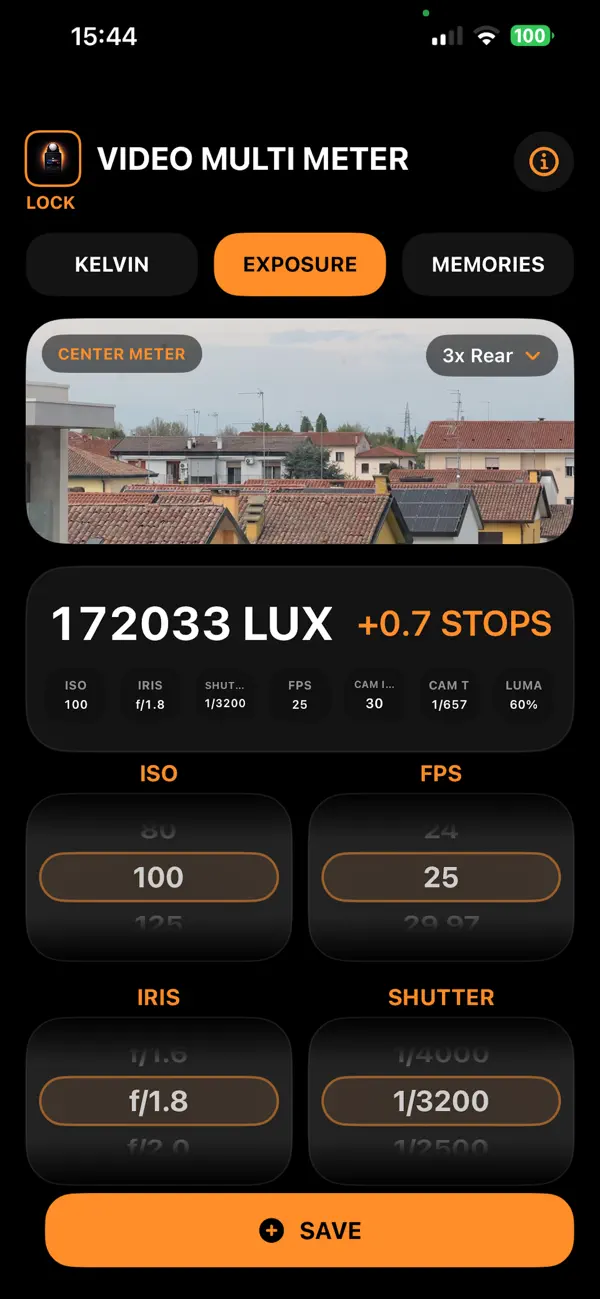
Using your device camera, the app provides real-time measurements of Kelvin, Tint, Lux, and Exposure Offset, helping you make quick and informed decisions on set or during setup.
Color Measurement
Measure Kelvin and Tint directly from the live camera feed.
- Real-time color reading
- Calibration with CAL (set neutral reference)
- RESET to return to default behavior
- Clear and immediate visual feedback
Exposure Reference
Estimate Lux and Exposure Offset based on your working parameters.
- Adjustable ISO, FPS, IRIS, and SHUTTER
- Persistent settings between sessions
- Designed for fast on-set workflow
Save and Organize
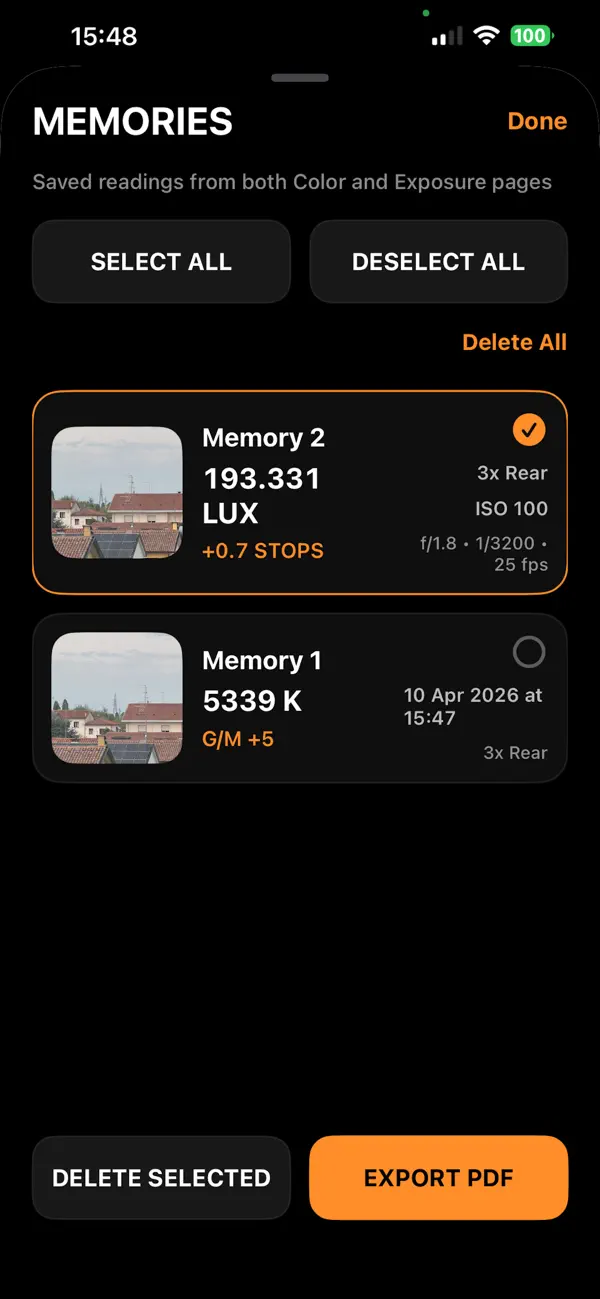
Store your readings for later use.
- Save measurements from both Color and Exposure pages
- Each memory includes thumbnail + full data
- Add custom titles
- Manage multiple selections easily
PDF Export
Export your selected memories into a clean and professional PDF.
- Cover page + detailed data pages
- Includes thumbnails and measurement values
- Generated locally on your device
- Ready to share or archive
Designed for Simplicity
CineMultiMeter focuses on speed and usability.
- Clean interface
- Immediate feedback
- Minimal setup
- Built for real-world use
Important Note
Measurements may vary depending on device characteristics, camera processing, and environmental conditions.
CineMultiMeter is not intended to replace a calibrated professional instrument, but provides useful and practical reference values.
Quoi de neuf dans la dernière version ?
What’s New in This Build
- Fixed Green / Magenta tint direction and consistency.
- Corrected the G/M visual wheel behavior to match the actual tint reading.
- Improved tint display readability with explicit Green and Magenta labels.
- Improved consistency between RAW tint, calibrated tint, saved memories, and the live meter UI.
- Added support for multiple camera selections:
- Rear Ultra-Wide
- Rear Wide
- Rear Telephoto
- Front Camera
- Exposure settings are now persistent between app launches:
- ISO
- FPS
- IRIS
- SHUTTER
- Improved PDF export support and information pages.
- Improved memory capture workflow and saved reading management.
- General UI refinements and stability improvements.
Important Notes
The live preview always remains in automatic exposure and automatic color mode.
ISO, FPS, IRIS, and SHUTTER values are used as cinematography reference settings to estimate exposure difference in +/- EV stops, and do not directly drive the camera preview exposure.