Xposure - Photo Planner & ND
iPhone / Photo et vidéo
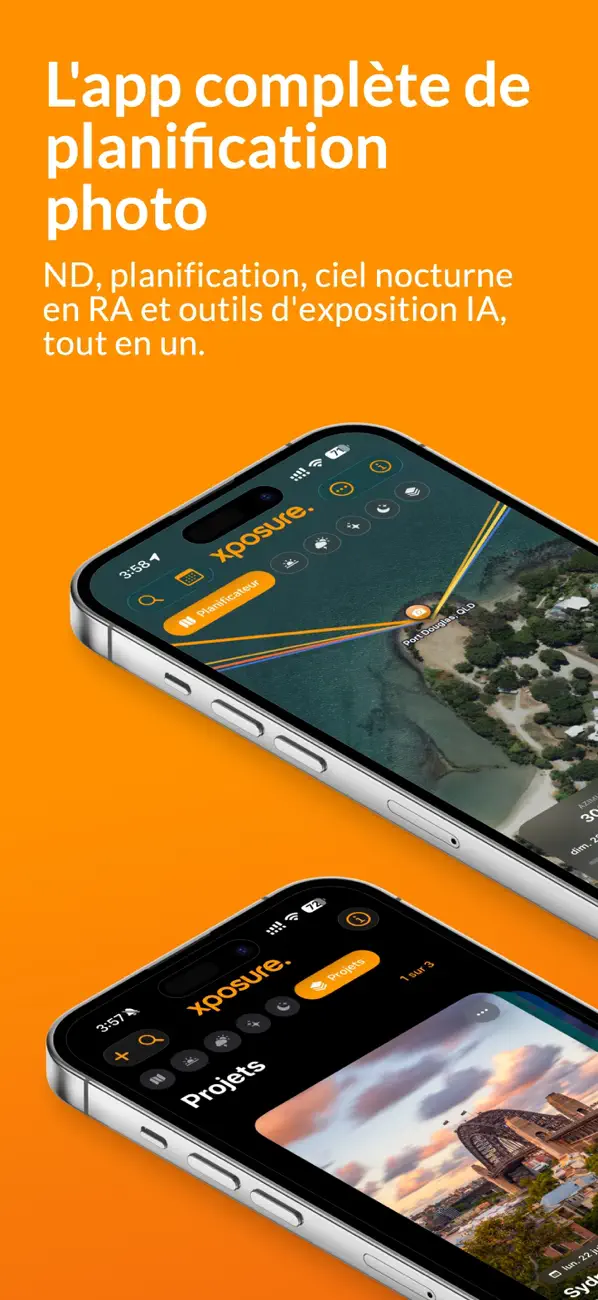
L’app complète de planification photo pour la pose longue, le paysage, l’astrophoto et la photographie avec filtres. Planifiez votre prise de vue, maîtrisez la lumière et calculez chaque exposition — le tout dans une seule app.
— V4 : LA PLUS GRANDE MISE À JOUR —
Ce qui a commencé comme un calculateur de filtre ND est désormais une suite complète de planification photo : AI Calculator avec Apple Intelligence, ciel nocturne ARKit, Planner solaire sur carte, profondeur de champ et hyperfocale, Cine ND, conditions et marées, Projects & Captures, réciprocité des films, Viewfinder Preview — plus de grandes améliorations pour Light Meter, Golden Hour et Apple Watch.
— AI CALCULATOR (NOUVEAU) —
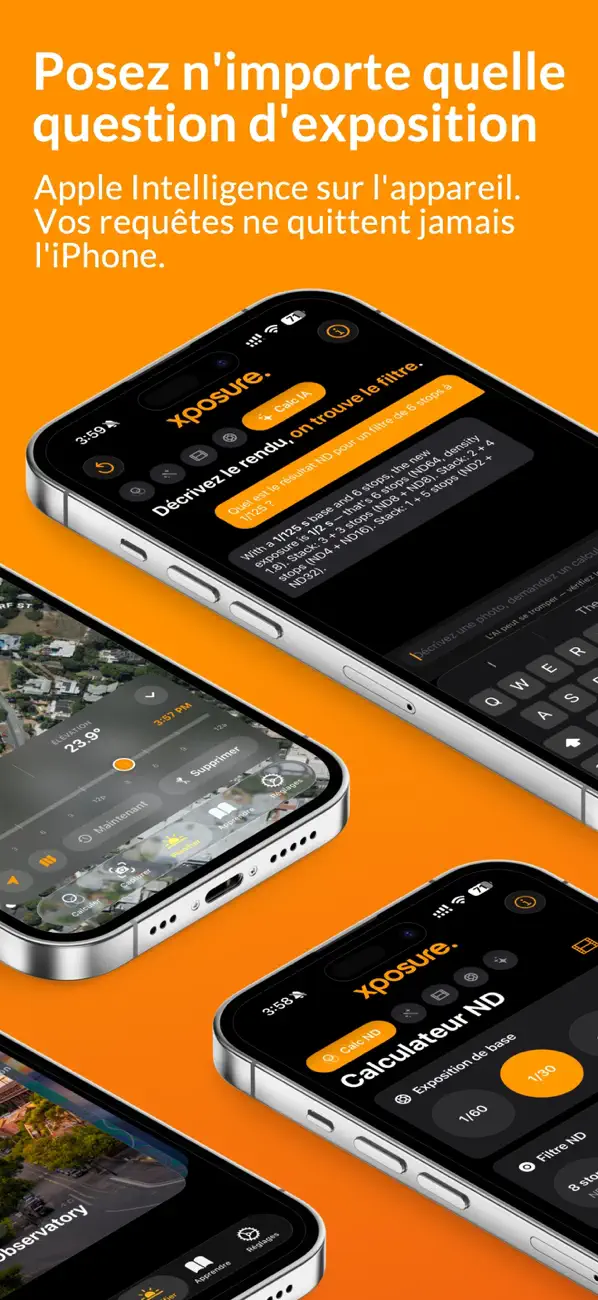
Posez vos questions d’exposition en langage naturel. Les réponses viennent du modèle Apple Intelligence sur l’appareil, associé aux mêmes calculs Swift que ceux des calculateurs intégrés, pour que les valeurs correspondent toujours.
« Eau soyeuse à 1/125 f/11 ? »
« Hyperfocale à 35 mm f/8 sur APS-C ? »
« Cine ND pour 1/500 à 30 ips, obturateur 180° ? »
100 % privé — vos requêtes ne quittent jamais l’iPhone
Chat persistant à plusieurs échanges
— PLANNER (NOUVEAU) —
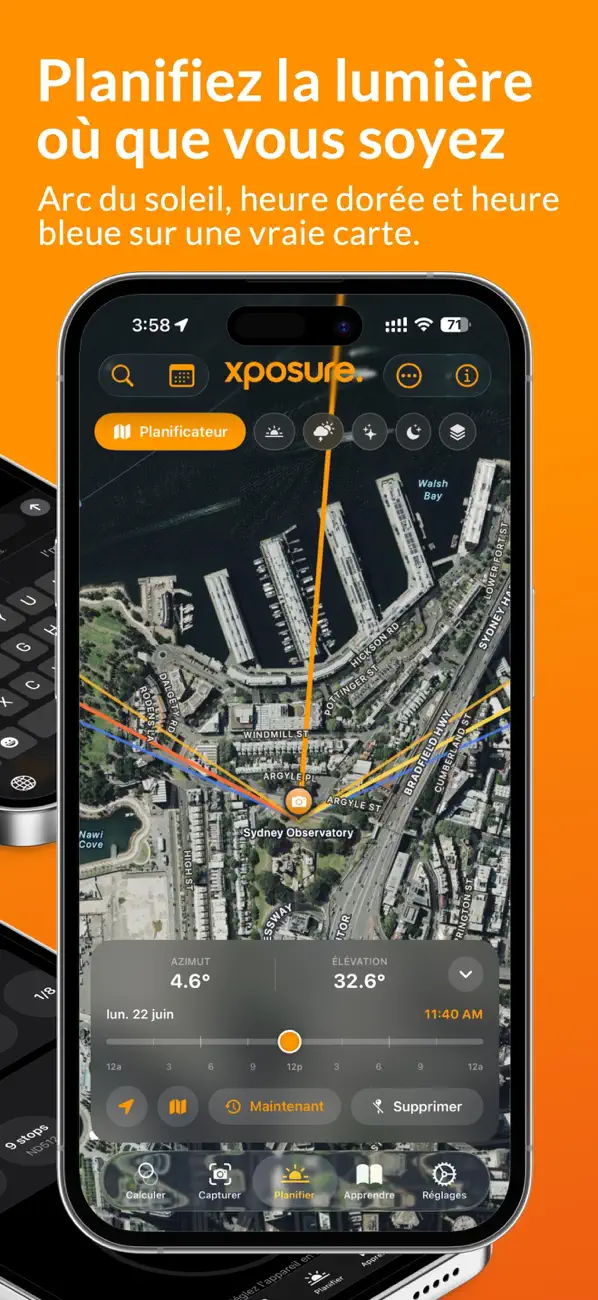
Planificateur solaire sur carte. Placez une épingle et visualisez lever, coucher, heure dorée, heure bleue, arc solaire complet et ligne solaire en direct. Parcourez les jours et recherchez n’importe quel lieu dans le monde.
— AR NIGHT-SKY (NOUVEAU) —
ARKit montre le Soleil, la Lune et la Voie lactée dans le ciel réel. Lune précise selon la phase, grille d’azimut/altitude, déplacement dans le temps et AI Sky Summary pour choisir le meilleur moment.
— DEPTH OF FIELD & HYPERFOCAL (NOUVEAU) —
Calcul précis selon le capteur avec scène 3D interactive indiquant point proche, hyperfocale et point lointain. Métrique ou impérial.
— CINE ND CALCULATOR (NOUVEAU) —
Pour vidéo et drone. Entrez fréquence d’images, angle d’obturation et vitesse mesurée pour obtenir le ND entier recommandé : ND2, ND4, ND8, ND16 et plus. Règle des 180° expliquée simplement.
— CONDITIONS & TIDES (NOUVEAU) —
Prévisions sur 10 jours : nuages, rafales, pluie, humidité, lune, pluies récentes pour les cascades et graphique des marées avec pleine mer et basse mer.
— PROJECTS & CAPTURES (NOUVEAU) —
Enregistrez vos lieux avec soleil, météo et marées. Les captures de Light Meter et Viewfinder s’ajoutent aux projets. Partagez les fichiers .xpproj par AirDrop, Messages ou Mail.
— FILM RECIPROCITY (NOUVEAU) —
Correction de réciprocité pour environ 30 pellicules Ilford, Kodak, Fujifilm, Kentmere, Adox, Fomapan et Shanghai, avec données fabricant vérifiées et facteurs Harman 2024 v2.
— NEW LIGHT METER MODES —
Spot, Matrix et Multi-Point. Priorité ouverture, obturation, ISO et Cine. T-stop, angle d’obturation et fréquence d’images. Multi-Point affiche l’EV par repère et recommande un ND dégradé.
— VIEWFINDER PREVIEW (NOUVEAU) —
Simulez formats de capteur et focales de 12 à 600 mm via l’iPhone, avec passage automatique à l’ultra grand-angle.
— GRATUIT POUR TOUJOURS —
ND Filter Calculator 1 à 20 stops, Bulb
Effects Calculator avec préréglages
Depth of Field & Hyperfocal
Cine ND Calculator
Light Meter de base
Film Reciprocity
Learn hub
Live Activities, Dynamic Island, Floating Timer
Widgets Golden Hour
Apple Watch
10 couleurs, mode sombre
— XPOSURE PRO —
Pro débloque AI Calculator, Planner, Golden Hour, AR Night-Sky, Conditions & Tides, Projects, Viewfinder, modes avancés de Light Meter, sauvegarde des captures et effets personnalisés.
Abonnement hebdomadaire avec essai gratuit
Abonnement annuel avec essai gratuit prolongé
Clients existants : vous avez déjà Pro à vie, y compris toutes les fonctions V4.
Annulation possible à tout moment dans Réglages.
Conditions d’utilisation (EULA) : https://www.apple.com/legal/internet-services/itunes/dev/stdeula/
Quoi de neuf dans la dernière version ?
Xposure 4.1 — Planifiez la Voie lactée, dans votre langue
NOUVEAU : ASTRO — PLANIFICATION DE LA VOIE LACTÉE
Le nouvel écran Astro note le ciel de ce soir sur 100 et indique la meilleure fenêtre pour photographier le centre de la Voie lactée, sur un fond de ciel nocturne en direct. Les cartes couvrent l’obscurité astronomique, le lever/pic du centre galactique, la direction au compas, l’interférence de la lune et la couverture nuageuse — avec un résumé clair « est-ce que ce soir vaut le coup, et quand ? » alimenté par Apple Intelligence. Enregistrez tout plan directement dans un Project.
UN MINUTEUR ND QUI VOUS SUIT
Lancez un compte à rebours et changez d’écran : le minuteur actif apparaît maintenant comme une pastille givrée, à l’endroit du logo xposure. Touchez-la pour revenir au ND Calculator, avec une coche verte lorsque l’exposition est terminée.
MAINTENANT EN 8 LANGUES
Toute l’app, les widgets et l’app Apple Watch sont maintenant entièrement localisés en allemand, espagnol, français, italien, japonais, coréen, portugais (Brésil) et chinois simplifié.
AUTRES NOUVEAUTÉS
• Widgets Astro Conditions et Sunrise & Sunset pour l’écran verrouillé
• 7 commandes du Centre de contrôle : Light Meter, ND Calculator, Golden Hour, AR Night Sky, Planner, Conditions, Viewfinder
• Siri, Raccourcis, bouton Action, Spotlight et actions rapides de l’écran d’accueil
• Synchronisation iCloud des Projects, Captures et dossiers sur vos appareils
CORRECTIFS & FINITIONS
• Phase de lune correcte dans AR View pour l’hémisphère Sud
• Les widgets utilisent désormais le fuseau horaire du lieu enregistré
• Planner : toucher long pour déposer une épingle ; le bouton de localisation cadre les lignes du soleil
• Attribution Apple Weather, plus de nombreuses corrections de stabilité et d’enregistrement
RÉCEMMENT MIS À JOUR
V4 — XPOSURE DEVIENT UNE SUITE COMPLÈTE DE PLANIFICATION PHOTO
AI CALCULATOR — posez des questions d’exposition en langage naturel. Fonctionne sur l’appareil via Apple Intelligence ; vos requêtes ne quittent jamais l’iPhone.
PLANNER — planificateur solaire sur carte avec lignes lever/coucher/heure dorée/heure bleue, arc solaire et ligne solaire en direct.
AR NIGHT-SKY — superposition ARKit du Soleil, de la Lune et de la Voie lactée sur la caméra.
DEPTH OF FIELD & HYPERFOCAL — précis par capteur, avec scène 3D de plage de mise au point.
CINE ND — ND en stops entiers pour vidéo et drone.
SHOOTING CONDITIONS & TIDES — nuages, rafales, pluie, humidité, lune, cascades et marées sur 10 jours.
PROJECTS & CAPTURES — enregistrez lieux, météo, marées et captures ; partagez les fichiers .xpproj.
FILM RECIPROCITY — environ 30 films avec données fabricant vérifiées, dont Harman 2024 v2.
VIEWFINDER — simulez tout capteur et focale 12–600 mm.
LIGHT METER — modes Spot, Matrix et Multi-Point ; priorités Av, Tv, ISO et Cine.
CUSTOM EFFECTS — créez vos propres effets.
LEARN HUB — nouveaux guides astro, planification, AI Calc, Cine ND, profondeur de champ et film.
GRATUIT POUR TOUJOURS — ND Calculator, Effects, Depth of Field, Cine ND, Light Meter de base, Film Reciprocity, Learn, Live Activities, widgets et Watch app.
XPOSURE PRO — AI Calculator, Planner, Golden Hour, AR Night-Sky, Conditions & Tides, Projects, Viewfinder, mesure avancée, priorité Tv/ISO/Cine et Custom Effects. Abonnement hebdomadaire avec essai gratuit ou annuel avec essai prolongé.