• KultureGeek
  • Comparateur de prix
       
iPhoneAddict
 iAddictv5Notre Application iPhone/iPad
  • Accueil Apps
  • Actualité Apple
  • Keynote Apple
  • Firmwares & iTunes
  • Contactez-nous
Accueil » Liste des Apps » Apps iPhone » Productivité » 4 Chores
L'application n'est plus disponible sur l'App Store français
1.0 iOS €Gratuit Mobile Trends, Inc. 0 0 4Chores is a totally free app that lets parents easily assign chores to their kids, and it also lets kids use their phone to see the chores they need to complete. It’s simple! Parents create a chore and their child receives an alert showing the...
4 Chores

4 Chores

iPhone / Productivité

Gratuit
Obtenir sur l'App Store

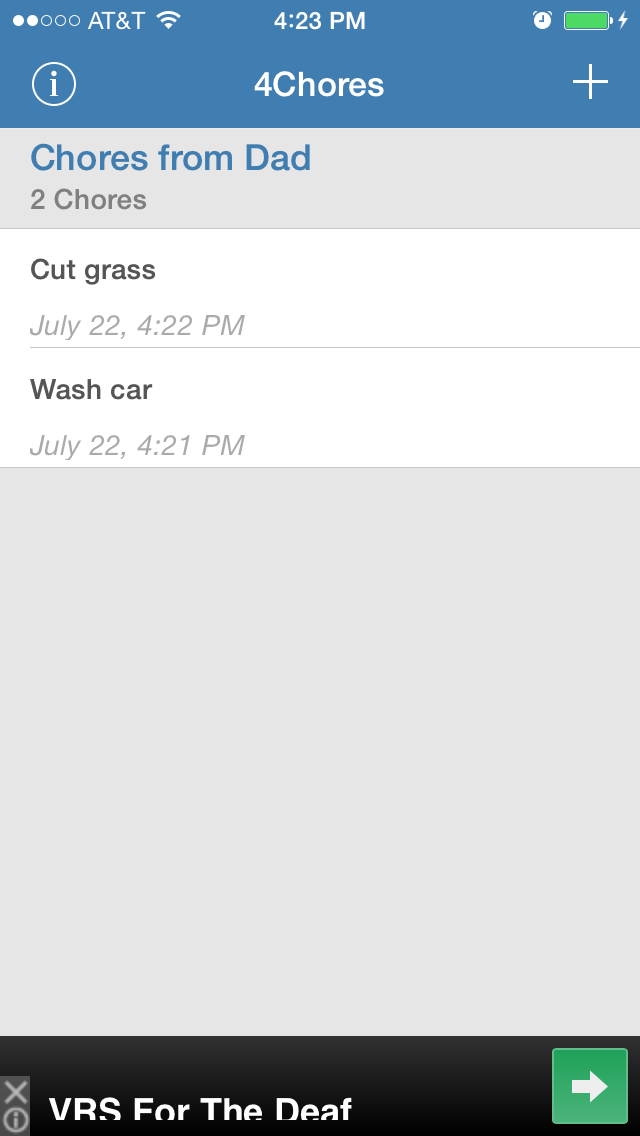
4Chores is a totally free app that lets parents easily assign chores to their kids, and it also lets kids use their phone to see the chores they need to complete.

It’s simple! Parents create a chore and their child receives an alert showing the new chore. When the child finishes the chore, the parent receives an alert showing the chore is completed. It’s easy!

Parents, stop making lists. Use the app to create and add chores no matter where you’re at (work, stuck in traffic, etc.). Kids, simply tap a button when chores are done so your parents don’t have to ask if you’ve completed your chores!

PARENTS: Simply open the free app, choose “Chore Giver”, add your name (like Mom, Dad, Uncle Bob, etc.), then tap start. Then tap the (+) add button in the top right corner, and add your child’s name. This is a ONE-TIME action, but you can repeat this action to add more children. Notice each child has a unique code, they will need this code to connect to your chores. Once their name(s) have been added, tap ADD+ to assign chores. When your child completes the chore, you will received a time-stamped alert telling you the chore is done. Simply swipe to remove.

KIDS: Simply open the free app, choose “Track My Chores”, add your name, then tap start. Then tap the (+) add button in the top right corner and add the code your parents give you (it is next to your name on their device). This is a ONE-TIME action. You will then see the chores they’ve assigned to you. Once completed, tap the chore, and tap ‘yes’ to mark as completed. It will be removed from your list and your parent will receive an alert showing the time you completed the chore.

En voir plus...

  • Screenshot #1 pour 4 Chores
  • Screenshot #2 pour 4 Chores

Note

(0 note)

Détails sur l'application

Version
1.0
Taille
4.6 Mo
Version minimum d'iOS
6.0
Dernière mise à jour
30/07/2014
Publié par
Mobile Trends, Inc.

Newsletter App Store

Recevez chaque jour les meilleures promos

Actualité Apple

Image iPhone 18 : le modem Apple C2 pourrait renforcer la confidentialité face aux opérateurs
iPhone 18 : le modem Apple C2 pourrait renforcer la confidentialité face aux opérateurs
Image Tim Cook en Chine avec Donald Trump et Elon Musk : Apple joue à l’équilibriste diplomatique
Tim Cook en Chine avec Donald Trump et Elon Musk : Apple joue à l’équilibriste diplomatique
Image IA : Apple visé par une enquête pour publicité trompeuse au Brésil
IA : Apple visé par une enquête pour publicité trompeuse au Brésil
Image Rachat de SFR : un délai supplémentaire est accordé à Orange, Bouygues et Free
Rachat de SFR : un délai supplémentaire est accordé à Orange, Bouygues et Free
Partenaires : Actualité iPhone - Culture Geek
©2009-2026 i2CMedia | A propos |