Astropad Slate
iPad / Productivité
Turn your iPad into a no-screen pen tablet! Interact with your Mac via your iPad and Apple Pencil:
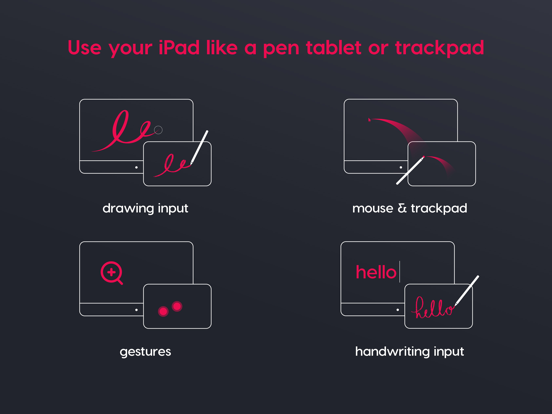
- Drawing input: Replace your pen tablet with your iPad. Draw into your favorite desktop creative programs using your Apple Pencil.
- Mouse & trackpad: Use your Apple Pencil or finger as a cursor to navigate your Mac desktop. It’s like using your iPad as a giant trackpad!
- Gestures: Use one and two-finger touch gestures on iPad to scroll and zoom on your Mac.
- Handwriting input: Your handwriting on your iPad transforms into text on your Mac. Write into Slate’s handwriting input box on iPad, and typed text will appear on your Mac.
Select how your cursor moves on your iPad:
- Mouse Mode (Relative positioning): Your iPad acts like a giant trackpad, and your cursor moves freely about your Mac display.
- Screen-mapping (Absolute positioning): The entire screen of your iPad scales to map your whole Mac display. The mapping is adjustable, similar to a traditional pen tablet.
Slate works with all Apple Pencils. For newer Apple Pencils, Slate supports hover functionality.
New iPads with Apple Pencil hover:
- Move cursor: Move your Apple Pencil over the surface of the iPad.
- Click: Tap your Apple Pencil to the screen to click.
Older iPads without Apple Pencil hover:
- Move cursor: Lightly drag your Apple Pencil across your iPad screen to move the mouse cursor. The pressure level is adjustable.
- Click: Tap your Apple Pencil to the screen to click
Get started:
1. Visit www.astropad.com/slate to download the free Mac companion app
2. Launch the apps: Open the companion apps on your Mac and iPad and follow the setup instructions.
3. Connect Mac and iPad: Connect your devices over WiFi, USB cable, or Peer-to-Peer networking.
4. Sart using Slate! Use your Apple Pencil to navigate your Mac desktop.
Minimum requirements:
- iPad: Your iPad must be running iPad OS 15.0 or later
- Desktop: Your Mac must be running macOS 11.0 or later
Quoi de neuf dans la dernière version ?
- Improvements to USB and Wifi reliability