Blueprint Lite (App Mockup)
iPad / Productivité
Blueprint is the most powerful iPhone (or iPad) UI design application.
Blueprint has many predesigned widgets, including all the iOS views, controls, and buttons. With just a few taps, drags and drops, you can make a meaningful UI screen.
Tap or drag and drop a widget that you want to add to a screen.
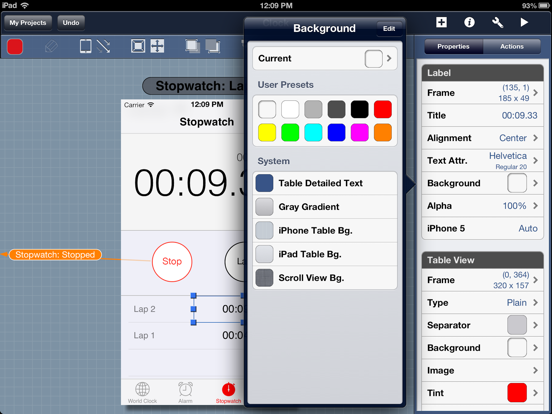
Make your widget look great by changing properties—colors, shape, text, images, and so on—in Property Inspector.
Assign actions for each widget and make a flow of UIs with Action Inspector.
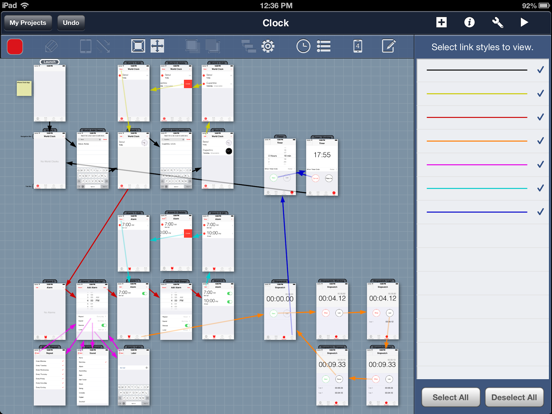
In a Map View, you can see all the screens you have designed and connections between them and you can place them as you want.
When your UI design is all done, it can be played right on the iPad.
Send your UI design by email or export it in a PDF file to share it with your team members.
If you want to JUST READ your Blueprint project, use "Blueprint Viewer."
You can download "Blueprint Viewer" from App Store for FREE.
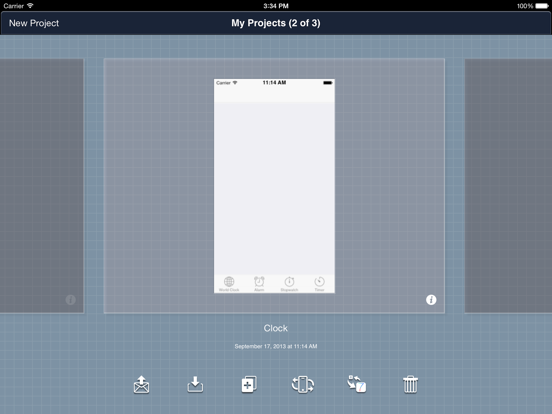
We included sample UI design - Clock - in Blueprint, you can play with it.
Blueprint is frequently being updated and improved.
If you have any questions about Blueprint, please don't hesitate to let us know.
We always welcome your feedback.
===========================================================
If you like Blueprint, please rate and write a review for us in the App Store.
It will take only several minutes. Thanks!
===========================================================
Key Features:
- Blueprint is an easy iPhone, iPad UI design tool. Simply drag a widget from the widget bar to the screen canvas.
- iOS built-in widgets are included: buttons, labels, text fields, switches, segmented controls, table views, tab bars, navigation bars, etc.
- Various widget properties: type, size, text color, background color, tint, image, and so on.
- Various widget actions: tap, double tap, swipe, rotate.
- Various screen transition effects: dissolve, move, reveal, push, flip, curl.
- In a Map View, you can skim through your design and lay out all the screens as you wish.
- Your works are saved periodically.
- Multi-selection. (While holding a widget, tap another widget.)
- Undo and Redo available.
- Share your design via email.
- Dropbox supported. (Paid version only)
- Back up your project to your PC with iTunes File Sharing.
- Export your project to a PDF or PNG file. (Paid version has many options)
- Import your images to Blueprint with iTunes Files Sharing. (Paid version only)
- VGA output supported for iPad1 when you are playing a demo. (Paid version only)
- Advanced features for images are added: rotation, mirroring, blend, and so on.
- Free Drawing tool is integrated.
- iPhone 5 layout supported.
- iOS 7 widgets supported.
- AND MANY OTHER FEATURES.
** You can create only two projects and eight screens for each project with the Lite version.
Quoi de neuf dans la dernière version ?
This app has been updated by Apple to display the Apple Watch app icon.
- supported iPad Pro
- fixed some bugs