PDFwow: PDF Editor & Converter
iOS Universel / Productivité
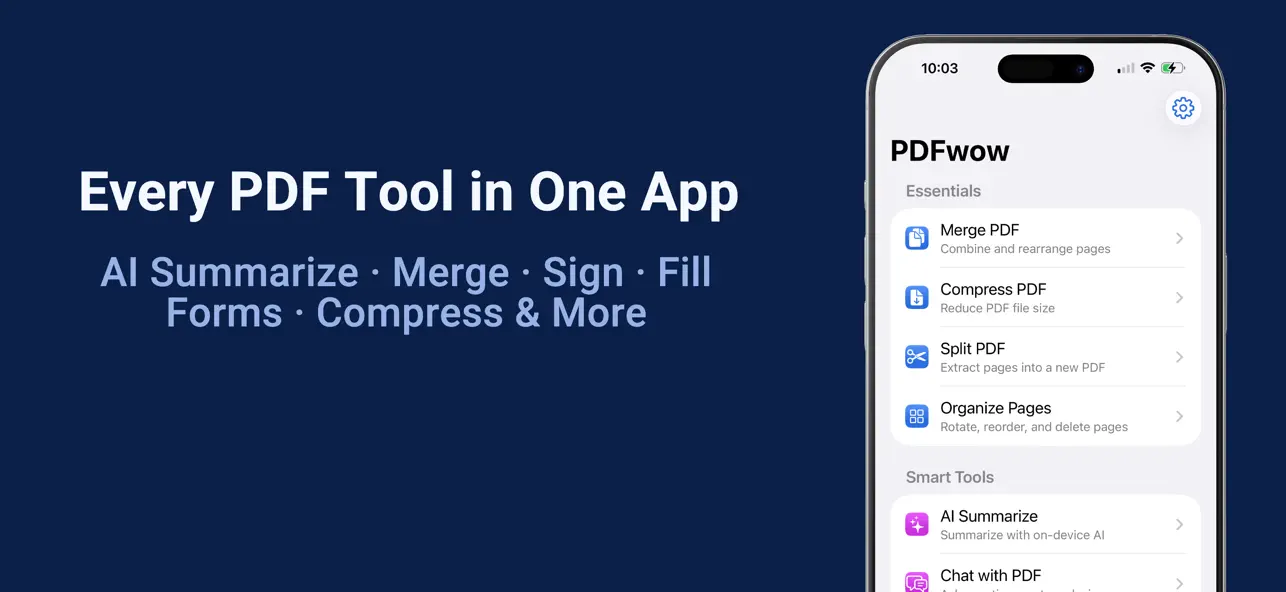
PDFwow puts every PDF tool you need in one simple, private app — right on your iPhone and iPad.
Scan it, sign it, fill it, shrink it, convert it, or ask it a question. Whatever the job, there's a tool for it — and your documents never leave your device.
Turn anything into a PDF
• Photo to PDF — scan paper with your camera (or straight from Control Center) and turn photos into PDFs. AI suggests a smart name when you save.
• Word to PDF — turn Word files into clean PDFs, and preview the result before you export.
Organize your pages
• Merge — combine PDFs and even photos into one file, then drag the pages into order.
• Split — pull out just the pages you need, or cut one PDF into several parts in one pass.
• Organize Pages — rotate, reorder, and delete pages. Tap any page to see it up close.
• Add Page Numbers — number your pages in seconds.
Sign and fill
• Sign & Annotate — draw your signature, or type your name for a neat cursive one. Add dates and notes, move and resize anything.
• Fill Form — tap to fill real form fields, or tap anywhere to type on scanned forms. With Apple Intelligence, Autofill enters your saved details for you — with a review list so you can double-check every one.
Understand any document (on-device AI)
• Chat with PDF — ask any question and get answers that cite the exact page. Tap to jump straight there.
• AI Summarize — get an instant summary plus key facts like names, dates, and amounts. Pull totals and line items from receipts and invoices. Tap any fact to see where it came from.
• Extract Text — pull text and tables out of any PDF or photo, with automatic language detection. Read it aloud, copy tables, or translate it.
Protect and share
• Redact — black out private info for good. The data is erased, not just covered. AI can find emails, phone numbers, IDs, and addresses — or anything you describe.
• Password Protect — lock a PDF with a password.
• Watermark — stamp words or your own logo across every page, with a live preview.
• Compress — shrink PDFs and photos so they're easy to email. Need a PDF under a limit? Pick 1, 5, or 10 MB and PDFwow finds the best quality that fits.
• PDF to Word — turn a PDF back into an editable Word file that opens in Word, Pages, and Google Docs. Preview it before you export.
• PDF to Images — save your pages as JPEG images.
Built to be fast
Open a PDF from Mail, Files, or Safari straight into the right tool. Start a scan with Siri or from the Home Screen widget. Recents keeps your latest files one tap away, and you can pin your favorite tools to the top.
Private by design
Everything runs on your device — no cloud, no uploads, no tracking. AI features need an iPhone or iPad with Apple Intelligence (iOS 26 or iPadOS 26) — and AI Summarize still gives you a Quick Summary without it.
Start with a free trial, then subscribe for unlimited access. Cancel anytime.
Privacy Policy › https://fierce-inlet-63133.herokuapp.com/combine-pdf-privacy
Terms of Use › https://www.apple.com/legal/internet-services/itunes/dev/stdeula/
Quoi de neuf dans la dernière version ?
A steadier, friendlier PDFwow.
A big batch of improvements — all still 100% on your device.
• Organize Pages: tap any page to see it up close before you rotate, reorder, or delete.
• Word to PDF: preview your converted PDF before you export it — see exactly what you'll get.
• Password-protected PDF? PDFwow now tells you clearly, right away — no more confusing blank results.
• Files you open from Mail, Files, or Safari now stay in your Recents longer.
• Watermark now handles rotated and scanned pages perfectly.
• Plus many small fixes so every tool finishes the job and tells you honestly if something goes wrong.
• Got a Word file? Share it to PDFwow and it opens right in Word to PDF.
• Search that speaks your language: type "combine pdfs", "shrink", or "summary" and the right tool appears.
• Sign & Annotate: tap "Page 1 of 5" to jump straight to any page — and your signed file is now named "(Signed)".
• Merge PDF: add photos right alongside your PDFs — each photo becomes a page. Pages now show bigger, clearer previews too.
• Compress PDF: text stays selectable and searchable. Need to fit under a size limit? Pick 1, 5, or 10 MB and we'll find the best quality that fits — and tell you honestly if your PDF can't get that small.
• Split PDF: cut one PDF into several parts in a single pass.
• Watermark: stamp your logo or any picture across the pages — not just words.
• Sign & Annotate: type your name to get a neat cursive signature — no shaky drawing needed.
• AI Summarize: no Apple Intelligence on your device? You get a Quick Summary made from the document's key sentences.
• PDF to Word: your converted file is a real Word document (.docx). PDFs with tables are saved in a Word-compatible format so your tables are kept.
• Long task? You can now cancel instead of waiting. Password-protected PDFs are explained clearly instead of failing silently.
• Plus dozens of small touches: cleaner screens, clearer buttons, better support for larger text sizes and VoiceOver, and iPad keyboard shortcuts (⌘1–⌘9 to switch tools).