DispatchOnGo
iPhone / Productivité
Set your team's daily priorities, then send them in seconds. Tap Text and DispatchOnGo instantly opens Messages with everything formatted and ready — just add your contacts and hit send.
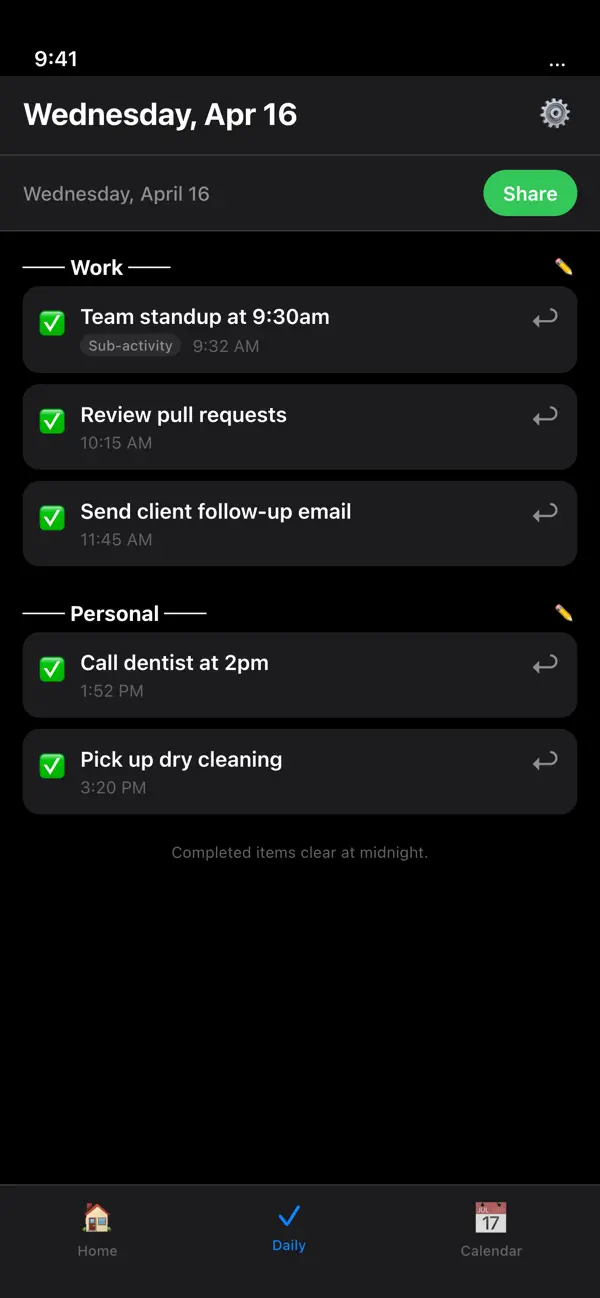
As you check off priorities throughout the day, they're automatically saved to your calendar so you always know what was completed and when. Anything left unfinished carries over to the next day automatically — nothing falls through the cracks.
Organize everything with multiple tabs for work, personal, family, or any team. Sub-tasks, dark mode, and a built-in completion history keep you in full control.
FEATURES:
• One-tap text your priorities to anyone
• Auto-formatted message — no copy and paste
• Completed tasks save directly to your calendar
• Unfinished tasks roll over to the next day automatically
• Multiple tabs to organize by team, project, or area of life
• Sub-tasks under each priority
• Dark mode
• Works offline — your data stays on your device
Set it. Send it. DispatchOnGo.
Quoi de neuf dans la dernière version ?
• Share priorities via text message or email
• Daily completed view now organized by tab
• Custom header & footer messages for completed items
• "Add a Priority" bar stays fixed while scrolling
• In-app tutorial on first launch (access anytime in Settings)
• Smart alerts: get notified 15 and 5 minutes before timed priorities
• Customizable alert sounds by priority importance
• Tab footer messages for sharing