EDDMapS Pro
iOS Universel / Productivité
EDDMapS Pro – Professional Invasive Species Mapping & Management
EDDMapS Pro is the powerful mobile tool for biologists, land managers, and field teams to report, monitor, prioritize, and combat invasive species effectively.
Key Features:
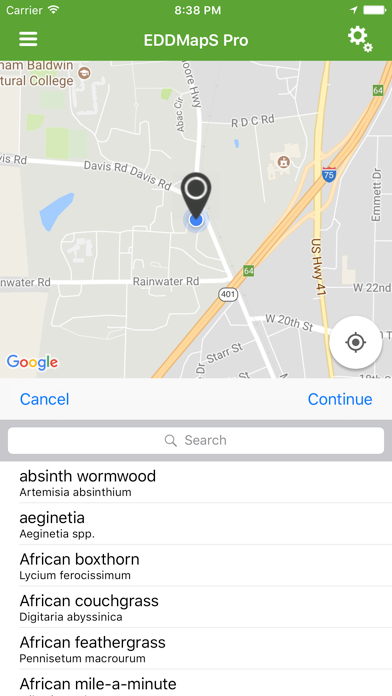
• Report & Submit Observations — Create and submit detailed reports with GPS, photos, status (Positive, Negative, Treated, Eradicated), and notes.
• Download Datasets — Pull county-level or custom datasets of observations for offline review and planning.
• Record Revisits & Contests — Navigate back to sites for updates, contest inaccurate records, or (as a verifier) approve submissions directly in-app.
• Photo Projects for Time-Series Monitoring — Establish projects to capture consistent photos over time; the first image serves as a transparent overlay guide for precise alignment on follow-up visits.
• Monitoring Zones — Access and use custom forms set up on eddmaps.org for location-specific monitoring protocols.
• Project Area Boundary Overlays — Import and load KML files to display property lines, management units, or other boundaries directly on the map for better spatial context.
• SIIPA Integration — Access and utilize Spatial Invasive Infestation and Priority Analysis (SIIPA) data and tools to help prioritize treatment areas based on infestation patterns and management goals.
• Offline Maps & Workflow — Download map imagery for no-service areas; reports queue locally for users to upload when convenient.
• Customizable Views — Filter species lists, toggle report types, and tailor the experience to your workflow.
All data syncs seamlessly with the national EDDMapS database (eddmaps.org), supporting real-time distribution mapping, early detection, and collaborative invasive species control across states.
Free for qualified professionals—empower your invasive species management today!
Quoi de neuf dans la dernière version ?
• Minor bug fixes for County Dataset refresh and display settings.
For any questions, feedback, or suggestions, please use the in-app feedback feature or email us at bugwood@uga.edu.