Notes — Markdown Editor
iOS Universel / Productivité
Markdown is a fast, native iOS editor for plain‑text .md notes. Point it at a folder you already use — in the Files app, iCloud Drive, or any provider that shows up in Files (Dropbox, Google Drive, OneDrive, Working Copy) — and start writing. No account. No proprietary database. Your notes stay as plain Markdown files on your own drive.
WHY THIS APP
• Local‑first by design. Files live where you put them. Open them in any other editor on any other device, any time.
• Privacy first. No sign‑up, no telemetry of your content, no cloud account required.
• Designed for iPhone and iPad. Side‑by‑side editor and preview on iPad. Optimized touch and Apple Pencil layouts.
• Built in SwiftUI for iOS 18.
EDITOR
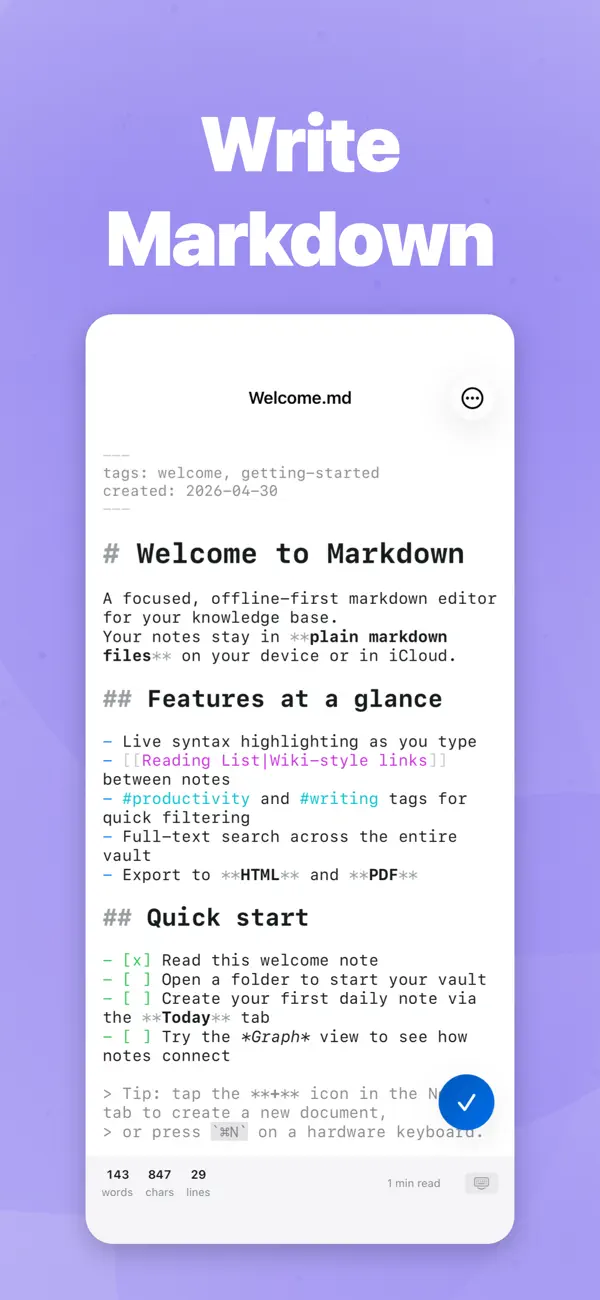
• Live syntax highlighting for headings, bold, italic, code, links, wikilinks, tags, and YAML frontmatter
• Markdown toolbar with 15 actions for fast formatting on iPhone
• Hardware keyboard shortcuts (Cmd+B / I / K, headings, lists, indent)
• Find and replace inside the current document
• Auto‑pairing for (), [], {}, backticks, quotes, ** and __
• Focus mode dims everything except the current line
• Typewriter mode keeps the cursor centered
• Six fonts, adjustable size and line spacing
• Live word, character, line counts and reading time
• Auto‑save every 30 seconds; cursor position remembered per file
PREVIEW
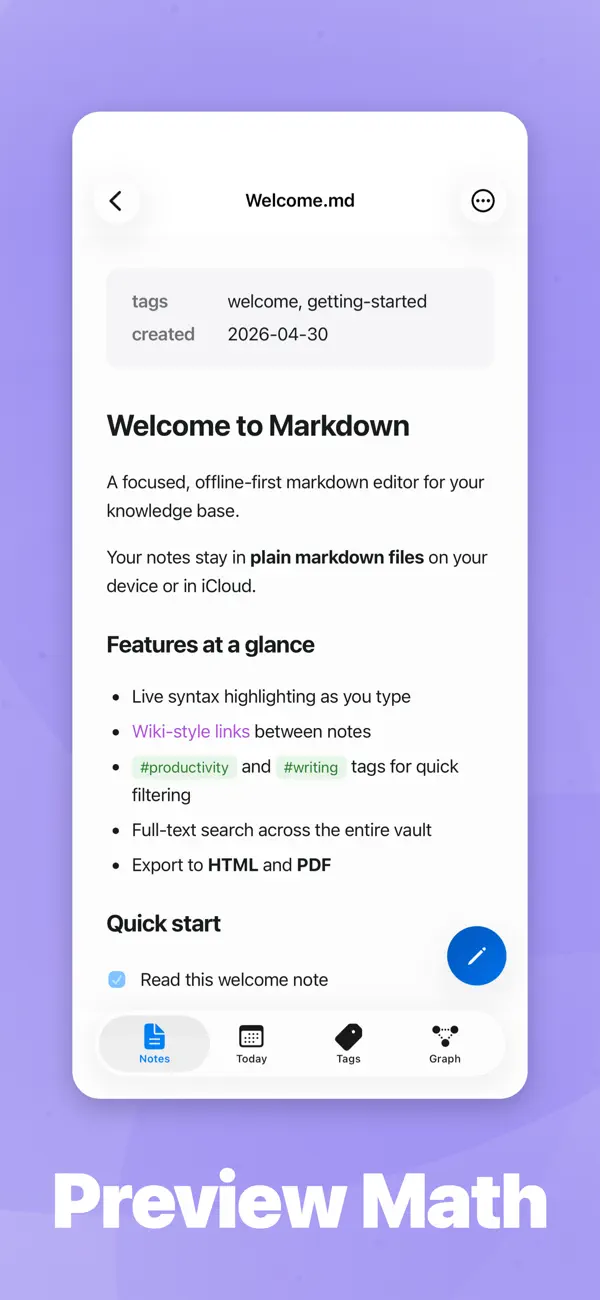
• Full GitHub Flavored Markdown: tables, task lists, strikethrough, footnotes
• Math and formulas with KaTeX (inline $...$ and display $$...$$)
• Image embeds, wikilink rendering, tag highlighting
• YAML frontmatter rendered as a metadata table
• Four reading themes: Default, Sepia, Nord, Solarized Dark
• Side‑by‑side editor and preview on iPad
WIKILINKS, TAGS AND DAILY NOTES
• [[Wikilinks]] with autocomplete and one‑tap navigation
• Backlinks panel shows every note that points to the current file
• #tag indexing with a dedicated tag browser
• Daily notes with templates for journaling and logs
• Force‑directed graph view of how your notes connect
FILE HANDLING
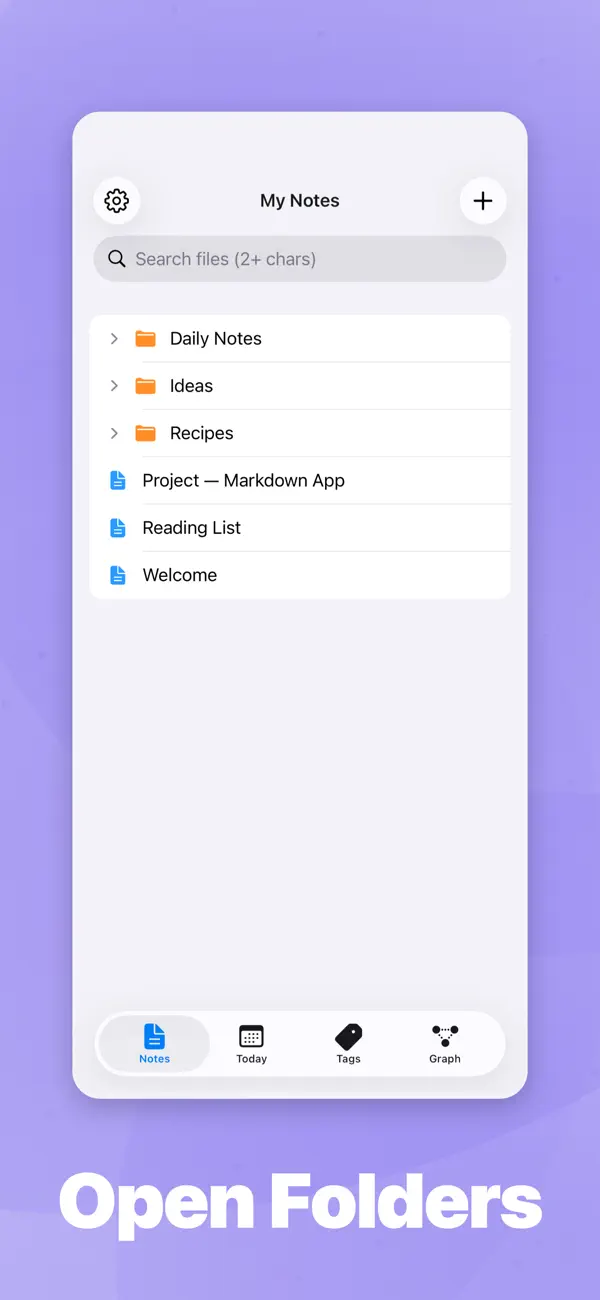
• Open from Files, iCloud Drive, Dropbox, Google Drive or any document provider
• Drag and drop files in to open them
• Multi‑file selection in the file browser
• External change detection: edit a file in another app and it reloads here
• Recent files with timestamps
• Export to PDF, HTML or Markdown
• Security‑scoped bookmarks for persistent folder access
• Registered as a Markdown document handler so .md files can open here from anywhere
iOS INTEGRATION
• CoreSpotlight indexing — search your notes from the iOS home screen
• Share Extension — receive text and URLs from any app and save them as a note
• Quick Capture home‑screen widget for instant new notes
• App Shortcuts for "Create Note" and "Open Daily Note"
• Open In support so other apps can hand markdown files to this app
WHO IT'S FOR
• Writers and journalers who want a clean iOS app with their files in their own folder
• Obsidian and Bear users who want a lighter, more native iPhone and iPad experience
• Developers and tech writers who edit READMEs, docs and notes on the go
• Students and researchers using a personal wiki or zettelkasten on iPad
• Anyone who prefers plain text they fully own to a closed note database
NO LOCK‑IN
The app reads and writes ordinary .md files. There is no proprietary format, no required account, and no cloud service in the middle. If you stop using the app tomorrow, every note you made is still there, in the folder you chose, in plain Markdown.
Requires iOS 18 or later. iPhone and iPad supported.
Quoi de neuf dans la dernière version ?
v1.10.0
- Open bookmarked notes from a dedicated Bookmarks tab — pin favorites and jump back in one tap.
- Add H4–H6 heading buttons when you customize the formatting toolbar.
- The formatting bar appears only while the keyboard is up, so preview stays clear.