Momentum
iOS Universel / Productivité
Focus, productivity, and calm on your new tab page.
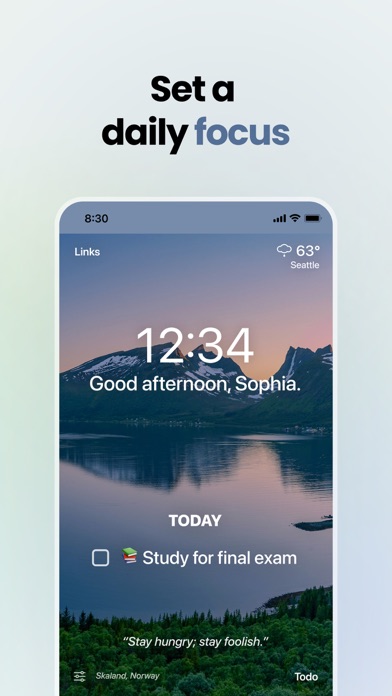
Momentum is your all-in-one productivity tool. Friendly reminders of your important tasks, links, daily focus, and more are always just one click away.
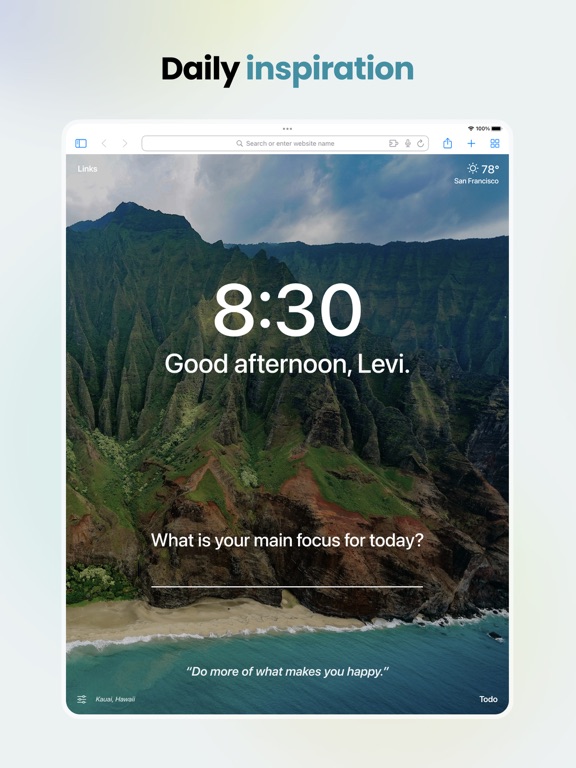
We also provide refreshment throughout the day with our collection of breathtaking nature photos, inspiring quotes, and encouraging mantras.
Join over 10 million energized users who are creating the life they want to live with Momentum.
Key Features:
- New inspiring photo, quote, and mantra each day
- Friendly reminders of your most important task
- Easy to use to-do list manager
- Shortcuts to your favorite websites and apps
- Local weather info
- Google/Bing/DuckDuckGo search options
- Customizable — show/hide features as you like
- Private and secure — we don’t share or sell your data
Do more with Plus:
Momentum Plus offers additional productivity tools to support positive workflows and increase focus.
NEW: Soundscapes
Get in the flow with our focus-driving audio, including: a crackling campfire, peaceful rain, café ambience, and seven other scenes!
Pomodoro Timer
Organize your day into timed intervals of focused work sessions and short breaks.
Todo integrations
Connect your favorite task provider to quickly update your tasks on each new tab. Asana, Trello, Todoist, Microsoft To Do, Google Tasks, GitHub, Bitbucket, & Basecamp 3.
Autofocus mode
Always see your top task front and center. Completing your focus replaces it with the next task on your to-do list.
Metrics
Track the progress your making towards personal and professional milestones.
Countdowns
Count down the days left until upcoming events and due dates.
World Clocks
Leave the time zone conversion to us! Add other time zones right on your dashboard.
Custom Photos, Quotes, & Mantras
Personalize your dashboard with the content that inspires you most. Skip and change the content whenever you want.
Notes
Jot down important reminders or start that novel with our fullscreen note editor.
Multi-Todo list
Create more lists to organize your tasks however you like.
Extra weather info
Get more detailed weather info with an hourly forecast, air quality, chance of rain, and more.
Featured in Tim Ferriss’ Tools of Titans, BuzzFeed, TheNextWeb, Lifehacker, Reddit, Product Hunt, Hootsuite, MacStories, Zapier, and TheDailyMuse!
Privacy & Security
We at Momentum are committed to protecting your privacy. The information we gather or process is used solely for core functionality of Momentum and to improve the quality and security of our service. Your information isn’t and has never been sold to third parties.
For more information on privacy and the security of your data visit https://momentumdash.com/privacy.
Help & Contact
Help Center: https://momentumdash.help
Suggestions: https://momentum.nolt.io/
Contact us: https://momentumdash.com/contact
Social Pages
Blog: https://momentumdash.com/blog
Instagram: https://instagram.com/momentumdash
Twitter: https://twitter.com/momentumdash
Facebook: https://facebook.com/momentumdash
Quoi de neuf dans la dernière version ?
Bugfixes and improvements for the Tasks & Photo Info apps