Online Meetings Schedule
iOS Universel / Productivité
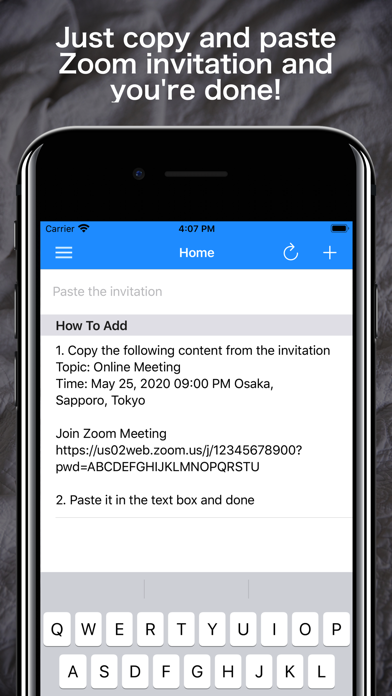
Online Meetings Schedule can be managed the schedule by simply pasting the invitation sent by e-mail etc. in the text box of the application.
* Features
- Parse topic, time and URL from Zoom invitations and add them to your schedule
- Schedules such as Google Meet and Skype can be registered from the additional screen
- Paste text including URL and extract only URL
- Notify start time and end time
- Join the meeting directly by tapping the start time notification screen
- Automatically add schedules to iOS calendar and Google calendar
- You can see the next meeting at a glance because it is listed in the order of holding
- Supports calendar display
- You can store your data in iCloud and share your schedule across multiple devices
* How to use
1. Add a schedule by pasting an invitation containing the following text in the text box
——————
Topic: Online Meeting
Time: May 25, 2020 09:00 PM Osaka, Sapporo, Tokyo
Join Zoom Meeting
https://us02web.zoom.us/j/12345678900?pwd=ABCDEFGHIJKLMNOPQRSTU
——————
2. Join the meeting by tapping the "Join" button on the info screen of the meeting or the notification screen of the start time
Quoi de neuf dans la dernière version ?
- Support side menu
- Fixed minor bugs