Day Planner - Time Blokker
iOS Universel / Productivité
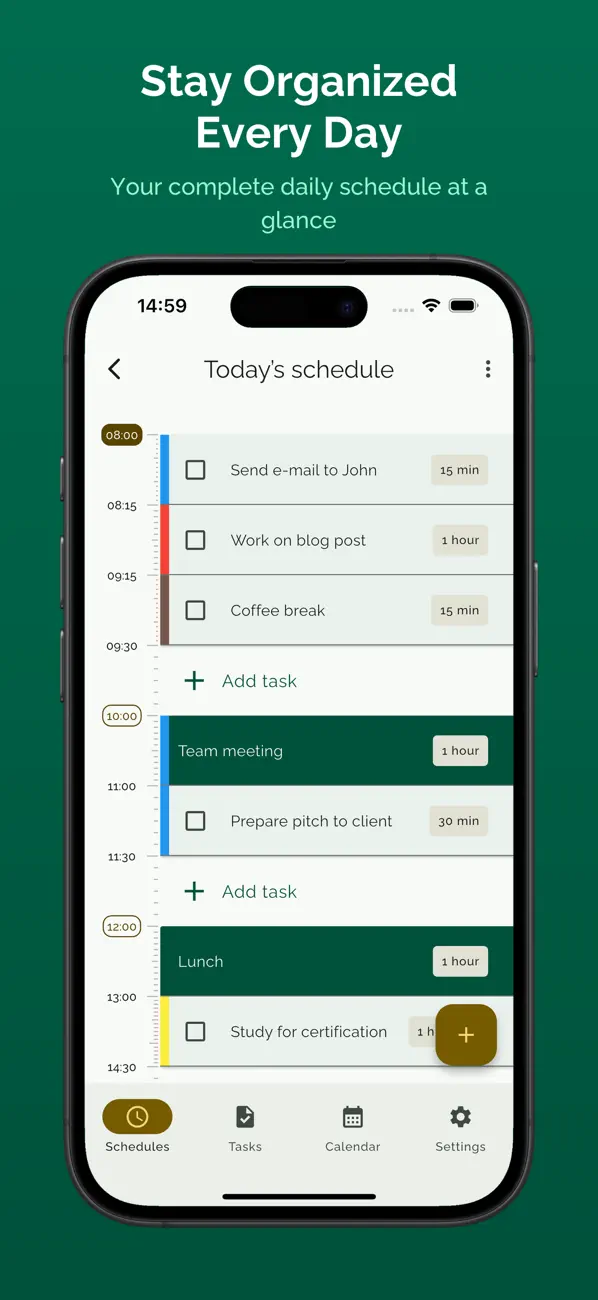
Votre to-do list paraît gérable. Elle ne l'est pas. Les tâches cachent le temps qu'elles prennent. Time Blokker donne une durée à chaque tâche et les empile dans votre journée. Vous voyez ce qui tient avant de commencer.
Vos plans n'échouent pas à cause de vous. Ils échouent parce qu'ils ne s'adaptent pas. Une chose prend plus de temps, quelqu'un appelle, le déjeuner s'éternise, et tout votre après-midi est chamboulé. Dans Time Blokker, les tâches s'empilent. Quand l'une grandit, tout ce qui est en dessous descend. Votre plan s'ajuste tout seul.
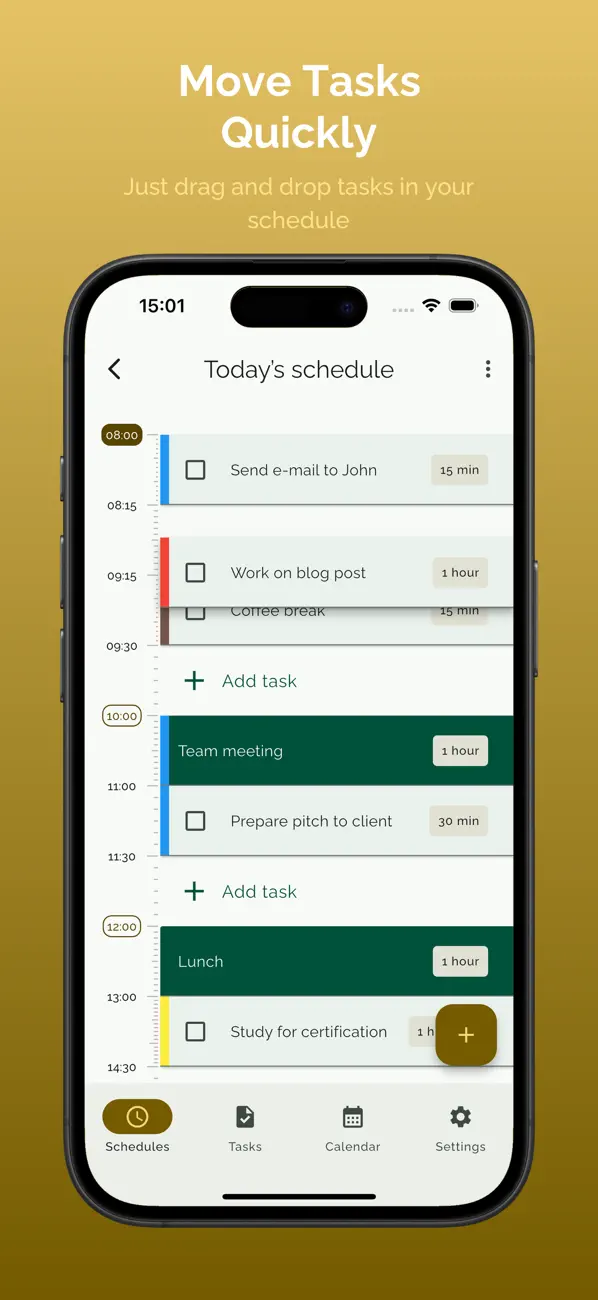
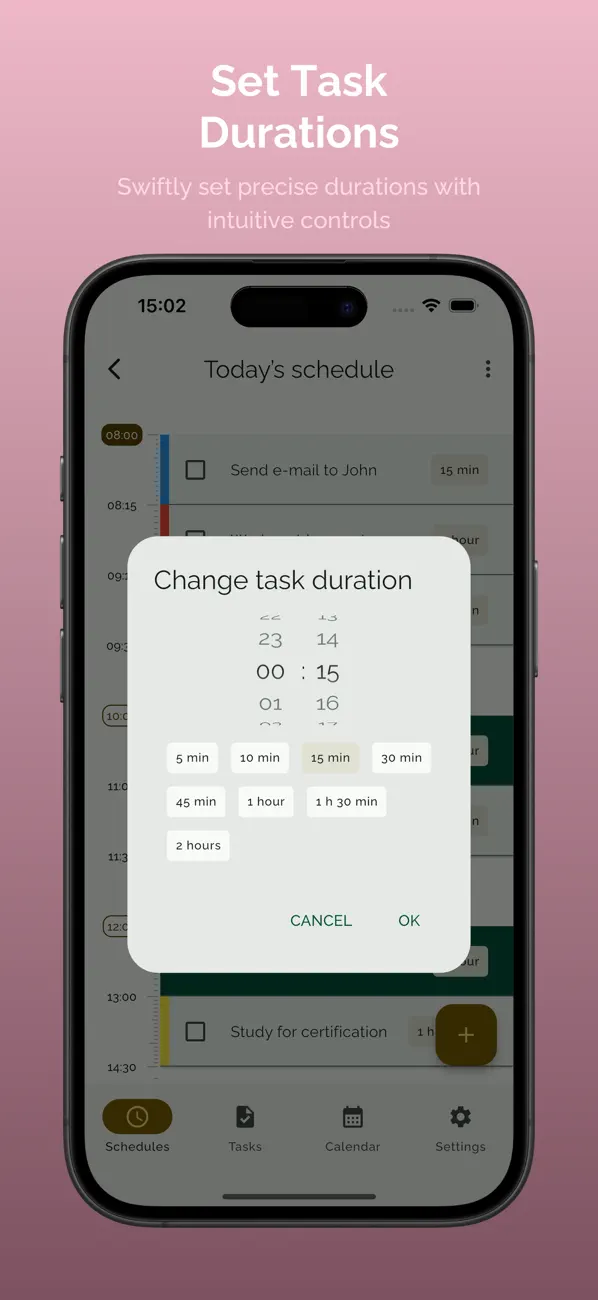
Besoin de réorganiser ? Glissez une tâche ailleurs. Touchez la durée pour la raccourcir ou l'allonger. Et voilà. Deux secondes. C'est pour ça que vous replanifierez vraiment quand il le faut, au lieu d'abandonner toute la journée.
Et quand vos priorités prennent de la place réelle dans votre journée — pas juste des lignes sur une liste — il devient bien plus facile de décider ce qui compte. Le gros truc paraît gros. Le petit truc paraît petit.
Quand vous finissez ce que vous aviez vraiment prévu de faire, quelque chose change. Vous faites un peu plus confiance au plan de demain. Et à celui d'après.
Pas de compte requis. Pas d'abonnement. Payez une fois, c'est à vous. Vos tâches restent sur votre appareil. On ne les voit pas, on ne les suit pas.
Fonctionnalités :
- Planification par glisser-déposer
- Les tâches se décalent automatiquement quand votre plan change
- Durées de tâches ajustables
- Planning du jour + liste de tâches dans une seule app
- Suivi de progression tout au long de la journée
- Appliquer un planning à un jour
- Sélection multiple et édition
- Tâches en couleur
- Duplication de tâches
- Déplacer des tâches entre les listes
- Mode sombre
- Pas de compte requis
- Pas d'abonnement, un achat, à vous pour toujours
- Vos données restent sur votre appareil
Quoi de neuf dans la dernière version ?
Nouvelles fonctionnalités :
- Synchronisation iCloud - vos tâches et plannings sur chaque iPhone et iPad, sans compte requis
- Intégration du calendrier - consultez les événements de votre calendrier sur votre programme du jour et envoyez vos tâches vers votre calendrier
- Notifications en direct - votre tâche en cours avec un compte à rebours en temps réel sur l'écran de verrouillage, plus un avertissement avant le début de chaque tâche
- Disponible en 8 langues : anglais, néerlandais, français, allemand, espagnol, italien, coréen et chinois
- Balayez vers la gauche/droite sur la timeline de la journée pour passer d'un jour à l'autre
Améliorations :
- Paramètres repensés avec sous-écrans groupés
- Diverses corrections de bugs et améliorations de performance