Helmet libraries
iPhone / Références
Search the entire Helsinki Metropolitan Area Libraries catalog, see real-time availability, and manage your library account — all in one clean, fast app.
SEARCH & DISCOVER
• Search across all Helmet libraries — books, music, movies, games, journals, sheet music, and more
• Discover what just came in — six cover-art carousels on the Search tab covering new books, movies, music, games, sheet music, and maps
• Browse by genre — Fiction, Crime, Children's, Fantasy & sci-fi, Documentary, Horror, Jazz, Classical, and many more — without having to think of a search term first. Categories your library area doesn't stock are hidden automatically
• Tap any cover for an Apple Books-style preview: swipe between items in the rail, see the full details, place a hold in one tap
• Browse the Library of Things — musical instruments, exercise gear, power drills, season tickets, board games, sensory cards, kitchen equipment, electronics, and more
• Pre-select content type (books, music, movies, …) with always-visible filter chips, or toggle filters on the fly
• Narrow further with a dedicated Filters sheet: Format (Blu-ray, DVD, CD, LP, audiobook, eBook, board / video game), Language, and Publication year — with counts across the full result set, not just the page on screen
• See cover images, authors, publishers, and detailed metadata
• Live results as you type
• Share any item with a friend — the link opens straight in Helmet if they have the app, or a small web preview otherwise. Also works from your loans and holds
REAL-TIME AVAILABILITY
• See which libraries have the item you're looking for
• Check per-copy status: available on shelf, checked out, in transit
• View due dates for checked-out copies and number of requests
• Shelf numbers included so you can find the item quickly
YOUR LIBRARY ACCOUNT
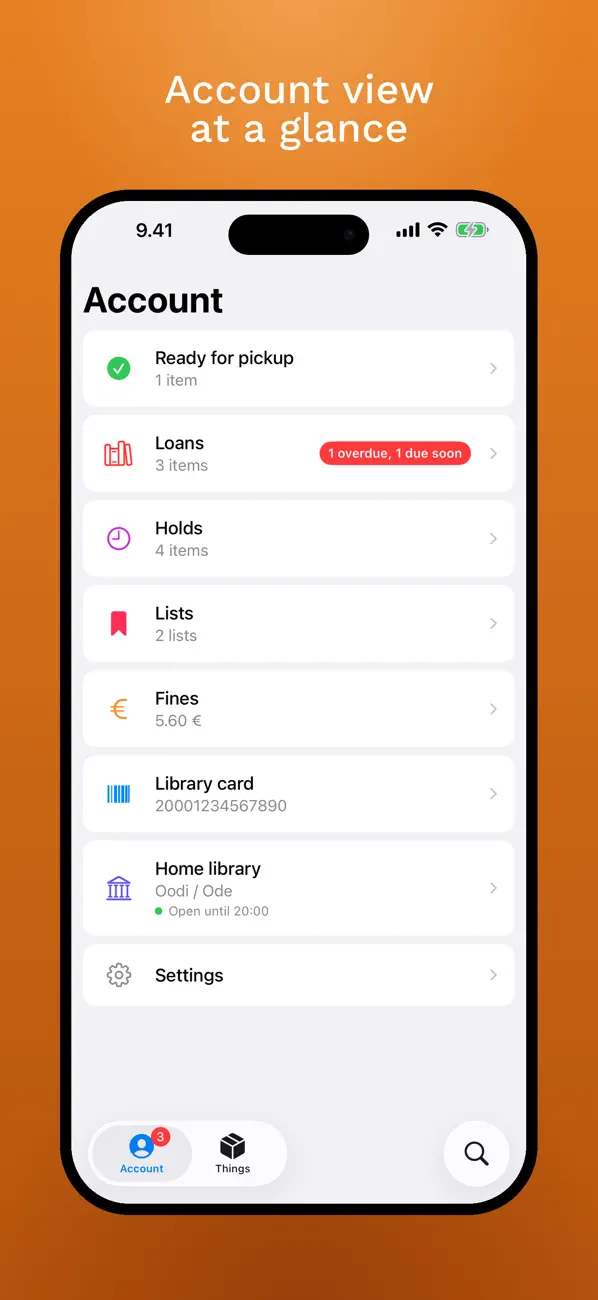
• View your current loans with due dates and renewal status
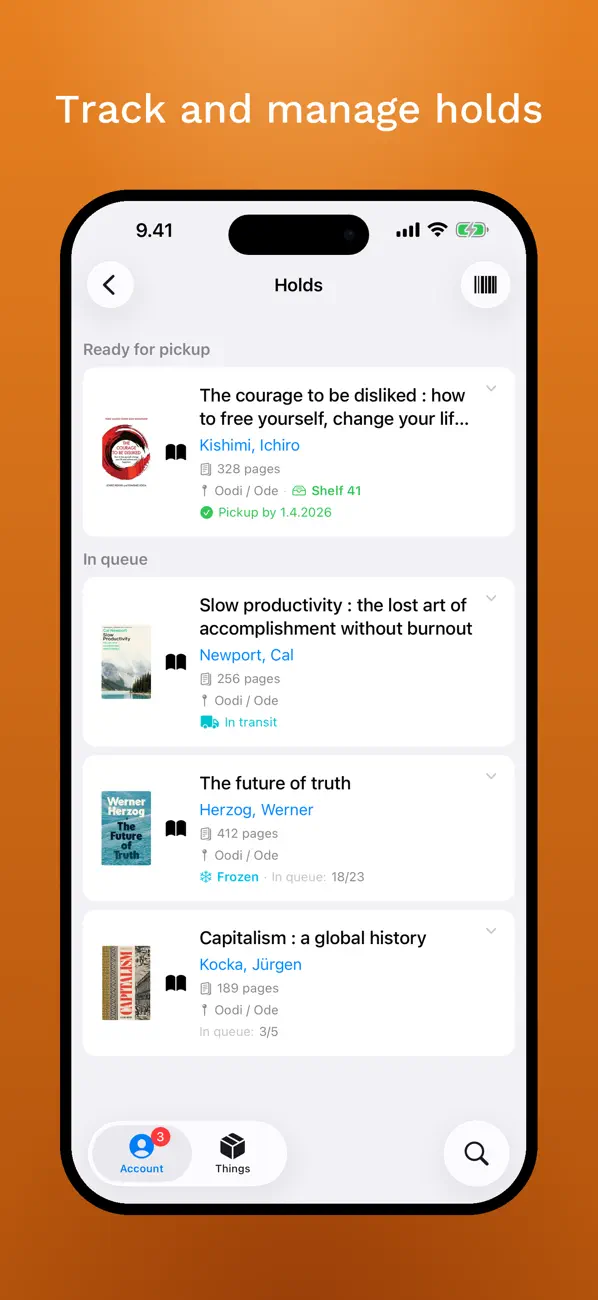
• Browse your holds and track queue position
• Check and manage your fines
• Place new holds and choose your pickup library — when your hold is ready, the numbered pickup shelf is shown next to the library so you can walk straight to it
• Renew loans directly from the app
• Edit or cancel existing holds
• Display your library card barcode for easy checkout
• Set your home library (preferred pickup location), see today's opening hours and contact details at a glance, and tap the address to open it in your Maps app
• Save items to Lists — create as many lists as you like, attach notes, share a public list as a link, move items between lists. Lists stay in sync with helmet.finna.fi so everything is reachable from the website too
• Follow a friend's public list — open the link they share and the list joins yours, read-only. Copy any item, or the whole list, into your own lists
STAY ON TOP
• Get notified before your loans are due — 3 days before and on the due date
• See at a glance if any holds are ready for pickup
• Overdue and due-soon loans are highlighted
DESIGNED FOR YOU
• Beautiful liquid glass interface following the latest iOS design
• Available in English, Finnish, and Swedish
• Works offline with cached account data
• Your data stays on your device — no accounts, no tracking, no ads
GET IN TOUCH
Thank you for using the app. It's in active development, and your feedback shapes where it goes next. If something doesn't work, or there's a feature you'd like to see, write to apps@mla.run.
This app is an independent project and is not affiliated with, endorsed by, or officially connected to the Helmet library consortium or any of its member libraries (Helsinki, Espoo, Vantaa, Kauniainen). It uses the public Finna and Kirkanta APIs provided by the Finnish library system.
A Helsinki Metropolitan Area library card is required to access account features (loans, holds, fines). Catalog search is available to everyone without login.
Quoi de neuf dans la dernière version ?
Two things about sharing.
You can now share catalog items with friends. Every record — in the preview sheet, in an expanded search result, and in your Loans and Holds — has a share button that opens the usual share sheet. The link opens directly in Helmet for people who already have the app; for everyone else it opens a small preview card in the browser with a "Download on the App Store" button. Copy pastes just the URL. Messages, Notes, Mail, and everything else include the item's title and author above the link, so the recipient sees what's coming through.
And you can now follow someone else's public list. If a friend shares one of their Finna lists with you, open the link and Helmet offers to follow it — it then sits in a "Following" section under Lists, alongside your own. You can read it, copy any single item into one of your lists, or copy the whole list at once. It stays read-only, because it's theirs: only the owner can change what's on it. If they later make it private, you keep the last version you saw and can unfollow whenever you like. Sharing your own public list now works the same way in reverse.