Tamil Bible Offline
iOS Universel / Références
The Holy Bible in Tamil
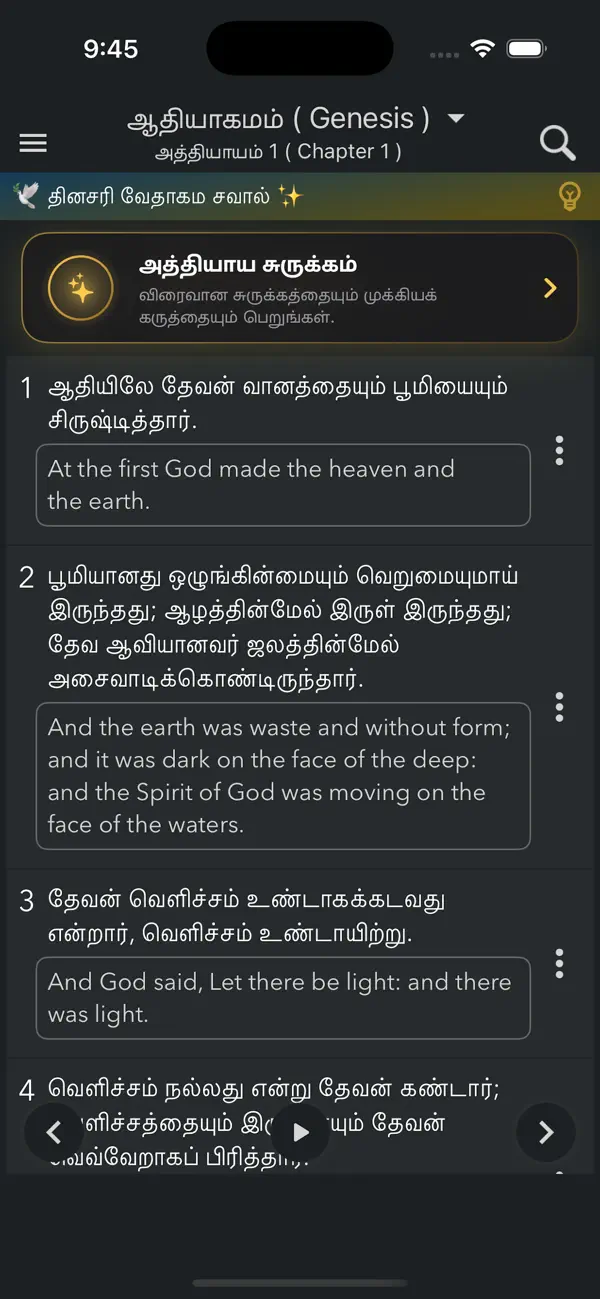
The application offers a simple and user-friendly interface that allows you to read the Holy Bible in Tamil anytime and anywhere. Be spiritually nourished through the sacred Scriptures and the teachings of our Lord Jesus Christ. The app is designed for convenient daily reading and easy sharing of God’s Word.
No internet connection is required to read the Bible.
Save your favorite verses, add personal notes, and share Scripture effortlessly.
Features:
• Complete Holy Bible in Tamil
• Includes the entire Old and New Testament
• Works fully offline
• Clean and easy-to-use interface
• Adjustable text size and reading customization
• Light and Dark mode support
• Daily Bible Quiz for Scripture engagement
• Powerful search to find verses, Psalms, or keywords
• Save and share favorite verses
• Optimized for phones and tablets
Enjoy reading the Holy Scriptures in Tamil with a smooth and distraction-free experience.
Terms of Use (EULA)
https://harishpabbathi.web.app/enduserlicence.html
Quoi de neuf dans la dernière version ?
What's New
Chapter Summary — Tap the new card above any chapter to get a quick, easy-to-read summary and its main theme, and even listen to it read aloud.
Redesigned Verse of the Day — A beautiful new daily verse experience: an immersive "today" card and a scrollable timeline of past days, each with stunning artwork. Listen, share, or turn any verse into art.
New Verse Art Studio — Create shareable verse images with a redesigned editor: pick from a gallery of backgrounds or your own photos, choose from dozens of fonts, add your personal branding, and download or share.
Lock Screen Widgets — Add the Verse of the Day to your Lock Screen and see God's Word every time you pick up your phone.
Create Art from any verse — Long-press a verse to favourite, add a note, copy, share, or instantly turn it into beautiful art.
Improvements
• Completely redesigned Settings with a live preview, many more reading fonts, and a one-tap Reset to defaults.
• A more premium side menu and a cleaner note-taking and color-picker experience.
• A refined reading screen and better layouts and larger text for iPad.
• Light and dark mode polished throughout.
Improved user experience and minor bug fixes.