SportSwitch - Quotes for Playing Sports
iOS Universel / Sports
This app beautifully displays quotes about playing sports and exercise from all over the world.You can choose to use the app simply as it is, or customize to your liking using more than ten features (most number of features for a quotes app).
We have been receiving great reviews, with an average of 4.7 stars.
[List of functions]
- Quote display
- Favorites
- Autoplay
- Background and text design customization
- Play only favorites
- VoiceOver
- Regular notification with your favorite quote
- BGM
- Sakura animation
- ... and many more (details below in [Function Details]!)
[Function Details]
- Quote display
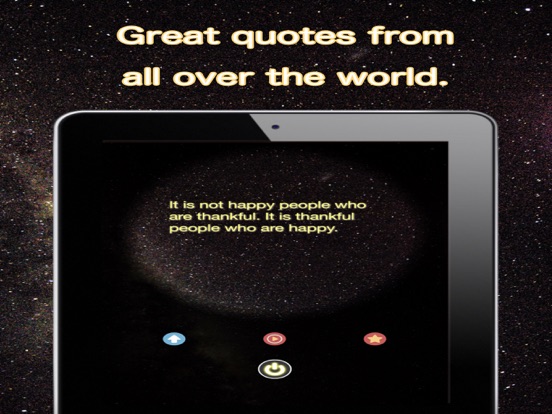
We will deliver only the best quotes, carefully picked from around the world. Every time you press the switch in the Quotes page, a new inspirational quote appears.
Quotes will be added regularly, and you don't have to update the app to get them. You could also switch between different languages at any point from the Settings page (left swipe from the Quotes page).
- Favorites
You can "favorite" a quote by tapping the star icon in the Quotes page.
You can see your favorites list from the Settings page. You could also display only the favorites during Autoplay (when using Autoplay feature), or set a quote from your favorites list as a notification message.
- Autoplay
You could let the app do the switching by tapping the triangle button on the Quotes page. If you feel tired of pressing the switch every time, please try this function. While the triangle icon is rotating, it is in Autoplay mode. You could end Autoplay mode by tapping anywhere on the screen. You could also change the time interval for Autoplay from the Settings page. Autoplay can be used at the same time as VoiceOver.
- Background and text design customization
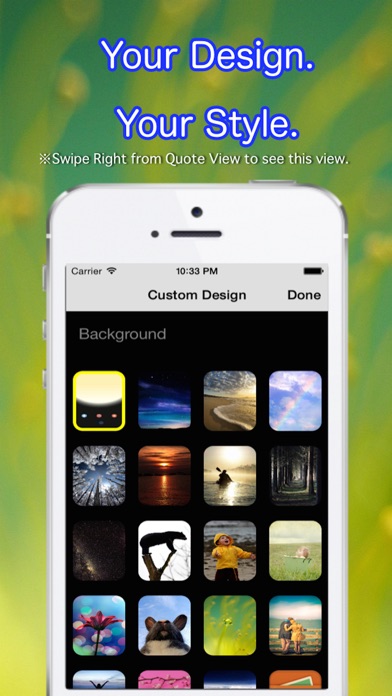
Swipe to the right to go to the Design Settings page. You could change background image and text design to your liking. Go ahead and look for your favorite combination of background, text color, and text shadow color.
Tip: It tends to look good if you choose the same color for both text color and text shadow color.
Text size can be changed from the Settings page.
- VoiceOver
Unlike any other quotes app, we have VoiceOver function (reading the quotes out loud). This feature is compatible in Japanese and English.
Please do understand that it may sound mechanical at times. You could change the overall tone of the voice from the Settings page.
- Regular notification
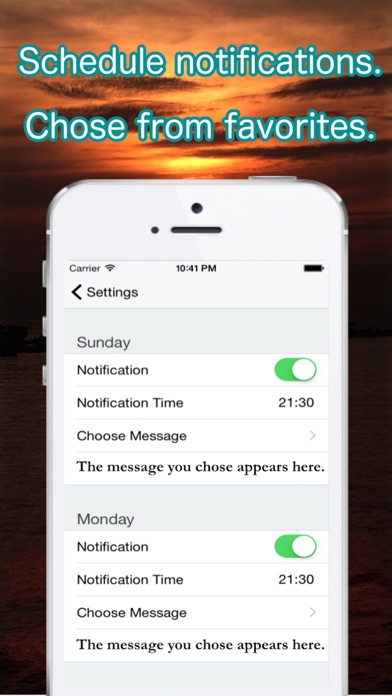
Go to Settings -> xxx time -> "choose message" to register a message from your favorites list as a notification message. Use this to remind and motivate yourself each day.
- BGM
How about reading inspirational quotes while listening to calm, natural background music? You can choose from three types of sounds from the nature from the Settings page. You could use this to relax before going to bed.
- Sakura animation
As a small gift to users, we prepared a sakura animation. Go to the Settings page and turn the feature on, go back to the Quotes page, and let the sakura fall gently down your screen. True, it might block your view a little. But I think it is sometimes nice to feel the nature while reading inspirational quotes.
- Share with friends
Tap the arrow icon on the Quotes page, to show a selection of media to share. Currently we have twitter, facebook and LINE.
You could also save the image to your camera roll. Turn on your friend's "switch" by sharing your favorite quote.
- Finally
There are more features than what we have explained above, and we are certain that this app will satisfy any quote lover.
We are also doing regular updates to accommodate to the latest OS and features. Please try this app out and see how you like it.
Quoi de neuf dans la dernière version ?
This app has been updated by Apple to display the Apple Watch app icon.
・bug fix