Epoxy Resin Database
iOS Universel / Style de vie
The Epoxy Resin Database is the first version of a growing application. Updates will be free and will expand as interest grows. The app has a cost because I believe that adding advertising ruins the feel of an app and is just annoying.
The application is basically a blank database which you populate with everything you need, from Projects, resin quantities, Mould information and images, your Sales information, profit per project etc.
The features you will have initially are as follows:
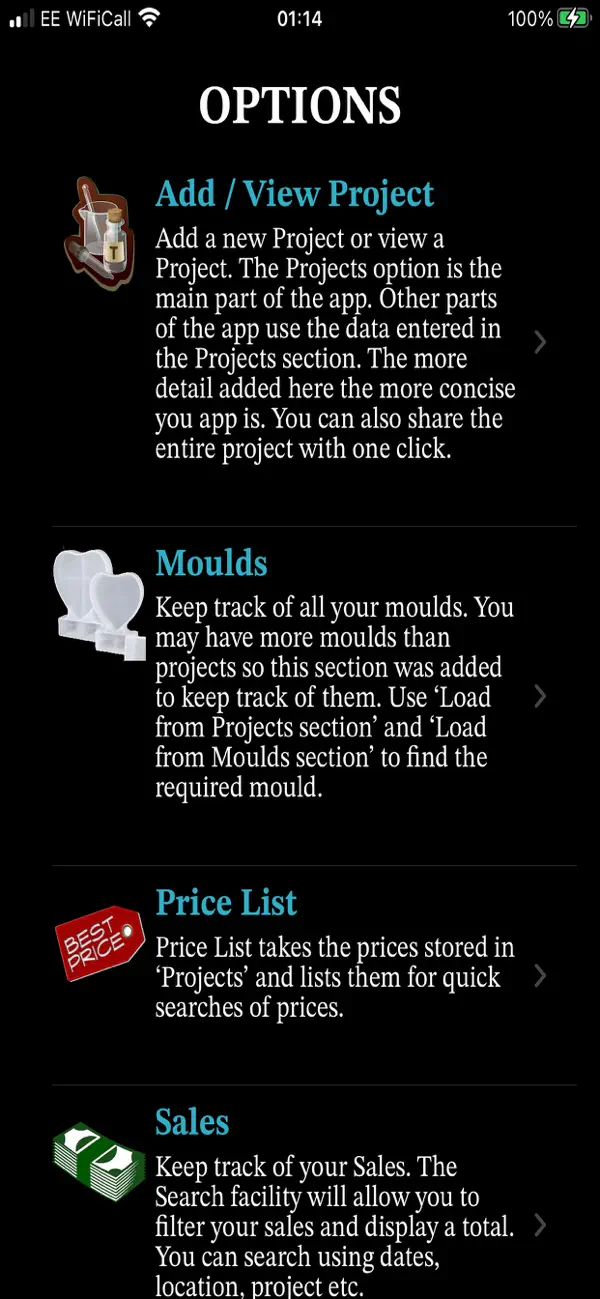
- Projects - Your project is anything that you make using your moulds and has quite a lot of information you can store in it. Within the Projects you set a price per litre and the app will calculate the cost of your project.
- Moulds - Keep track of all your moulds. You may have more moulds than projects so this section was added to keep track of them, price and resin volume.
- Price List - Price List takes the prices stored in ‘Projects’ and lists them for quick access and searches of prices.
- Sales - Keep track of your Sales. The Search facility will allow you to filter your sales and display a total. Each sale embeds the coordinates of each sale which can be viewed on a map. You can also email your sales list.
- Supplies - Store all of your supply manufacturers or stores. The full details are listed for future reference. Click Supplier to call their landline, mobile or email. You can also store the sites product URL for quick access.
- Events - Store a list of Events / Shows. Keep track of shows or events you have or will attend. The events will be used in the Sales details.
- Diary - The Diary is a basic diary which can be searched and filtered for specific text. Use it as a daily record of resin creations and activity.
- Helpful Sites - Store a list of sites for future reference. This can be used as a Fault Catalog for sites which contain access to the best help. Once stored it’s a single click to load the site.
- To Do List - Create a list of 'To Dos' with a percentage completion value. Once set to 100% the item is removed from the list, but can be reinstated by searching for it or listing all closed To Dos and changing the percentage completion value.
- Help - Use this section to help you get the best out of this App.