Laundry Care Label Checker
iPhone / Style de vie
You can now check the “ NEW JIS standard ” washing picture display!
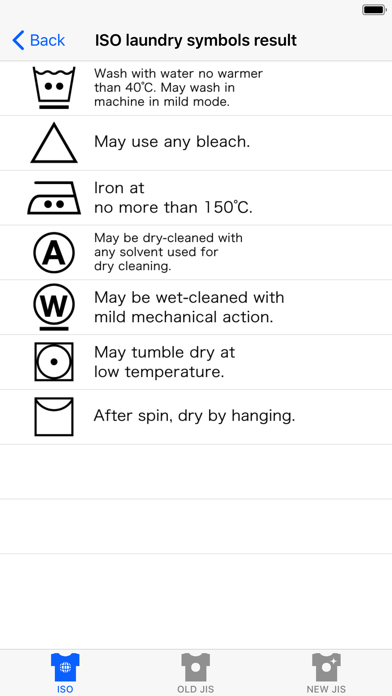
Quickly check the meaning of the laundry care symbols displayed on care label!
You can easily look up the proper clothing care methods by using the simple touch commands to find the symbol you are looking for.
Use proper clothing methods to keep your clothes nicer for longer!
You can check both the clothing symbol standards set by the ISO and also the (old) JIS symbol standards that are commonly used in Japan.
From now on, the laundry care symbols of the “ NEW JIS standard ” that a duty of a display was imposed upon the clothing in Japan can also be checked by this app.
Do not make the mistake of washing your precious clothes the wrong way. Please use this app before you wash!
【How to Use】
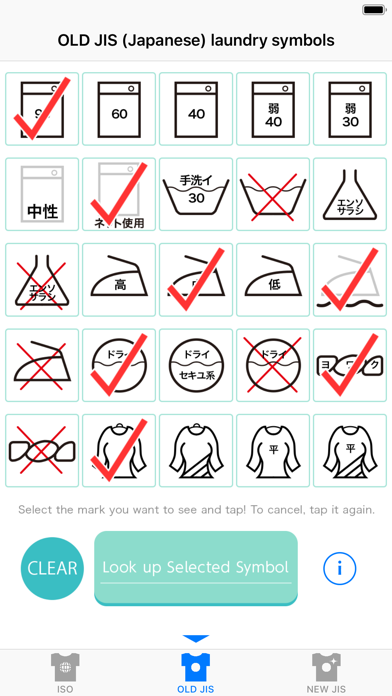
・Tap to check the symbol you want to look up. Press the "Look up Selected Symbol" button located at the bottom center of the screen. The results will display on the next screen.
(In ISO mode and NEW JIS mode the selection screen will continue so first tap the "Next Check Screen" button to move to the next screen then select a symbol and tap "Look up Selected Symbol")
・If you want to look up a different symbol, select the “Back” button at the top left of the display results screen to return to the previous screen.
・If you tap the CLEAR button at the bottom left of the symbol select screen, you can remove all of the check marks (red circles) on the screen. With a second tap of the selected check mark you can cancel this action.
・If you tap the i button at the button right of the symbol select screen, the instruction manual will be displayed.
You can change ISO , OLD JIS and NEW JIS search mode with the tab at the bottom of the screen.
Quoi de neuf dans la dernière version ?
-Fixed the screen display.
-Compatible with iPhones running iOS 11 or later.