Widget Calendar : Easy&Simple
iOS Universel / Style de vie
Save time and make your day more efficient with this simple and clean widget calendar.
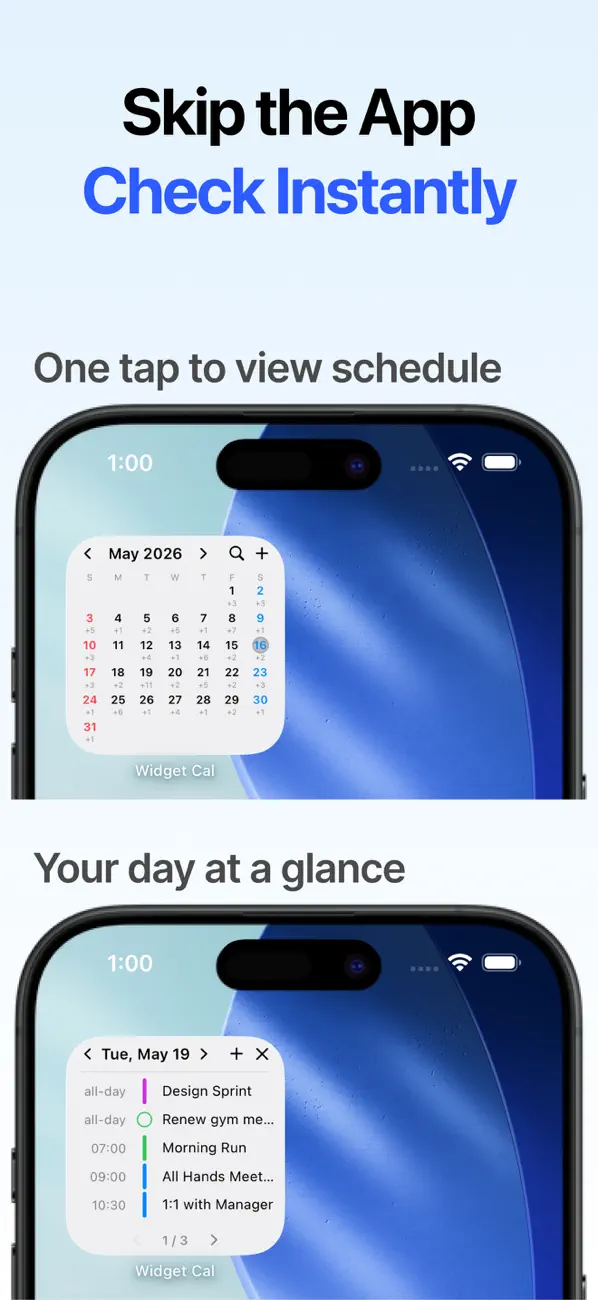
Check and manage your dates and events right from your iPhone home screen.
◦ Home Screen Widgets: Three widget sizes (small, medium, large) are supported. Place calendar widgets and event list widgets where you want to see your schedule at a glance.
◦ Interactive Widgets: Tap any date in the widget to instantly see events for that day, and use the month/week/day navigation buttons to browse other dates. You can also complete reminders directly from the widget to manage your schedule without opening the app.
◦ Versatile Event Display: Show events on the calendar as color bars, dots, numbers, and more. Automatically optimized for your widget size.
◦ Clean Calendar View: Enjoy a simple and clean monthly/weekly calendar. Displays events from all calendars synced to iCloud, including the iPhone Calendar, Google Calendar, Exchange, and more.
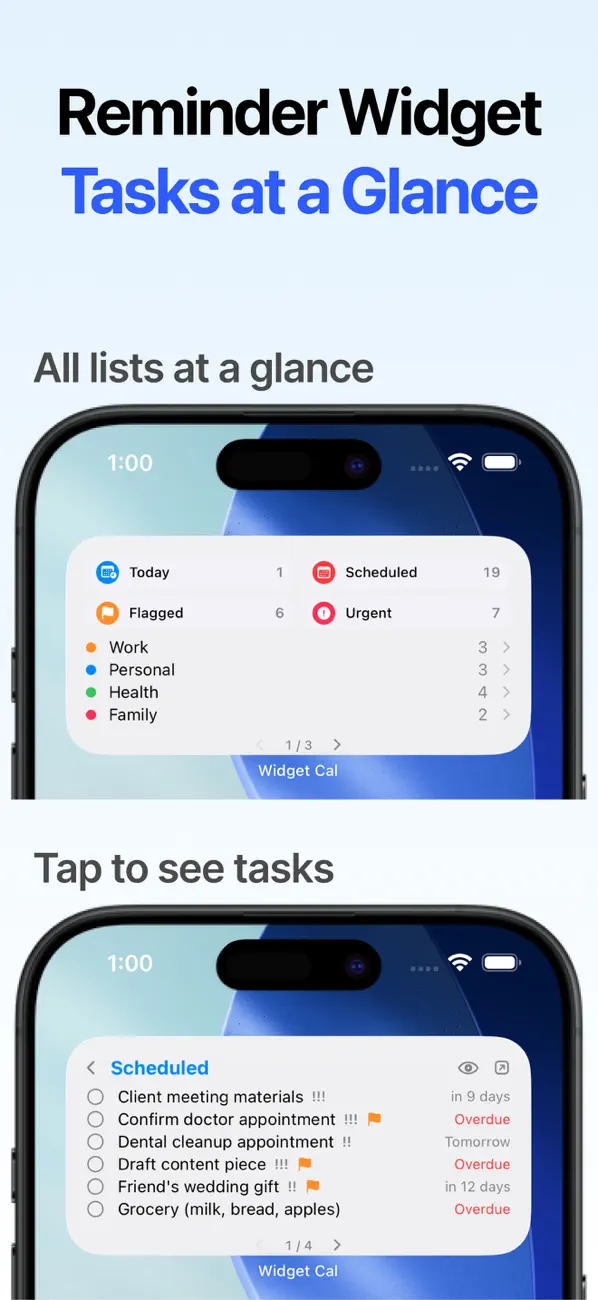
◦ Reminders Integration: View your iOS Reminders alongside your events on the calendar, and complete them directly from the widget. Manage events and tasks in one place.
◦ Lunar Calendar: Supports both Korean and Chinese lunar calendars. View lunar dates on your calendar so you never miss a holiday or a lunar birthday.
◦ Anniversary Management: Save and manage important dates like birthdays and wedding anniversaries. Supports both solar and lunar anniversaries, with notifications at the time of your choice.
◦ D-Day: Track days remaining until important dates with D-Day. Past dates appear as D+, so you can grasp anniversaries at a glance.
◦ Add Events: Add events you want to save to your calendar with just one tap from the widget.
◦ Event Search: Find what you're looking for fast with one-tap search. You can also narrow your search by date range.
◦ iCloud Backup: Anniversary data is automatically backed up and synced via iCloud. Your data stays safe even when you switch devices.
◦ Dark Mode: Optimized colors for both light and dark mode for a comfortable experience anytime.
If you have any questions or run into issues, please email us at 'dayseed.help@gmail.com'. :D
◦ This app supports Korean, English, Chinese, and Japanese.
Quoi de neuf dans la dernière version ?
* Reminders integration!
[New]
• Reminders integration — view and complete tasks alongside events in the app and widgets
• Dedicated Reminders widget added
[Improved]
• Widget stability improvements