WiFi Remote Control For PC
iPhone / Utilitaires
WiFiRemote is an all in one wireless remote control for iPhone and iPod Touch. It is the most feature rich wireless remote of its kind.
This program includes:
1. Three buttons multi-touch touch pad
2. Textpad with Chinese handwriting recognition input method support.
3. Accelerometer mouse.
4. Media player and Media Center remote for Windows.
5. User configurable keys
6. Application launch pad.
7. WOL Wake-On-LAN support.
Key features:
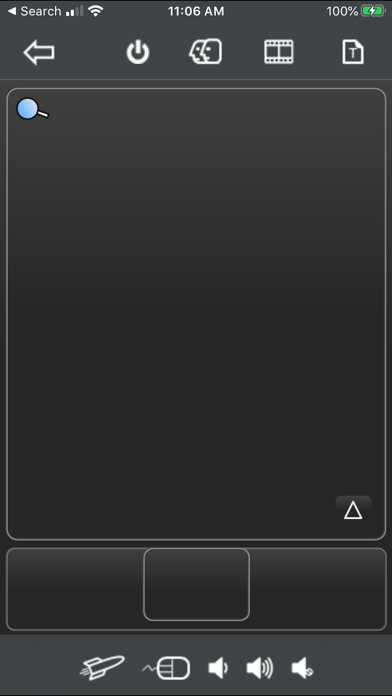
Touch pad - Includes all typical touch pad functions plus multi-touch support. You can use two finger tap on the screen to perform right click and two finger slide on the screen to perform vertical scrolling.
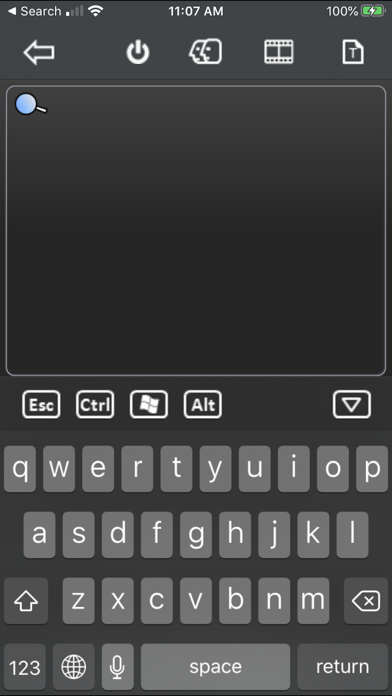
Text pad - Allows you to compose text on your iPhone/iPod Touch before sending to remote PC. This function is also compatible with the Chinese handwriting recognition input method. You may use this program as a wireless Chinese writing pad.
Mouse - Three buttons accelerometer mouse. Tilt your iPhone/iPod Touch up, down, left, or right to move the mouse in the direction you want it to go.
Media remote control – Supports most frequent used keys for WMP11/MCE for Windows.
User configurable keys - Includes 18 user configurable keys. Allows you to define your own shortcut keys for the best of your convenience.
Application launch pad - Automatically imports the application shortcuts from quick launch toolbar/Dock for Windows. Allows user to launch favourite application easily. No configuration required.
Other features:
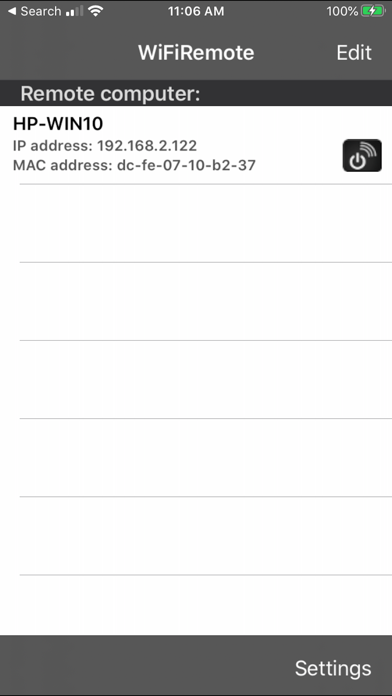
1. Easy to use! WiFiRemote automatically searches for the receiver's IP address.
2. Multiple remote PCs support. IP addresses can be stored for later use.
3. Uses WiFi networking to control any PC or laptop within the WiFi network coverage.
4. Includes a magnifying glass function in the receiver application. Small on screen objects can now be easily viewed. Click on the magnifying glass button on Touch pad to enable/disable the magnifying
glass.
5. Option to turn off the remote PC when disconnected. Now you can turn off your PC/Mac remotely by clicking couple of buttons.
Application requirements:
1. iOS 10.0 and above.
2. iPhone has to switch to WiFi mode.
3. Any PC or laptop running Windows 7 or Windows 10.
4. Your iPhone/iPod Touch and the receiver PC must be on the same subnet.
5. The receiver application must be downloaded and installed on your PC.
The receiver application can be downloaded from our web site:
http://www.mbpowertools.ca/iDevices/Download.html
Demo video:
https://youtu.be/6O5bNANtZtU
Quoi de neuf dans la dernière version ?
Bugs fixed.