Bluetooth Serial Connect
iOS Universel / Utilitaires
Turn your iPhone or iPad into a custom control panel for Arduino and BLE projects, without building a dedicated iOS app.
Bluetooth Serial Connect lets you design a board, connect to an HM-10-style Bluetooth Low Energy (BLE) UART module, and exchange commands and live readouts with your hardware. The companion Bluetooth Serial Connect Arduino library makes it straightforward to read controls and update displays, indicators, and gauges in your sketch.
DESIGN YOUR BOARD
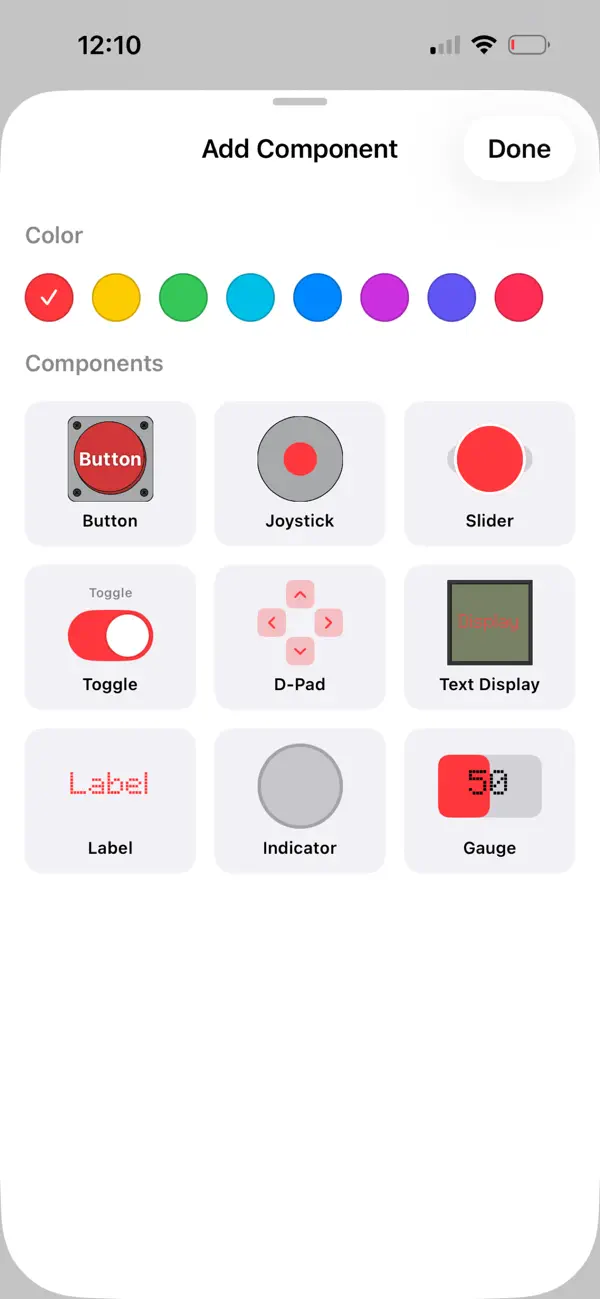
Place, move, resize, and customize nine component types:
• Buttons with momentary, latch, and repeat behavior
• Joysticks, sliders, toggles, and D-pads
• Text displays, labels, indicators, and gauges
Assign channel numbers that stay fixed when you rearrange controls. Fine-tune colors, labels, value ranges, board appearance, and haptic feedback. Undo and redo changes, duplicate and lock controls, snap them to the grid, and adjust their front-to-back order.
START WITH TEMPLATES AND EXAMPLES
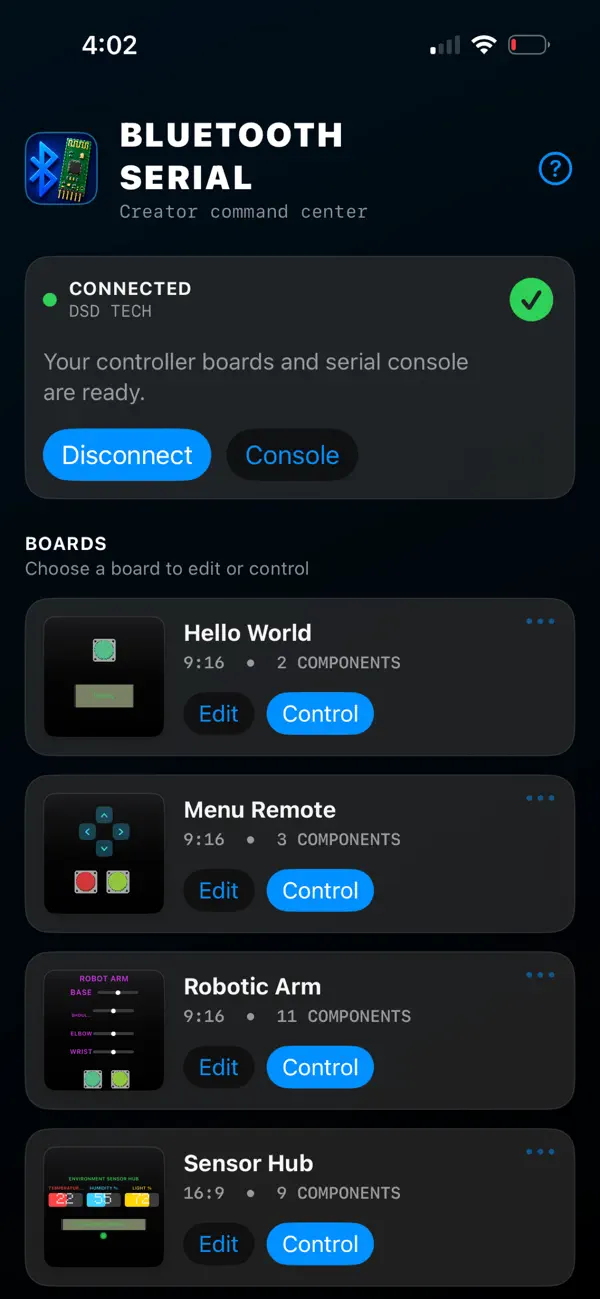
Explore seven editable board templates for RC cars, robotic arms, menu remotes, sensor hubs, smart-home relays, and more. Companion Arduino sketches and protocol examples help you connect the app to your code. Follow the interactive walkthrough or try a board with simulated data—no hardware required. Import, export, share, and duplicate boards as your projects grow.
CONNECT AND TROUBLESHOOT
Scan for nearby BLE devices, follow clear connection progress, remember frequently used modules for quick reconnecting, and configure service and characteristic UUIDs. Use the timestamped two-way console to inspect sent and received messages or send console text while you troubleshoot.
Setup guides, wiring help, complete examples, and the wire protocol reference are available at bluetooth.henhen1227.com.
Bluetooth Serial Connect is designed for HM-10-style BLE modules. Other BLE UART hardware may work when its service and characteristic UUIDs match the app settings. HC-05 and HC-06 Bluetooth Classic modules are not supported. A compatible BLE module is required for live hardware control.
FREE OR PRO
Start with one board free. Add more by watching rewarded ads, or unlock Bluetooth Serial Pro with a one-time in-app purchase for unlimited boards and no ads. The free version may also show occasional ads after edits. Existing boards remain available to use.
No app account is required. Board files stay on your device unless you choose to share them.
Quoi de neuf dans la dernière version ?
Bluetooth Serial Connect 2.0.0 is a complete rewrite built to make your hardware easier to control from iPhone and iPad.
Important for existing hardware projects: Version 2 uses a new typed wire protocol. Update your sketches to the Bluetooth Serial Connect Arduino library 2.0.0 and follow the migration guide at bluetooth.henhen1227.com. Your saved board files migrate automatically.
• Create and manage boards from the redesigned dashboard, then build richer layouts in the new free-form editor with drag-to-move controls, resizing, undo and redo, duplication, locking, grid snapping, and front-to-back ordering.
• Choose from nine component types: buttons, joysticks, sliders, toggles, D-pads, text displays, labels, indicators, and gauges. Assign channel numbers that stay fixed when controls move.
• Start faster with seven editable templates, companion Arduino examples, an interactive walkthrough, and simulated testing that works without hardware.
• Reconnect to remembered devices, configure custom service and characteristic UUIDs, and follow clearer scanning and connection progress.
• Inspect timestamped sent and received messages in the redesigned two-way console, and import, export, share, or duplicate boards as your projects grow.
• Unlock Bluetooth Serial Pro with a one-time purchase for unlimited boards and no ads.