iPhoneAddict Apps
  • Actualités
  • Accueil Apps
  • iPhone
  • iPad
  • Universelles
  • Mac
  • Apple TV
KG KultureGeek
App
iPhone / iPad Télécharger iAddict v5 Mac Télécharger iAddict Mac
  • Actualités
  • Accueil Apps
  • iPhone
  • iPad
  • Universelles
  • Mac
  • Apple TV
  • Archives keynotes
  • Firmwares & iTunes
  • Contactez-nous
  • Comparateur de prix
  • KultureGeek
Accueil » Liste des Apps » Apps Universelles » Utilitaires » Document Scanner and Converter to PDF
L'application n'est plus disponible sur l'App Store français
1.0 iOS €Gratuit Gabriel Coser 0 0 DO YOU NEED TO SCAN DOCUMENTS EASY, FAST AND SAFE? Document Scanner and Converter to PDF is the best solution! There are many applications of document scanner, however, this application offers quick and easy, scanning of documents, qr codes and...
Document Scanner and Converter to PDF

Document Scanner and Converter to PDF

iOS Universel / Utilitaires

Gratuit
Obtenir sur l'App Store
Facebook X E-mail

DO YOU NEED TO SCAN DOCUMENTS EASY, FAST AND SAFE?

Document Scanner and Converter to PDF is the best solution!

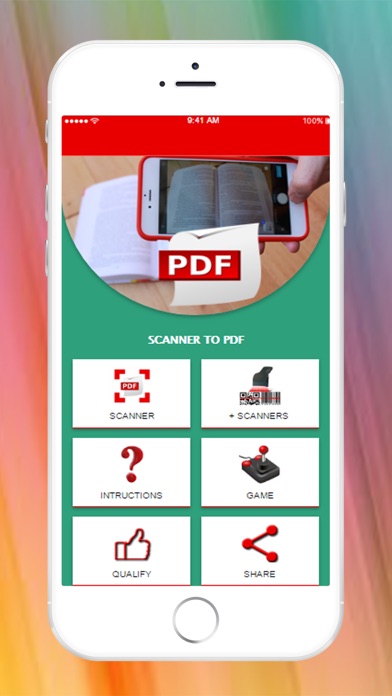
There are many applications of document scanner, however, this application offers quick and easy, scanning of documents, qr codes and barcodes, to share or store them quickly.

With this PDF document scanner application you can scan documents, photos, drawings, receipts, reports or anything. This pdf document scanner application is fast and designed for the phone and the tablet.

INSTRUCTIONS

1. Prepare the documents to be scanned
2. Open the document scanner
3- Take the "take picture"
4. Take a photo of the document
5. Check that the capture looks good, you can now:
- Cancel capture from "CANCEL"
- If necessary, you can adjust the blue grid to crop the document and give "CROP" to crop it.
- When the capture is as you want, give "SAVE"
6. Repeat steps 3 through 5 for each page of the document.
7. Since you scan 1 page there are 3 vertical points in the right corner, there you will find 3 options:
1- Delete a page (Delete), you can use this option to delete one of the scanned pages.
2- Delete all pages, you can use this option to delete all the scanned pages.
3- Generate a pdf (Generate PDF) you can use this option to create a PDF with all the scanned pages, after generating the PDF will activate the option of sharing so you can send it to your mail or other means.

En voir plus...

Quoi de neuf dans la dernière version ?

This app has been updated by Apple to display the Apple Watch app icon.
  • Screenshot #1 pour Document Scanner and Converter to PDF
  • Screenshot #2 pour Document Scanner and Converter to PDF
  • Screenshot #4 pour Document Scanner and Converter to PDF
  • Screenshot #5 pour Document Scanner and Converter to PDF

Note

(0 note)

Détails sur l'application

Version
1.0
Taille
55.3 Mo
Version minimum d'iOS
7.1
Dernière mise à jour
14/04/2017
Publié par
Gabriel Coser

Newsletter App Store

Recevez chaque jour les meilleures promos

Actualité Apple

Image Apple Watch Series 12 : le retour du modèle céramique se confirme
Apple Watch Series 12 : le retour du modèle céramique se confirme
Image Meta AI a maintenant son application dédiée sur Mac pour l’IA
Meta AI a maintenant son application dédiée sur Mac pour l’IA
Image Beats 360, le prochain casque d’Apple, fuite avec ses caractéristiques
Beats 360, le prochain casque d’Apple, fuite avec ses caractéristiques
Image Bad Monkey saison 2 : Vince Vaughn revient sur Apple TV le 2 décembre et John Malkovich s’invite au casting
Bad Monkey saison 2 : Vince Vaughn revient sur Apple TV le 2 décembre et John Malkovich s’invite au casting
iPhoneAddict Apps

Le catalogue iPhoneAddict pour suivre les nouveautés, mises à jour et baisses de prix de l’App Store.

Apps

Toutes les apps iOS iPhone iPad Universelles Mac Apple TV

iPhoneAddict

Actualité Apple Archives keynotes Contact À propos KultureGeek

Suivez-nous

©2009-2026 i2CMedia. Tous droits réservés.