Explicit Gesture
iPhone / Utilitaires
Explicit Gesture now makes daily tasks on your device much much easier. It's the best shortcut launcher for your device.
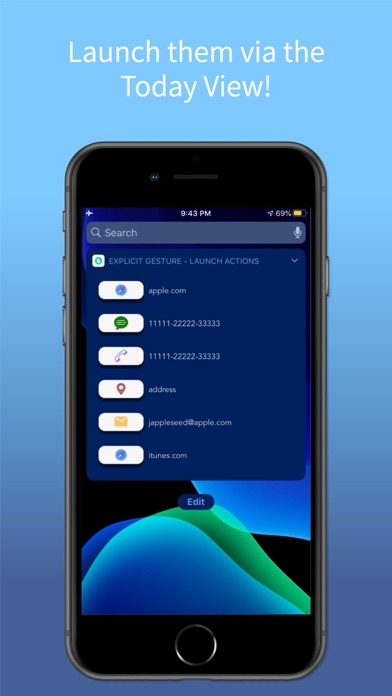
Benefits of making shortcuts from Explicit Gesture by launching via Today View :
- You can call/text your friends/family.
- Draft an email using shortcuts(no need to keep entering the email address every time).
- Check your current address anytime you want.
- Open favorite websites.
With just a tap from Today's view, writing emails, accessing websites, messaging friends and more are now just a shortcut. Customize your own actions using the interactive platform to make daily recurring tasks more fun. Want to find your current location, no problem. Want to draft an email to your colleague, no problem. Want to see your favorite NFL team's stats, no problem.
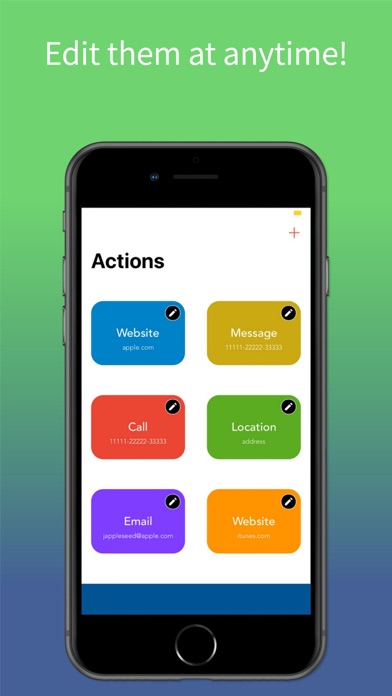
Using the simple easy to use interface, customize your actions, and launch them without even opening the app or unlocking your phone making the same old boring tasks a relief. That's not all, the easy setup interface allows you to change your actions anytime and anywhere you want
Your multi-step processes are now over. It is all one step from the Today view
Explicit Gesture offers a variety of options plus more for you to choose from.
- Access current location with just a tap
- Open your desired websites with just a tap
- Text family and friends with just a tap
- Call loved ones with just a tap
- Email clients with just a swipe
Let's Take Emailing as an example, the process of drafting an email has all ways been lengthy. Just to type in an email address used to be 4 steps, now it's 2.
It Used to be:
1. Find and open the Mail App
2. Tap the compose button
3. Enter the Email address
4. Start drafting
Now using Explicit Gesture
1. Pre-Enter the email address using the intuitive interface
2. Tap the email widget from Today's view and bam start drafting.
Email is just one of many examples, take advantage of the other options.
Using your phone has become much much easier than it has ever been!
Icons by Icons8(https://icons8.com)
Quoi de neuf dans la dernière version ?
- Updated User Interface
- Launch shortcuts using Today view
- Bug fixes
- New app icon