iDiversicons 1st Diverse Emoji
iOS Universel / Utilitaires
iDiversicons. The World’s First Diverse Emoji Keyboard.
VERY IMPORTANT USER NOTICE:
MUST HAVE iOS 11.0 or LATER TO DOWNLOAD
Everything you type on our keyboard is 100% private. Our keyboard doesn’t record keystrokes, doesn’t communicate with the Internet, and doesn’t transmit any personal information. All keyboard apps requires “Allow Full Access” when initially set-up because it needs to be able to dynamically apply theme files to the keyboard. Currently, Apple's iPhone and iPad operating system doesn’t allow the use of any Keyboard App unless “Allow Full Access” is turned on.
For iPhone 4 or or earlier devices without iOS 8.1, please download our other version of iDiversicons by clicking on the icon at the bottom left corner of this page or by going to Diversicons.com to buy.
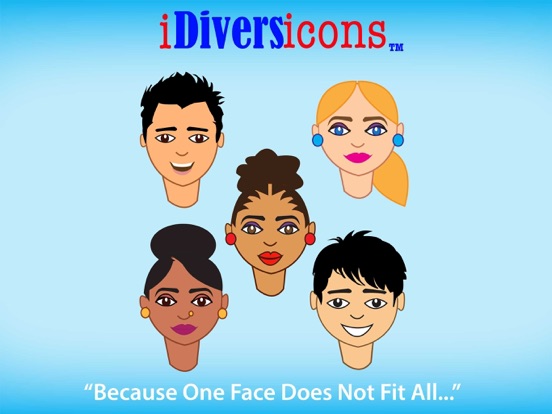
As a pioneer for diversity and inclusion, iDiversicons offers you an amazing new keyboard with truly diverse emoji, satisfying a void that the current emoji lack and what the public has been asking for: “more faces of color.”
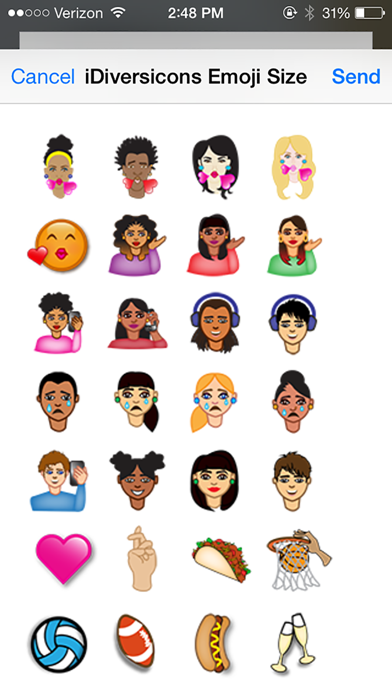
Representing an entire world of faces, there are over 900 iDiversicons to choose from including an unmatched five different skin tones. So no matter where on earth you’re from, chances are you’ll see faces that look like you.
--The iDiversicons’ keyboard is fluid, seamless and very easy to use.
--All of our diverse emoji are contained in the keyboard like a font.
--Emojis can instantly be made larger for easier viewing and selection purposes.
--No limitation in the number of iDiversicons you can select and send at one time.
iDiversicons’ emoji encompass race, biracial and gender equality, religion, animals, holidays, sports, mascots, fraternities, sororities and many other groups. Because one face definitely does not fit all!!!
What’s New in Version 1.0
We have added a new “Favorite” screen that will save up to 30 recently used iDiversicons emoji for easier re-use. No need to scroll back through the entire list.
Other new benefits include the ability to save to photo for social media, and the user can now copy to enlarge the emoji.
Here is what the media is saying about iDiversicons:
“The future of emoticons will embrace everyone.” – PCWorld
“The one-woman mission to diversify emoji.” – The Daily Dot
“The emojis you’ve been waiting for already exist.” – SEVENTEEN
“A Houston woman has created a whole new world of emoji for the 21st Century.” – TexasMonthly
“Former NASA employee launches Diverse Emoji App.” – Black Enterprise
“LC woman’s company creates emojis for everyone.” – Galveston County Daily News
HOW TO INSTALL THE KEYBOARD
1.After you install the iDiversicons Keyboard
2.Go to and click on your Settings app icon, Tap General
3.Under General settings, scroll and tap Keyboard
4.Under Keyboards settings, tap Keyboards
5.Under Keyboards, tap Add New Keyboard…
6.Choose iDiversicons Keyboard from the list of keyboards
7.Select the iDiversicons Keyboard from the list of keyboards, and give it full access (click on Allow Full Access for iDiversicons Keyboard). Notice: We do not track your information. What about the Apple third-party keyboard warning message when allowing full access? This is a technical requirement in order to be able to use any 3rd Party Keyboard. What you type is yours and is never transmitted to our servers, not now and not ever.
8.iDiversicons Keyboard is now added to your available keyboards
9.Open your messages app or email and tap the globe key to switch to the iDiversicons keyboard!
HOW TO USE THE KEYBOARD
1.Tap an emoji once to copy it to your messages or email
2.Long press on an emoji to either copy or save an emoji in a larger format!
3.Double tap anywhere on the keyboard to activate MultiSelect to select as many emoji as you like and paste them all at once from all 5 categories if you like
4.Double tap anywhere on the screen to deactivate MultiSelect.
5.The STAR on the keyboard is used to save your most commonly and recently used emoji
Quoi de neuf dans la dernière version ?
New Icons!!!