MG Flasher
iOS Universel / Utilitaires
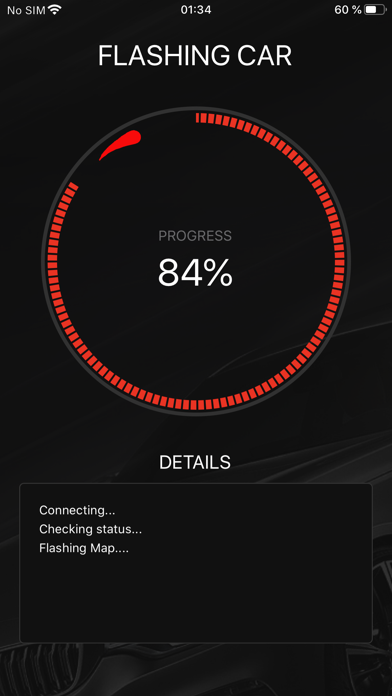
MG Flasher is a mobile tuning App designed for BMW/Supra vehicles equipped with B48, B58, S58, N63, S63, and N74 engines. Flashing is done by OBD using ENET Wi-Fi. Flashing time on ENET is only 15 - 20 seconds! Disclaimer: For off-road use only.
*Initial flash/ECU unlock with ENET Wifi will take approximately 4 - 6 minutes.
Flashing your BMW with MG Flasher unlocks many features:
• Custom Options - pick and choose performance mods, exhaust, cooling, torque options, as well as custom code options + more.
• Switchable Maps On-The-Fly - WORLD'S FIRST SOLUTION FOR BMW B58/B48 - through a simple combination of cruise control buttons you can quickly select between mapping, without the need to reflash the vehicle! Currently available for gen 1 and 2 B48,B58 and S58.
• Dynamic Exhaust Burble On-The-Fly - via a simple combination of cruise control buttons you can change the intensity of the burbles whenever you like! Currently available for gen 1 and 2 B48,B58 and S58.
• Flex Fuel - Automatically adjusts engine calibration to any ethanol blend, with smart blending logic for smooth power delivery and full integration with sensor or manual override control. Live ethanol display, cruise-control adjustability, and instant cluster feedback.
• Max Cooling On-The-Fly - With a simple cruise control button combination sequence, you can enable the option without reflashing the car! Currently available for gen 1 and 2 B48,B58 and S58.
• Torque Limit Adjustability - TCU 8HP Limiter Lifted for all platforms! Software calibration without the need for any transmission tuning or skewing the torque/load calculation model maps. This allows for accurate calculations, smooth shifting and no software trickery.
• Speed Limit Removal, Startup Roar, Torque by Gear Limiter available on select software
• Sport Gauges (HP and TQ) adjustable by user!
• OTS maps prepared by MG Flasher tuners
• Custom maps flashing – flash custom maps prepared by us or other tuners/users
• Logger - log real time data and plot it into graphs for troubleshooting and optimizing
• Cloud Log Viewer - Professional log viewing on logs.mgflasher.com
• Diagnostic - Read and clear BMW specific DTC's
• Reset various adaptations, restore coding
• CVN number (Checksum Verification Number) along with flashing counter stays untouched. This means our software will be virtually invisible to dealer level diagnostic tools
Supported vehicles:
BMW M140i/120i/125i/M135i F20/F21/F40
BMW M240i/220i/225i/230i/228i/M235i - F22/F23/F44
BMW M340i/318i/320i/330i/330e - F30/F31/F34/G20/G21/G28
BMW M3 - G80
BMW M440i/420i/430i - F32/F33/F36/G22
BMW M4 - G82
BMW 540i/520i/530i/530e - G30/G31/G38
BMW M550i G30
BMW M5 LCI - F90
BMW 640i/630i - G32
BMW 740i/740Li/730i/730Li/740e/740Le - G11/G12
BMW 840i, M850i - G14/G15/G16
BMW M8 - F91, F92, F93
BMW X1 20i/25i/28i -F48
BMW X2 20i/25i/28i/M35i - F39
BMW X3 M40i/20i/30i - G01
BMW X4 M40i/20i/30i - G02
BMW X3M/X4M - F97/F98
BMW X5 40i,50i - G05
BMW X6 40i - G06
BMW X5M/X6M - F95/F96
Quoi de neuf dans la dernière version ?
Improved Femto unlock detection
You now stay signed in when the app has trouble loading its files on startup, instead of being asked to log in again
If the app can't start up properly, it now says so and asks you to close and reopen it, instead of silently dropping you on the sign-in screen
DTC descriptions now cover many more codes
The flashing options screen now opens faster
After an app update, the app now shows you what's new; browse the full changelog anytime from the About page
Fixed OTS maps failing to flash with a "Required files are missing" error that syncing would not clear
Fixed some buttons not responding to taps and lists not scrolling