• KultureGeek
  • Comparateur de prix
       
iPhoneAddict
 iAddictv5Notre Application iPhone/iPad
  • Accueil Apps
  • Actualité Apple
  • Keynote Apple
  • Firmwares & iTunes
  • Contactez-nous
Accueil » Liste des Apps » Apps Universelles » Utilitaires » RMU1 Config
1.1.8 iOS €Gratuit Mobiltex Data 0 0 *** Requires a corTalk® RMU1PGM or RMU123PGM and RMU1 to use. *** Contact us at 'sales.rmu1@mobiltex.com' to purchase. This app is for configuring the corTalk® RMU1 (Remote Monitoring Unit 1) with a Bluetooth configuration interface. Both the...
RMU1 Config

RMU1 Config

iOS Universel / Utilitaires

Gratuit
Obtenir sur l'App Store

*** Requires a corTalk® RMU1PGM or RMU123PGM and RMU1 to use. ***
Contact us at 'sales.rmu1@mobiltex.com' to purchase.

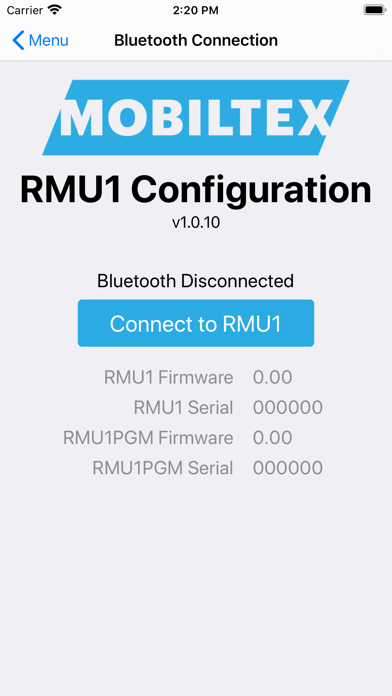
This app is for configuring the corTalk® RMU1 (Remote Monitoring Unit 1) with a Bluetooth configuration interface. Both the RMU1PGM or RMU123PGM with RMU1ADP are compatible. They both function as a complete RMU1 programming interface but only requires the Bluetooth connection of your phone to use.

The RMU1 is an ideal solution for automated remote monitoring of CP coupons and critical bonds terminated in an industry standard 3" CP test station. It is equipped with an internal interruption relay and multiple analog measurement channels capable of accurately measuring all required AC & DC parameters for single coupons, dual coupons, and structure bond applications. This app allows access to diagnostic information on the RMU1 and setting up the configuration to meet the customer's needs. The Bluetooth configuration interface do not allow for datalogger extraction.

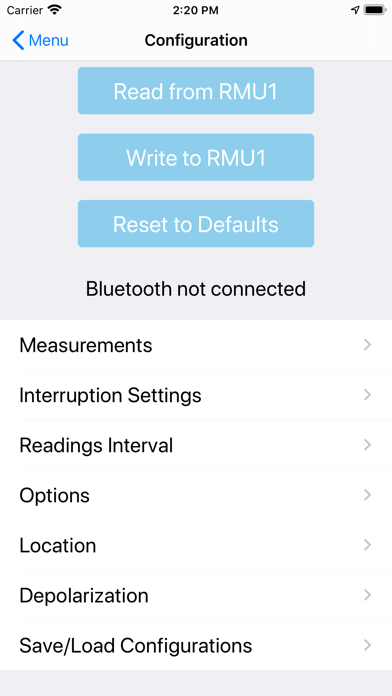
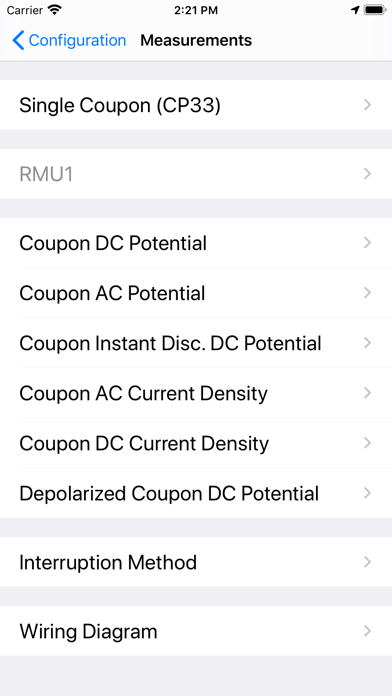
The app allows full configuration of the RMU1 including
- slot measurement types
- limits
- slot scaling and offset
- depolarization
- location

Other features include the
- updating firmware
- viewing of readings and their limits
- detailed status screen for troubleshooting
- integrated manual
- wiring diagrams for each measurement type

The RMU1PGM and RMU123PGM are always in a Bluetooth pairing mode and requires a pairing code entered on the app. The pairing code (default=123456) can be found and changed with the app. Once paired, the iOS device can reconnect without needing to re-enter the code.

En voir plus...

Quoi de neuf dans la dernière version ?

Fix depolarization timing for RMU1s married for 1 hour reporting.

  • Screenshot #1 pour RMU1 Config
  • Screenshot #2 pour RMU1 Config
  • Screenshot #3 pour RMU1 Config
  • Screenshot #4 pour RMU1 Config
  • Screenshot #5 pour RMU1 Config
  • Screenshot #6 pour RMU1 Config

D'autres applications du développeur

uGI1 Config
uGI1 Config
/ iOS Universel
RMU3 Config
RMU3 Config
/ iOS Universel
RMU2 Config
RMU2 Config
/ iOS Universel
RMU1ER Config
RMU1ER Config
/ iOS Universel
LTE Swap
LTE Swap
/ iOS Universel

Note

(0 note)

Détails sur l'application

Version
1.1.8
Taille
32.8 Mo
Version minimum d'iOS
12.0
Dernière mise à jour
12/03/2026
Publié par
Mobiltex Data

Newsletter App Store

Recevez chaque jour les meilleures promos

Actualité Apple

Image iCloud Mail est en panne pour certains utilisateurs, confirme Apple
iCloud Mail est en panne pour certains utilisateurs, confirme Apple
Image Artemis II : des iPhone 17 Pro Max sont présents pour la mission spatiale
Artemis II : des iPhone 17 Pro Max sont présents pour la mission spatiale
Image Un site interactif présente tous les iPhone sortis avec plusieurs informations
Un site interactif présente tous les iPhone sortis avec plusieurs informations
Image Démontage AirPods Max 2 : rien n’a changé sous le capot
Démontage AirPods Max 2 : rien n’a changé sous le capot
Partenaires : Actualité iPhone - Culture Geek
©2009-2026 i2CMedia | A propos |