• KultureGeek
  • Comparateur de prix
       
iPhoneAddict
 iAddictv5Notre Application iPhone/iPad
  • Accueil Apps
  • Actualité Apple
  • Keynote Apple
  • Firmwares & iTunes
  • Contactez-nous
Accueil » Liste des Apps » Apps Universelles » Utilitaires » Speed Dial with Contact Widget
3.0.3 iOS €Gratuit Loopbots Technology 3.9 15 Speed Dial with Contact Widget Speed Dial Plus helps you connect with your favorite contacts faster using home screen widgets and smart speed dial. Call, message, email, FaceTime, or start a WhatsApp chat with one tap—right from your home screen...
Speed Dial with Contact Widget

Speed Dial with Contact Widget

iOS Universel / Utilitaires

Gratuit
Obtenir sur l'App Store

Speed Dial with Contact Widget

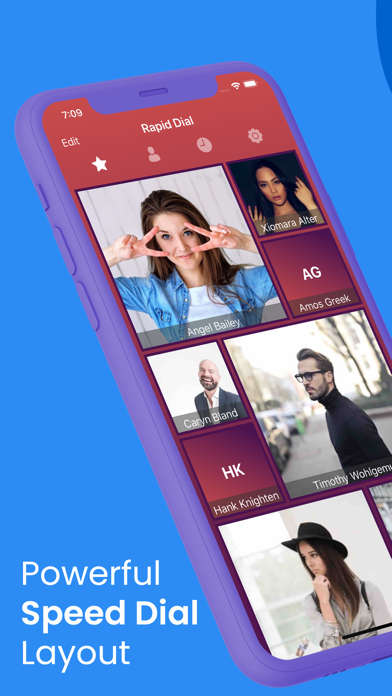
Speed Dial Plus helps you connect with your favorite contacts faster using home screen widgets and smart speed dial. Call, message, email, FaceTime, or start a WhatsApp chat with one tap—right from your home screen or Today View.

Designed for speed and convenience, Speed Dial Plus lets you create custom contact widgets with multiple styles and themes, so staying connected is quick and effortless.

One-Tap Access to Your Contacts

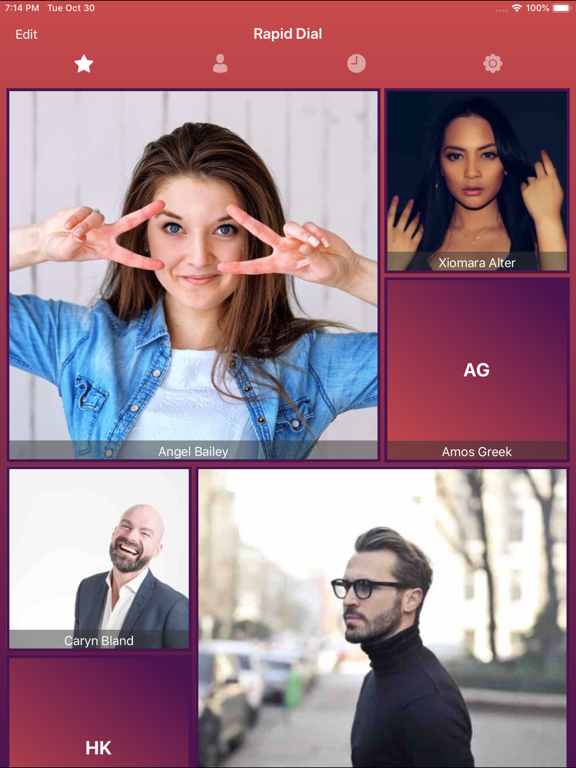
Add your most-used contacts as favorites and reach them instantly. Choose different actions for each contact, such as call, message, FaceTime, WhatsApp chat, or email.

Widgets That Save Time

• Home Screen Contact Widgets for quick access
• Today View Speed Dial Widget to reach contacts without opening the app
• Assign custom actions per contact for single tap or long press

Smart Dialer & Contact Management

• Built-in T9 smart dialer to search contacts by name or number
• Clean contact book with photos for favourite contacts
• Call log for quick reference

Customise Your Experience

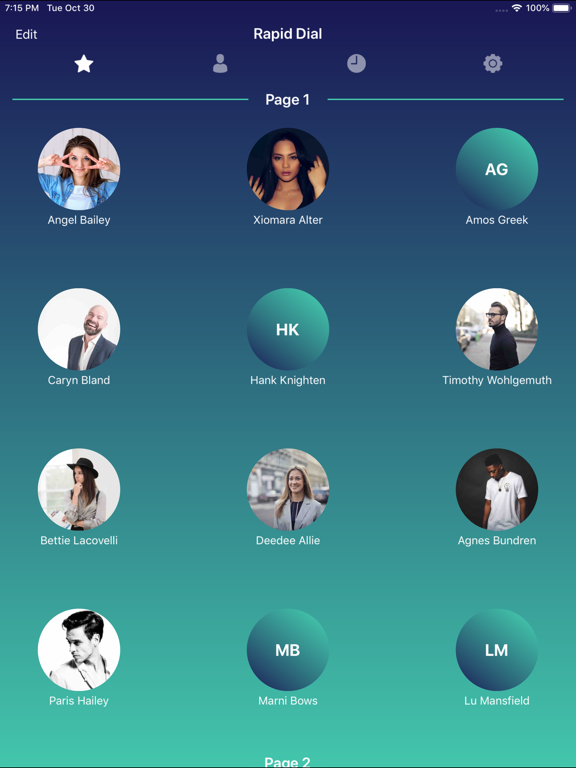
Personalize your widgets and app appearance with 300+ themes and gradient styles. Create a look that matches your home screen and preferences.

Key Features

• One-tap speed dial for calls, messages, FaceTime, WhatsApp, and email
• Favourite contact widgets for home screen and Today View
• Smart T9 dialer for fast contact search
• Custom actions for single tap and long press
• Stylish widgets with multiple themes
• Simple, fast, and user-friendly design

Speed Dial Plus is built for users who want a faster, smarter way to connect with the people they contact most—right from their home screen.

En voir plus...

Quoi de neuf dans la dernière version ?

• Bug fixes and performance improvements.
• Improved stability and reliability.

  • Screenshot #1 pour Speed Dial with Contact Widget
  • Screenshot #2 pour Speed Dial with Contact Widget
  • Screenshot #3 pour Speed Dial with Contact Widget
  • Screenshot #4 pour Speed Dial with Contact Widget
  • Screenshot #5 pour Speed Dial with Contact Widget
  • Screenshot #6 pour Speed Dial with Contact Widget

D'autres applications du développeur

Mobile Number Location Pro
/ iOS Universel
Unit Converter, 50+ Calculator
/ iOS Universel
FTP Client - FTP Server Files
/ iOS Universel
Gallery Photo Lock-Photo Vault
/ iOS Universel
Telnet Client Terminal
/ iOS Universel
Health Checkup Fitness Test
/ iOS Universel
Voir toutes les apps

Note

(15 notes)

Détails sur l'application

Version
3.0.3
Taille
20.4 Mo
Version minimum d'iOS
14.0
Dernière mise à jour
05/02/2026
Publié par
Loopbots Technology

Newsletter App Store

Recevez chaque jour les meilleures promos

Actualité Apple

Image Les MacBook Pro M5 Pro/Max arriveraient début mars
Les MacBook Pro M5 Pro/Max arriveraient début mars
Image L’iPad 12 et l’iPad Air 8 arriveraient bientôt
L’iPad 12 et l’iPad Air 8 arriveraient bientôt
Image iPhone 17e : la sortie est annoncée comme « imminente » avec ces nouveautés
iPhone 17e : la sortie est annoncée comme « imminente » avec ces nouveautés
Image iOS 26.4 : la date de la bêta se dévoile, avec Siri IA en approche
iOS 26.4 : la date de la bêta se dévoile, avec Siri IA en approche
Partenaires : Actualité iPhone - Culture Geek
©2009-2026 i2CMedia | A propos |