• KultureGeek
  • Comparateur de prix
       
iPhoneAddict
 iAddictv5Notre Application iPhone/iPad
  • Accueil Apps
  • Actualité Apple
  • Keynote Apple
  • Firmwares & iTunes
  • Contactez-nous
Accueil » Liste des Apps » Apps Universelles » Utilitaires » Splice Photo-Editor Text
L'application n'est plus disponible sur l'App Store français
10.0.0 iOS €0,99€ 伟 李 0 0 In life, we will encounter such scenarios: 1. After reading a good book, I really like some of the text and want to share it with my friends. However, it is not good to share the text directly with my mobile phone. 2. Playing Japanese and Chinese...
Splice Photo-Editor Text

Splice Photo-Editor Text

iOS Universel / Utilitaires

0,99€ au lieu de 1,19€
Acheter sur l'App Store

In life, we will encounter such scenarios:
1. After reading a good book, I really like some of the text and want to share it with my friends. However, it is not good to share the text directly with my mobile phone.
2. Playing Japanese and Chinese games, unable to understand the words on the game interface, took screenshots and translated them using this APP

Our functions are:
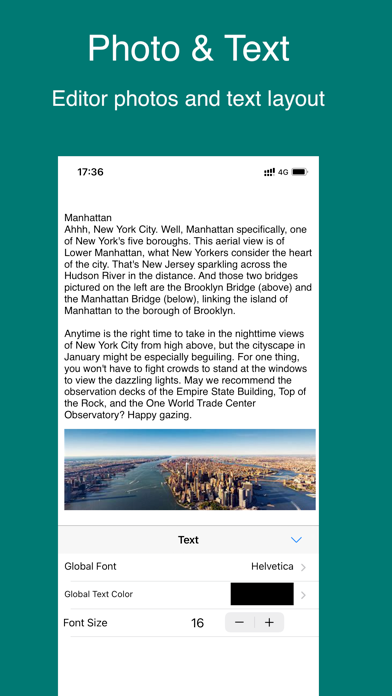
1. Use this APP to take photos and edit text, support text mixing, multiple background templates, make your sharing more personalized;
2. Take screenshots of the game interface, recognize and translate the text;
3, web page scroll length diagram;
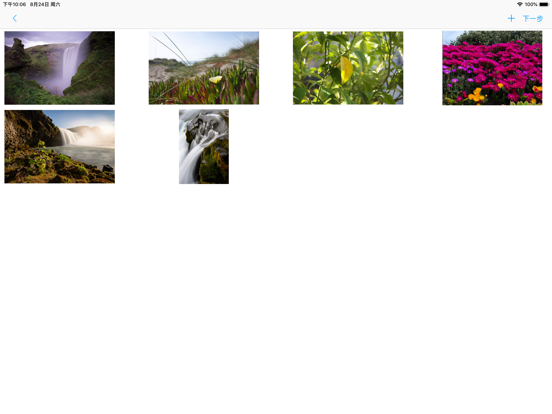
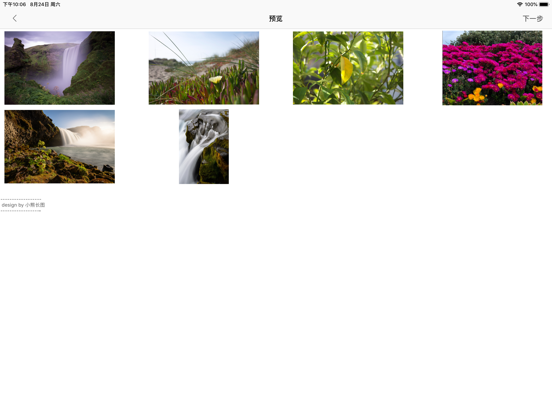
4, palace pictures, you can choose multiple pictures in the album, splicing the growth map, long press can also adjust the order of the picture (this function is inspired by the punch card for my daughter's English class)

————————— split line ————————

Mosaic long picture: You can view it as a simplified version of Word on your mobile phone. You can edit the font, color and size of the text in it, and also insert your favorite picture between the words. If you don't like the default white background, you can also choose the default background template or choose your favorite background in the album. This can be done by simply holding down the edit screen or clicking the function button at the top.

Scanning recognition: Most of the time, we take photos of text and share them directly, but the pictures are all crooked. This feature can recognize the text, and then edit, add pictures, and then share them with friends.
Voice: If you don't want to write, just say yes, convert what you say into text, and then post it on moments.

In addition, the generated long image can also be personalized. In the "More", there is a "custom signature", set your own logo, so that every time you post a long image, you will put your own logo in the lower right corner.

En voir plus...

Quoi de neuf dans la dernière version ?

fix bug
  • Screenshot #1 pour Splice Photo-Editor Text
  • Screenshot #2 pour Splice Photo-Editor Text
  • Screenshot #3 pour Splice Photo-Editor Text
  • Screenshot #4 pour Splice Photo-Editor Text
  • Screenshot #5 pour Splice Photo-Editor Text
  • Screenshot #6 pour Splice Photo-Editor Text

D'autres applications du développeur

食疗保健菜谱-吃好喝好睡好 身体好
食疗保健菜谱-吃好喝好睡好 身体好
/ iOS Universel
电脑故障维修大全
电脑故障维修大全
/ iOS Universel
GIF Sticker
GIF Sticker
/ iOS Universel

Note

(0 note)

Détails sur l'application

Version
10.0.0
Taille
45.3 Mo
Version minimum d'iOS
12.0
Dernière mise à jour
26/01/2022
Publié par
伟 李

Newsletter App Store

Recevez chaque jour les meilleures promos

Actualité Apple

Image Lisa Jackson, responsable de l’environnement chez Apple, prend sa retraite
Lisa Jackson, responsable de l’environnement chez Apple, prend sa retraite
Image App Store : Apple teste un format où publicités et résultats de recherche se confondent
App Store : Apple teste un format où publicités et résultats de recherche se confondent
Image Apple dévoile les photos de son nouvel Apple Store à Montréal
Apple dévoile les photos de son nouvel Apple Store à Montréal
Image Super Bowl 2026 : Apple Music dévoile la bande-annonce avec Bad Bunny
Super Bowl 2026 : Apple Music dévoile la bande-annonce avec Bad Bunny
Partenaires : Actualité iPhone - Culture Geek
©2009-2026 i2CMedia | A propos |