TrackDriver: Track Remotely
iPhone / Utilitaires
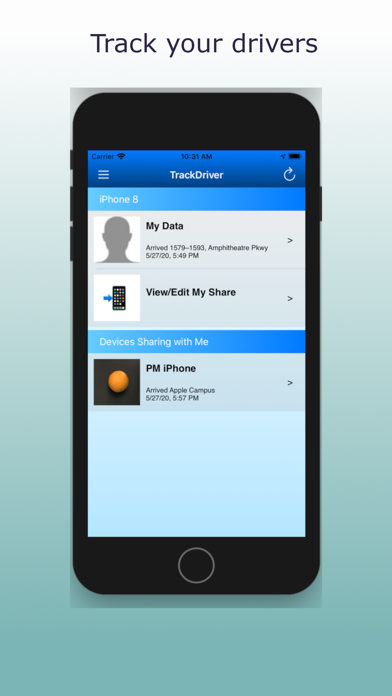
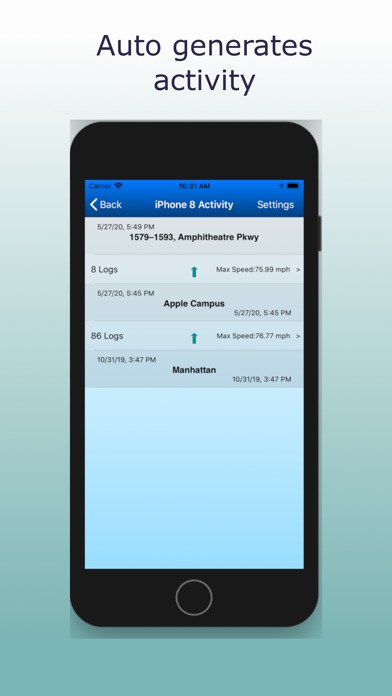
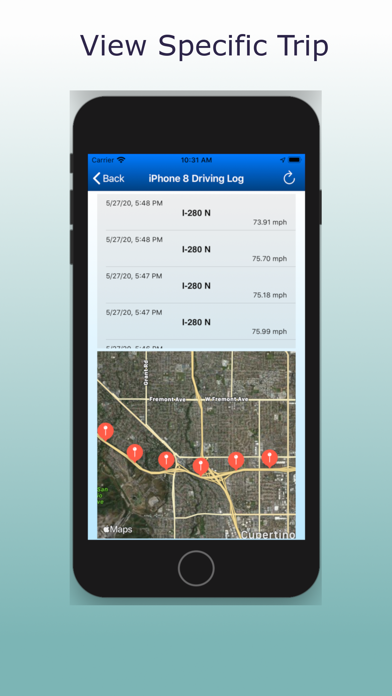
TrackDriver can help you monitor the travel of your teen driver/student/employee etc. On your iPhone, you can see their history of arrival/departure times. You can also see a history of their speed samples while they were in motion. You will have to configure their TrackDriver app to share data with you. Speed samples are taken randomly and hence is very easy on monitored device's battery. You can also trigger a speed recording if their app has not been force quit.
Features relevant for your consideration:
- All data is stored in the Apple iCloud account of the sharing device and shared to others by user explicitly. No one else can see it. Your privacy is very important to us.
- App has been highly optimized for battery consumption. When the device is idle, not much app activity takes place. When device is in motion, location and speed are sampled periodically and stored in iCloud.
- Even when the app is force quit, app will restart automatically when the device leaves a location and starts moving.
- A device can be tracked by multiple monitors. They will all see the same data.
- Monitors can track multiple devices (including their own)
- Visits are also logged and available to everyone.
- Monitors can delete activity when they are no longer interested in it.
- Data will be uploaded to iCloud in real time. If no data access is available, TrackDriver data will be uploaded to iCloud once cellular/wifi access is restored.
Required settings:
- Enable location services for the app. Without location, we cannot track speed.
- Enable background app refresh. This helps the app record location and speed even when you are not using it.
- Enable iCloud drive. Data will be stored in iCloud and shared with anyone who is monitoring the device.
Process:
Both driver and monitor must download app. Driver shares his driving records with the monitor. Monitor can then observe visits (What time did the driver get to school?) as well as speed (How fast was the driver going?). Sharing is one way - only the monitor can view driver's records.
Remember, the app also records the location and visits of the monitor unless this is turned off in Settings.
Privacy Policy:
Data is securely stored on the device and iCloud account of the driver. No data is shared unless explicitly permitted by the driver through iCloud Share (for example to the monitoring adult)
Quoi de neuf dans la dernière version ?
Ability to select and delete multiple trips