iPhoneAddict Apps
  • Actualités
  • Accueil Apps
  • iPhone
  • iPad
  • Universelles
  • Mac
  • Apple TV
KG KultureGeek
App
iPhone / iPad Télécharger iAddict v5 Mac Télécharger iAddict Mac
  • Actualités
  • Accueil Apps
  • iPhone
  • iPad
  • Universelles
  • Mac
  • Apple TV
  • Archives keynotes
  • Firmwares & iTunes
  • Contactez-nous
  • Comparateur de prix
  • KultureGeek
Accueil » Liste des Apps » Apps Universelles » Utilitaires » Volume Remote Control
L'application n'est plus disponible sur l'App Store français
1.2 iOS €0,99€ Out of Web Site! 0 0 This app allows an iOS device to control the volume of another iOS device remotely using Bluetooth. Great for when you want to control the volume of another iOS device. Common Uses - Control the volume of an iPad from your iPhone, or vice versa. -...
Volume Remote Control

Volume Remote Control

iOS Universel / Utilitaires

0,99€ au lieu de 1,19€
Acheter sur l'App Store
Facebook X E-mail

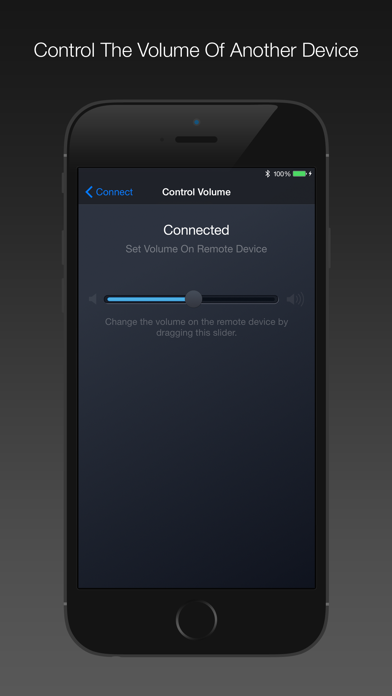
This app allows an iOS device to control the volume of another iOS device remotely using Bluetooth. Great for when you want to control the volume of another iOS device.

Common Uses
- Control the volume of an iPad from your iPhone, or vice versa.
- Remotely control the volume of an iOS device playing media such as music or videos.
- For parents, remotely control or monitor the volume of your children’s iOS devices.
- In a classroom, remotely control or monitor the volume of your students’ iOS devices.
- For presentations, remotely control the volume of an iOS device playing media.

Instructions

1. Install This App On Both Devices
This app must be installed and running on both devices.

2. Enable Bluetooth
Bluetooth must be enabled on both devices. Allow any Bluetooth alerts.

3. Set One Device To Receive Mode
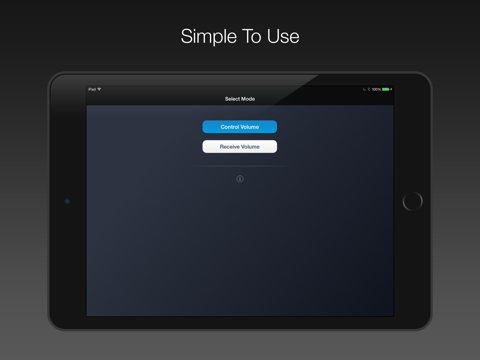
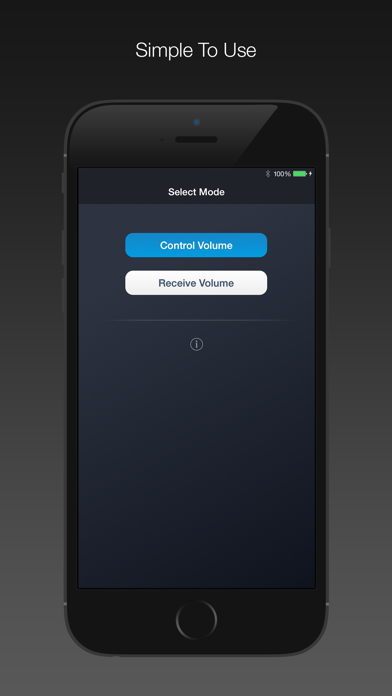
Press the Receive Volume button to allow the volume on the device to be controlled remotely.

4. Set The Other Device To Control Mode
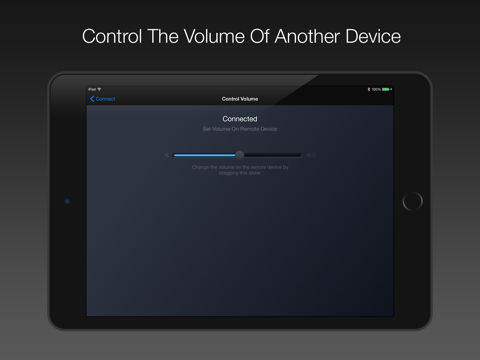
Press the Control Volume button to be able to control the volume on a remote device. Control the volume using the slider, or the preset buttons.


Requirements

- For iPhone, iPad, or iPod touch.
- Requires iOS 8.1 or higher.
- Requires a Bluetooth LE compatible device. (Most iOS devices).

En voir plus...

Quoi de neuf dans la dernière version ?

This app has been updated by Apple to display the Apple Watch app icon.

Compatibility updates.
  • Screenshot #1 pour Volume Remote Control
  • Screenshot #2 pour Volume Remote Control
  • Screenshot #4 pour Volume Remote Control
  • Screenshot #5 pour Volume Remote Control

Note

(0 note)

Détails sur l'application

Version
1.2
Taille
11.3 Mo
Version minimum d'iOS
8.1
Dernière mise à jour
06/08/2016
Publié par
Out of Web Site!

Newsletter App Store

Recevez chaque jour les meilleures promos

Actualité Apple

Image iPhone : Apple a capté 49 % des revenus de smartphones au 2e trimestre, un record
iPhone : Apple a capté 49 % des revenus de smartphones au 2e trimestre, un record
Image L’iPhone Air 2 aurait une Dynamic Island plus petite et d’autres nouveautés
L’iPhone Air 2 aurait une Dynamic Island plus petite et d’autres nouveautés
Image iPhone 18e : les 9 Go de RAM se confirment un peu plus
iPhone 18e : les 9 Go de RAM se confirment un peu plus
Image Apple met à jour Shazam avec des autocollants iMessage pour l’album petal d’Ariana Grande
Apple met à jour Shazam avec des autocollants iMessage pour l’album petal d’Ariana Grande
iPhoneAddict Apps

Le catalogue iPhoneAddict pour suivre les nouveautés, mises à jour et baisses de prix de l’App Store.

Apps

Toutes les apps iOS iPhone iPad Universelles Mac Apple TV

iPhoneAddict

Actualité Apple Archives keynotes Contact À propos KultureGeek

Suivez-nous

©2009-2026 i2CMedia. Tous droits réservés.