WinRM Pro
iOS Universel / Utilitaires
Control Windows servers and workstations remotely by a few taps with your fingertips.
WinRM is an essential app for system administrators, advanced users and students who are trying to learn some PowerShell scripting by trial and error approach or just experiment over long boring traveling times.
Reboot your machine, view historical memory or CPU utilization, determine the most memory-hungry process, start/stop services, share eventlog via e-mail, change AppPool identity, add new IIS web site binding, even with SSL certificate and many more.
Can't accomplish your complicated task using build-in modules? Just open the PowerShell console right in this app.
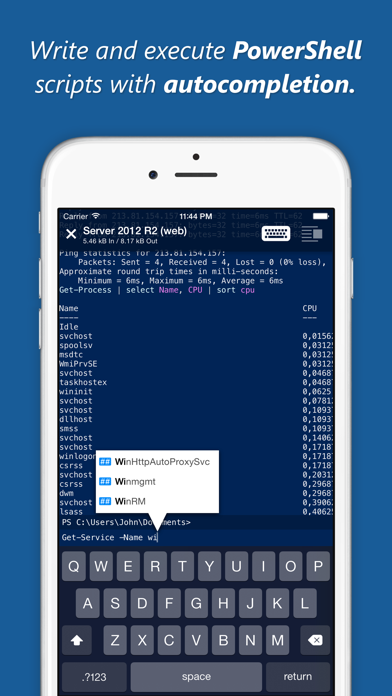
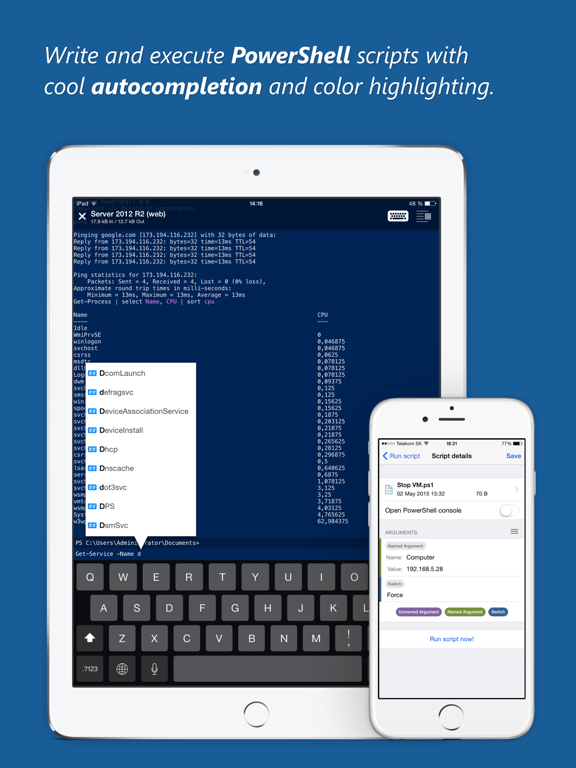
Now, with this app, your iPhone/iPad becomes full-featured PowerShell client with cool script autocompletion, detailed cmdlet help with examples, native prompt dialogs, color highlighting and more. You can access command history by simple edge swipe gesture. All communication is SSL encrypted and proxy-friendly.
MAIN FEATURES
Machine information
• OS version
• CPU utilization real-time chart (user, kernel)
• Memory utilization real-time chart (total, committed, physical...)
• Up time, computer's name, IP addresses
• Perform shut down or reboot
Processes
• Search by name or PID
• Sort by: name, PID, memory, CPU usage
• Send all processes by e-mail
• Kill process by swipe gesture
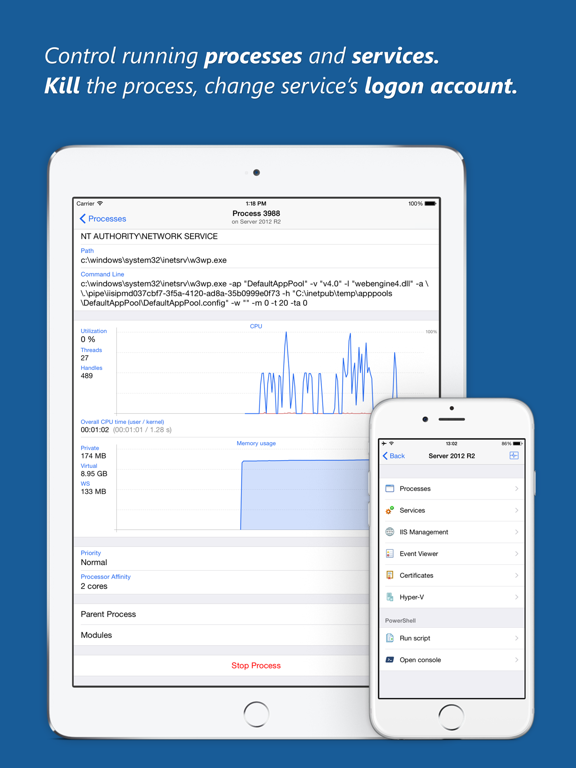
• Show process details, path, command line...
• Show running time
• Show overall CPU time (user / kernel)
• Show real-time chart for CPU and memory
• Change process priority
• Change processor affinity
• Go to the parent process
• View or export all process modules with details
Services
• Full-text search in service names
• Send all services with status by e-mail
• Show service details, state, description, path...
• Go to the service's process
• View service dependencies
• Change log on account
• Change start mode
• Start / Stop operations
Event Viewer
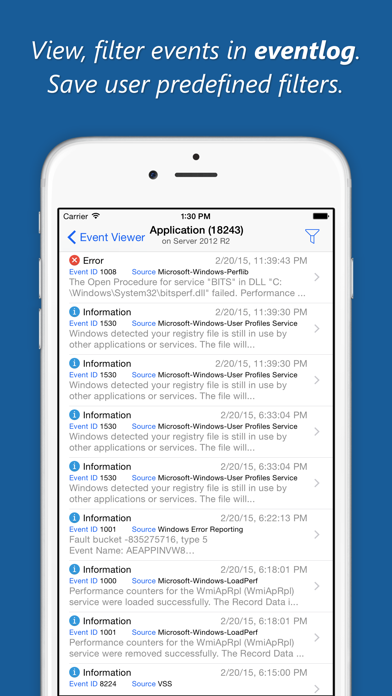
• Search windows or applications & services logs
• Show eventlog details: log size, maximum size, path...
• Look through all events in infinity list
• Filter events by date, level, sources, event ID...
• Save user predefined filters
• View event details and full messages
• Send events by e-mail
IIS
• View all websites with status
• Rename website and AppPool
• Change AppPool for web site
• Start / Stop / Restart Site or AppPool
• Add / Remove binding (HTTP and HTTPS)
• View web applications (by Site or AppPool)
• Change pipeline mode
• Change AppPool identity
• Enable / Disable 32-bit web applications
• Show worker processes
Hyper-V
• View CPU usage and memory assignment of virtual machines
• Start, shutdown and reset virtual machine
• Configure startup RAM, enable dynamic memory, adjust memory weight
• Set the number of virtual processors, adjust VM resources reserve and weight
• Change the start and stop actions to take on a VM when the virtualization service starts and stops
• Resize VHD on virtual machine
PowerShell Console
• Full implementation of PowerShell host UI with colors, native prompts, progress bars...
• Autocompletion - see suggestions for paths, cmdlets, parameters, values, .NET classes...
• Color highlighting of executed scripts
• Handheld-friendly help for installed cmdlets, method signatures...
• Long running commands termination
• Real-time console output (useful for ping, traceroute...)
• No need for stable connection (well performed on poor cellular networks)
• Traverse command history by edge swipe gesture (both right and left edges)
The app requires an open-source WinRM Bridge Service up and running on some machine located in your network. WinRM Bridge can be self-hosted as a Windows service or a Web Application inside IIS server.
Source code, binary and installation files of WinRM Bridge are provided for free at http://winrmapp.com/downloads
Missing some feature, have an idea? Please let me know!
This app uses icons by Icons8 (http://icons8.com)
Quoi de neuf dans la dernière version ?
Support iPhone XS, and new iPad Pro