OnsenCalc - Tips and Memo
iOS Universel / Voyages
In Japan's Onsen (mainly dressing rooms at onsen), a “onsen analysis table” is posted.
In the onsen analysis table, all ingredients and effects of onsen are written in Japanese.
"OnsenCalc." is an app that has the function to enjoy the Onsen you visit more, using the "spring quality" written in the onsen analysis table.
*Onsen is "hot spring" in Japanese.
[How to use]
1. First, find the onsen analysis table.
About A3 size horizontal, "温泉分析表" is written in the upper center. If there is a table with chemical symbols near the left center of the two-column set, that is the “onsen analysis table”.
Next, find the word "泉質" , that is meaning of "the spring quality" from the letters on it.
Generally, it should be near the lower left of it.
Once you find “泉質”, just enter it.
For example, if the spring quality name is
酸性・含硫黄ーアルミニウム・ナトリウムー塩化物・炭酸水素塩強塩温泉
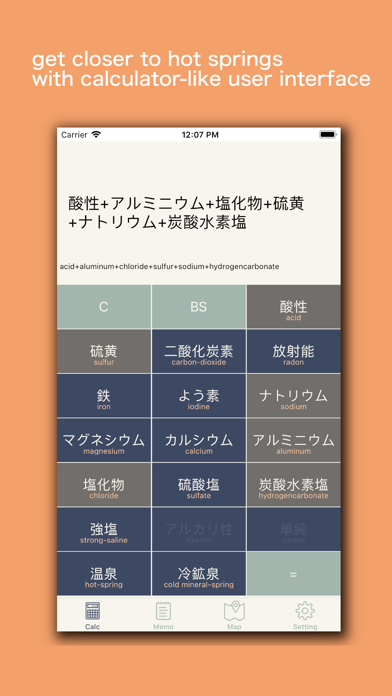
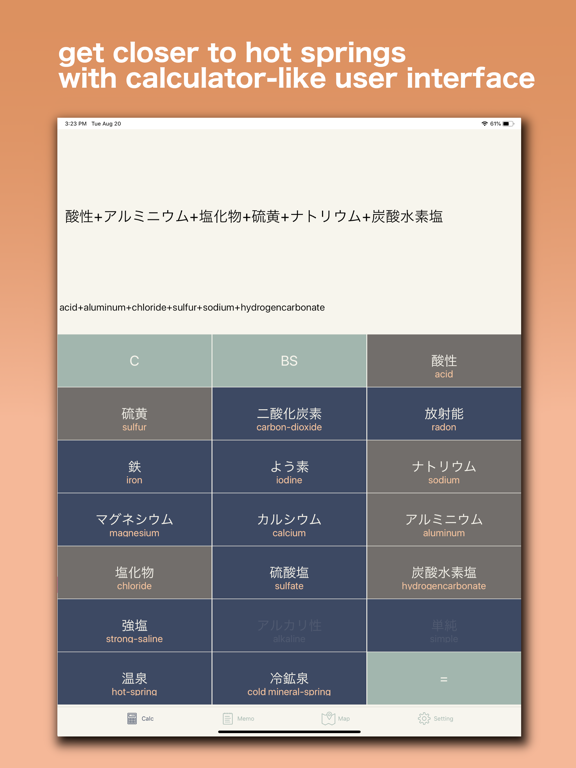
Enter the button names "酸性", "硫黄", "アルミニウム" ... in the order of the spring quality name, and tap "=" at the end.
You don't have to enter "含", "温泉", "冷鉱泉" and "強塩"!
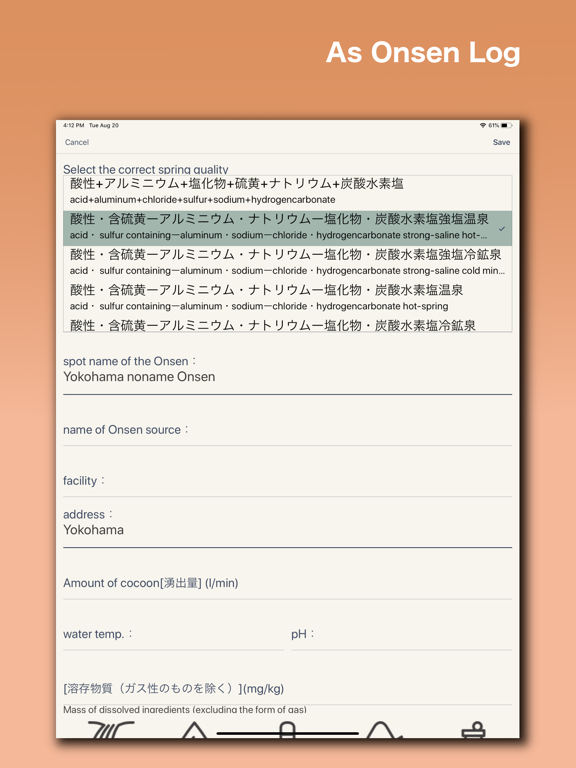
When saving to a memo, you can select the correct spring quality name, so the app will correct it even if the order is wrong, except for some.
* The “アルミニウム” and “ナトリウム” parts (cations) must be entered in order.
* "弱" is not supported.
If you can't find "泉質" by any means, please show the top screen of the app to people who seem to understand Japanese nearby.
On the top screen of the app, the Japanese language that asks you to enter the spring quality is displayed by default.
Remember to press “=” at the end!
After entering the spring quality, it is recommended that you tap “Note” in the upper right to make a note.
It will also be a record of your trip.
By the way, the spring quality mentioned in this example is "containing acidic・sulfur - aluminum・sodium - chloride・bicarbonate strong salt hot spring" in English.
◎ Features
* 'Onsen' is meaning of hot spring
1. Know the Onsen quality
- The characteristics of the Onsen
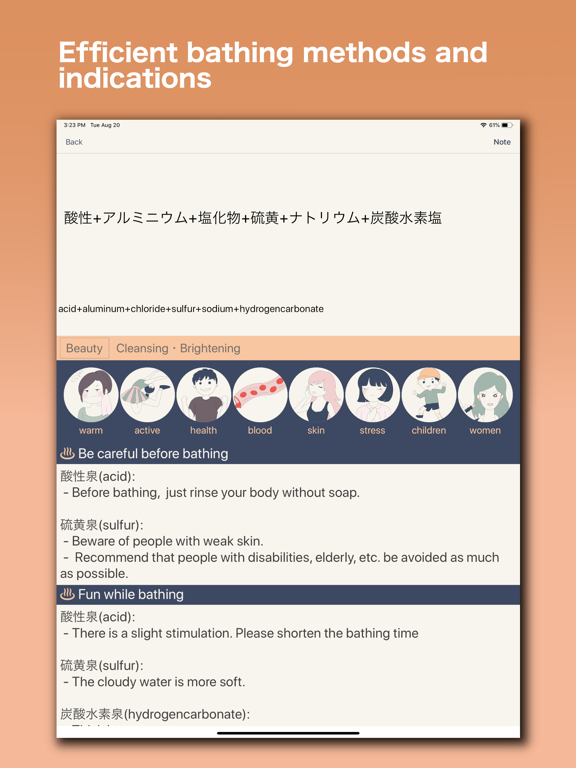
- How to care before and after bathing, depending on the Onsen quality.
- Japanese Onsen information that to be able to enjoy the inputed hot spring quality is displayed.
2. Record the Onsen where visited
- Specifications to write down Onsen information in detail.
- Suitable for Onsen trips.
3. Map
- If a rough address is written on the recorded hot spring memo, the location will be plotted on the map of Japan.
- The Onsen spots selected by the “OnsenCalc” is listed.
4. Print
- The recorded Onsen memo can be printed.
- Blank Onsen memo can be also printed.
If you print in advance and take the paper to a dressing room at Onsen, you don't have to carry your smartphone. It's good for your security.
◎ About Printing
■ Print recorded Onsen memo
1. Display the "Memo" screen
2. [Swipe from left to right] on the line where the information you want to print is written
3. Tap "Print" (or printer icon)
4. Select printer
* A printer compatible with AirPrint is required.
* Some printers appear to shift slightly up and down.
■ Print blank Onsen memo
1. Display "Settings" screen
2. Tap “Print”
3. Select printer
* A printer compatible with AirPrint is required.
* Some printers appear to shift slightly up and down.
* After selecting a printer, you may receive a video advertisement.
* When printing at a convenience store, etc., send the file by “Send File” instead of 2, and then print from a convenience store application.
◎ About "Pick up 300"
- 300 hot springs Japanese nationwide selected.
- One or more places are always included in each prefecture.
- You can record what you have done and the results will be displayed on the map.
◎ Onsen manners
- Rinse your body with hot water
- Don't add cold water even if the Onsen is too hot for you.
- Don't put towels in the bathtub.
- Long hair should be tied up so as not to soak in the water.
- No swimsuits are allowed.
- No tattoos are allowed as a general rule.
- Wipe your body before getting back to your locker.