SF TabBar for SwiftUI
iPhone / developpeurs
Build and preview modern SwiftUI TabViews using SF Symbols 7 and iOS 26’s Liquid Glass design language. Design tab bars, search tabs, bottom accessories, and navigation patterns, then export production-ready SwiftUI code.
Perfect for designers, developers, and anyone exploring iOS 26's new tab bar capabilities. Create stunning tab bar designs that take full advantage of Apple's latest design language.
What's New in 2.0:
• iOS 26 Tab Bar System - Full support for the new TabView with search roles, minimize behavior, and bottom accessories
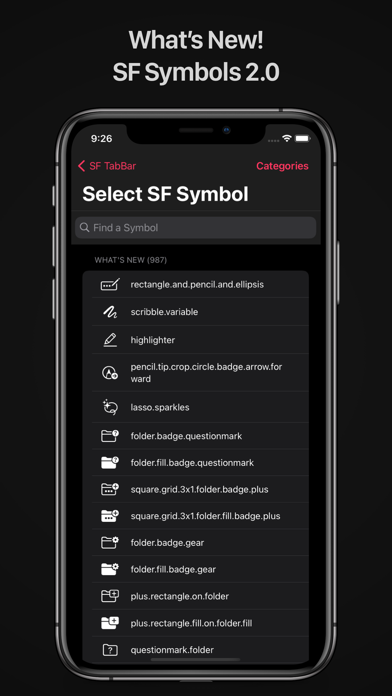
• SF Symbols 7 - Access to 500+ new symbols including spatial computing, health monitoring, and accessibility icons
• Liquid Glass Effects - Preview how your tab bars look with iOS 26's translucent glass materials
• Search Role Integration - Design tab bars with floating search buttons that activate search fields
• Minimize Behavior - Preview tab bars that hide/show based on scroll direction
• Bottom Accessories - Add persistent UI elements that stay visible across all tabs
• Content Preview - Test your tab bars with real content, custom colors, and background images
• Live Code Export - Generate ready-to-use SwiftUI code for iOS 26 TabView implementation
Core Features:
• 2,900+ SF Symbols - Complete library from SF Symbols 1.0 through 7.0
• Real-time Preview - See your tab bar design live as you build it
• Customizable Colors - Tint colors, label colors, and glass effects
• Font Weights - Choose from regular, bold, and all SF Symbol weights
• 2-5 Tab Support - Design for any app layout
• Export & Share - Copy SwiftUI code or share symbol names
Quoi de neuf dans la dernière version ?
This update catches the library up to SF Symbols 7.1 as we experiment and ready for the new batch of SF Symbols in the Fall!